Marble Photo Resume Template
A classic modern resume template with profile photo, 8 colour options, and a 9.0/10 ATS score. Built for corporate professionals.
Free to use. No account needed to start.
Why Marble Photo?
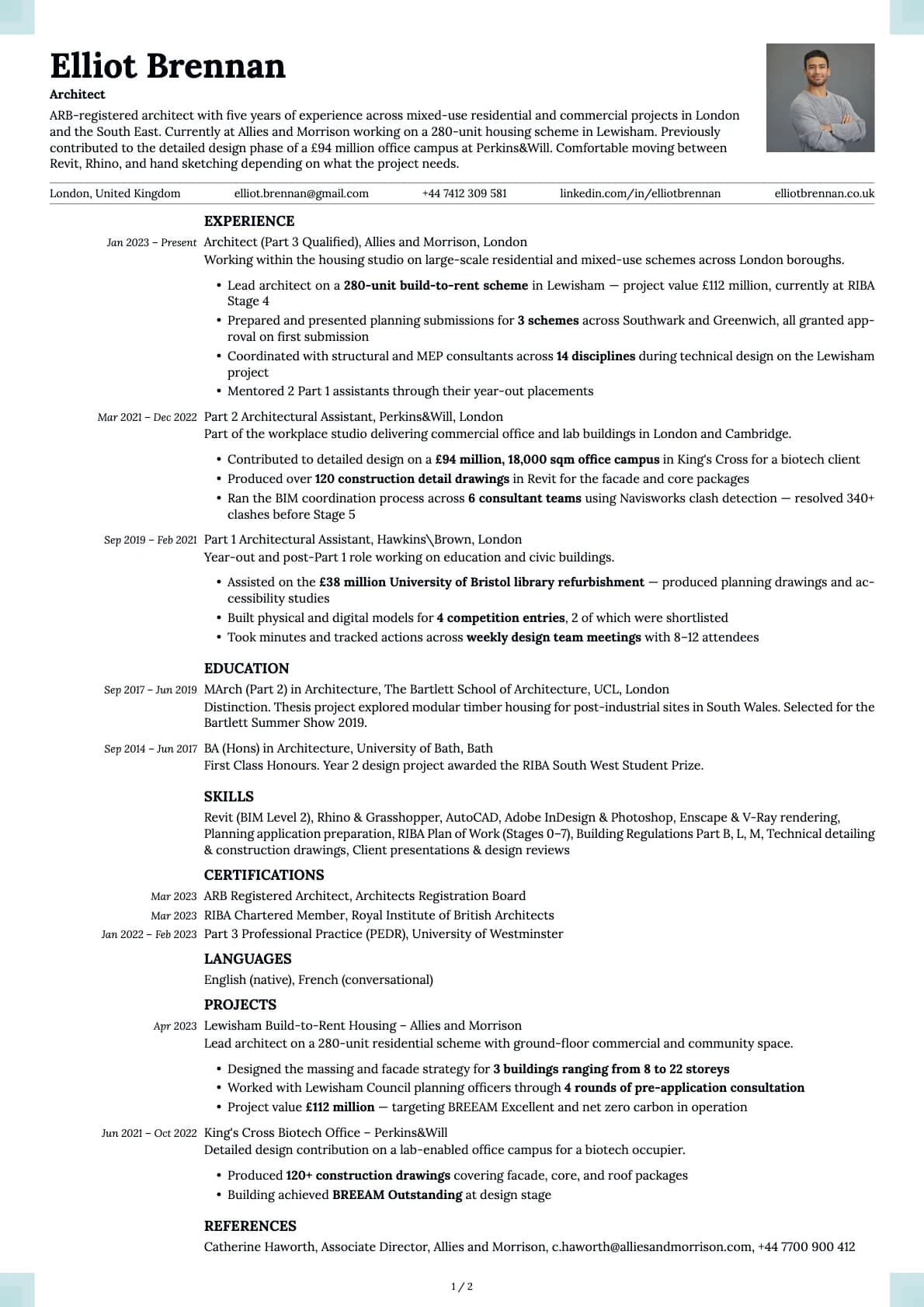
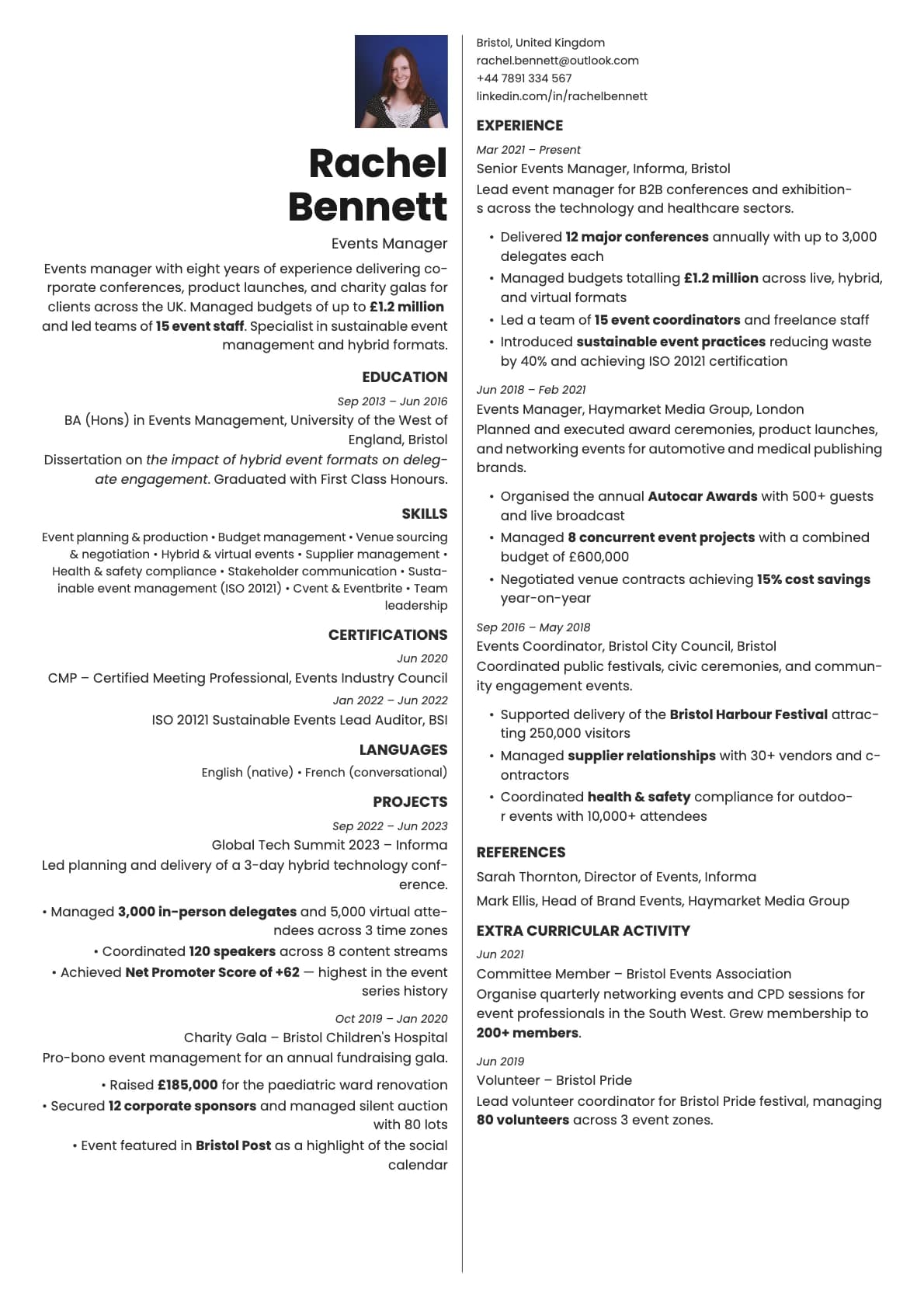
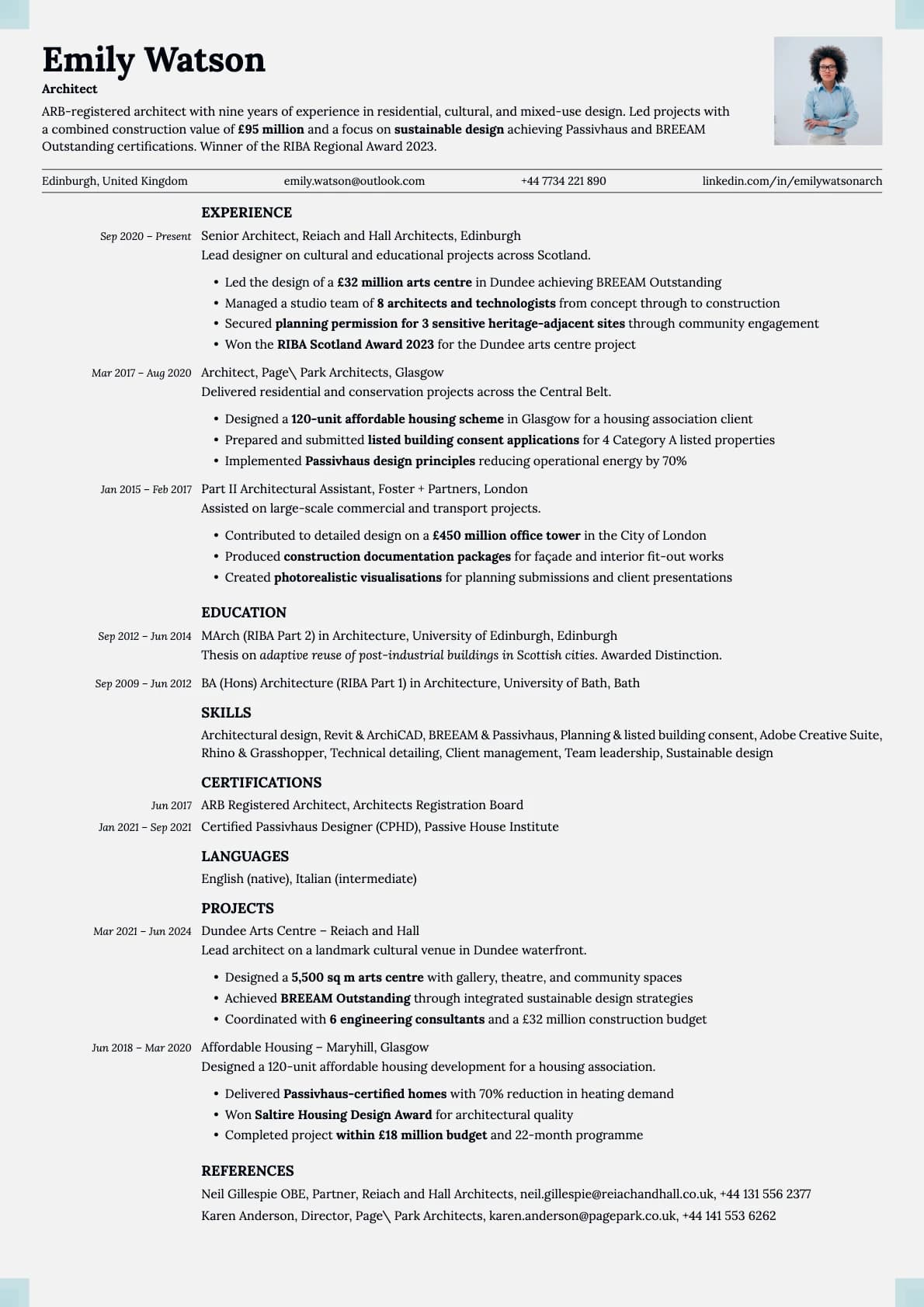
Marble has a quiet confidence to it. Subtle off-white backgrounds, understated text colours, and a layout that looks like it belongs in a well-run organization. The photo variant adds a headshot to that composed look, and because Marble's colour palette is so subdued, the photo integrates smoothly. Nothing clashes, nothing fights for attention.
This is the template for someone who wants their resume to say "I have been doing this a while and I am good at it" without having to say it loudly.
When a photo makes sense
Corporate professionals in established industries: banking, insurance, management consulting, supply chain, operations, and legal. Marble Photo fits the tone of applications where the company itself has a traditional, buttoned-up culture. Also works well for professionals in their 30s and 40s who want a resume that matches their experience level visually.
Strong choice for European corporate applications where a clean photo on a classic-looking CV is expected and appreciated.
When to skip the photo
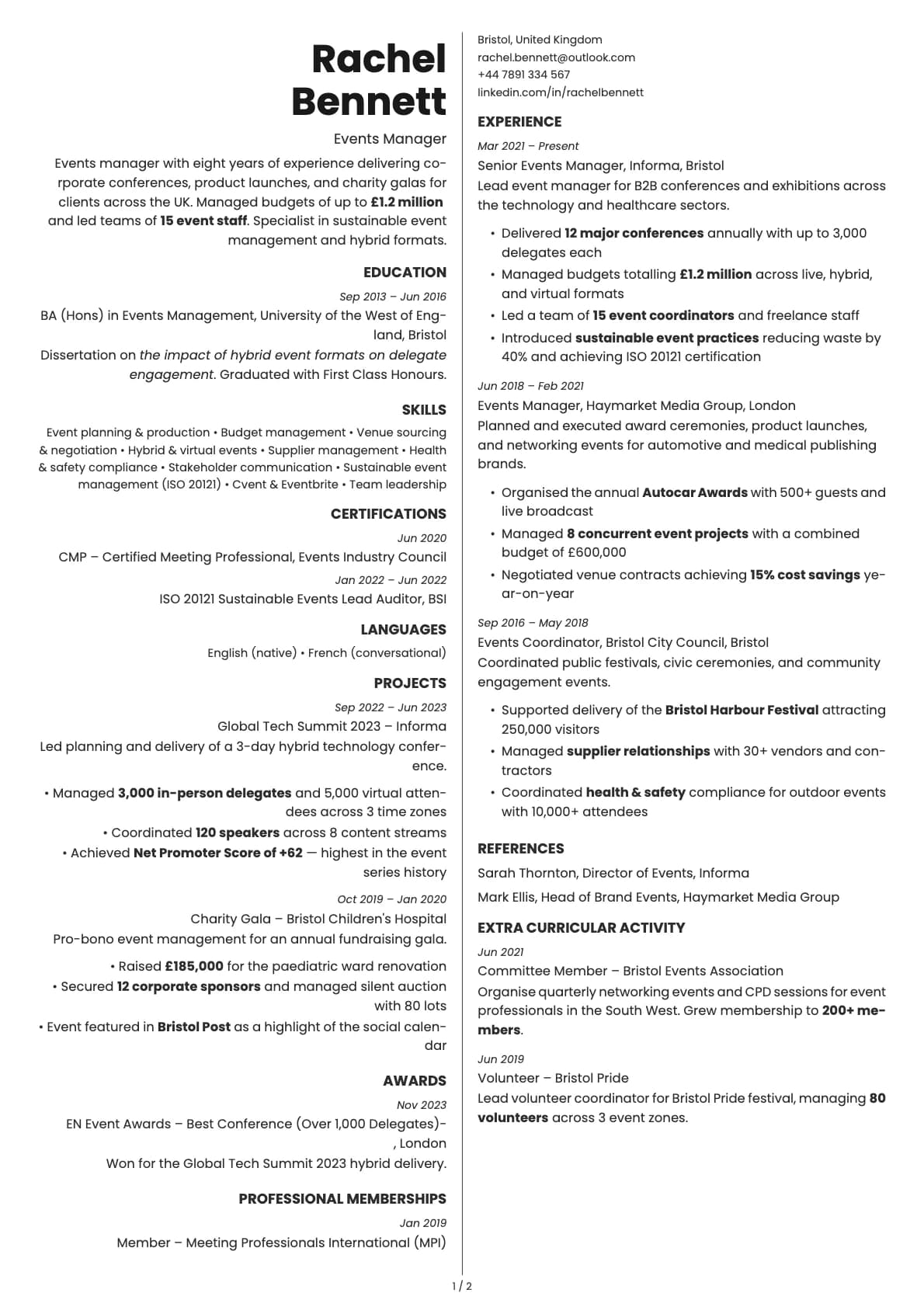
US-based applications through Workday, Taleo, or similar enterprise ATS platforms. Also skip it for any role with blind hiring processes. The base Marble template gives you the same composed look without the photo.
What you get
- Everything from the base Marble template: classic-modern layout, off-white background options, 9.0/10 ATS score, multi-page support
- A profile photo area that blends with the header
- Photo on the first page only
- 8 colour themes with warm and cool tones that complement professional headshots
- Inter as the default font, changeable in the builder
Photo tips
Marble's muted colour palette calls for a photo that matches. Soft lighting, neutral or grey background, professional attire. Avoid high-contrast or heavily edited photos. The goal is a headshot that looks natural alongside the template's understated style.
ATS compatibility
The photo is rendered separately from your text content and does not affect parsing. ATS systems read the same content as the base Marble template. Both score 9.0/10.
Build your resume with Marble Photo on Laddro
Start building with Marble Photo. Upload your headshot, enter your details, and watch the preview update live. Adjust colours and fonts, then export as PDF. No account needed to start.
How would you rate this template?
Your rating helps others pick the right template for their resume.
Make this template yours
Pick a colour, add your details, and download your resume. No design skills needed.
Free to use. No account needed to start.