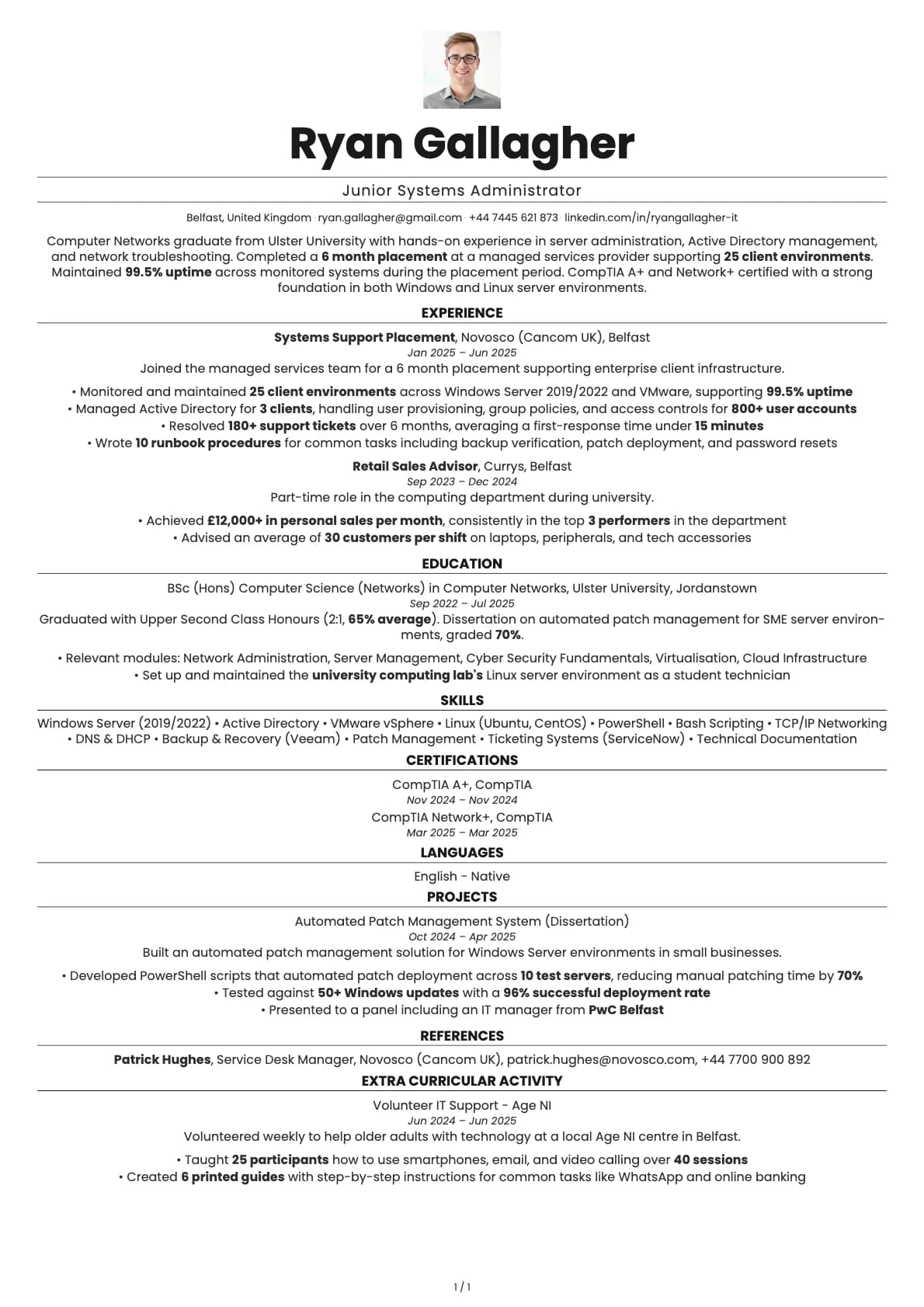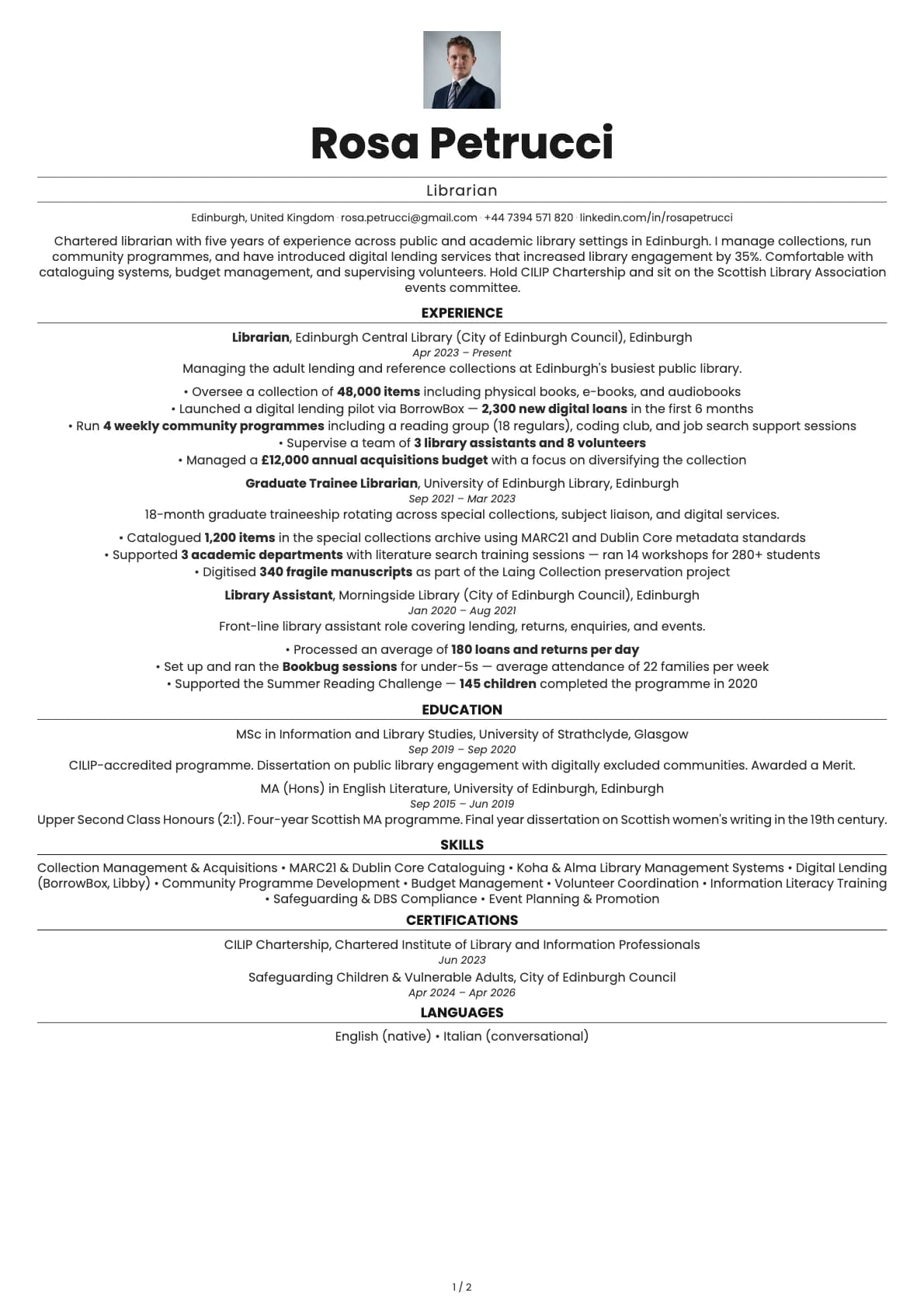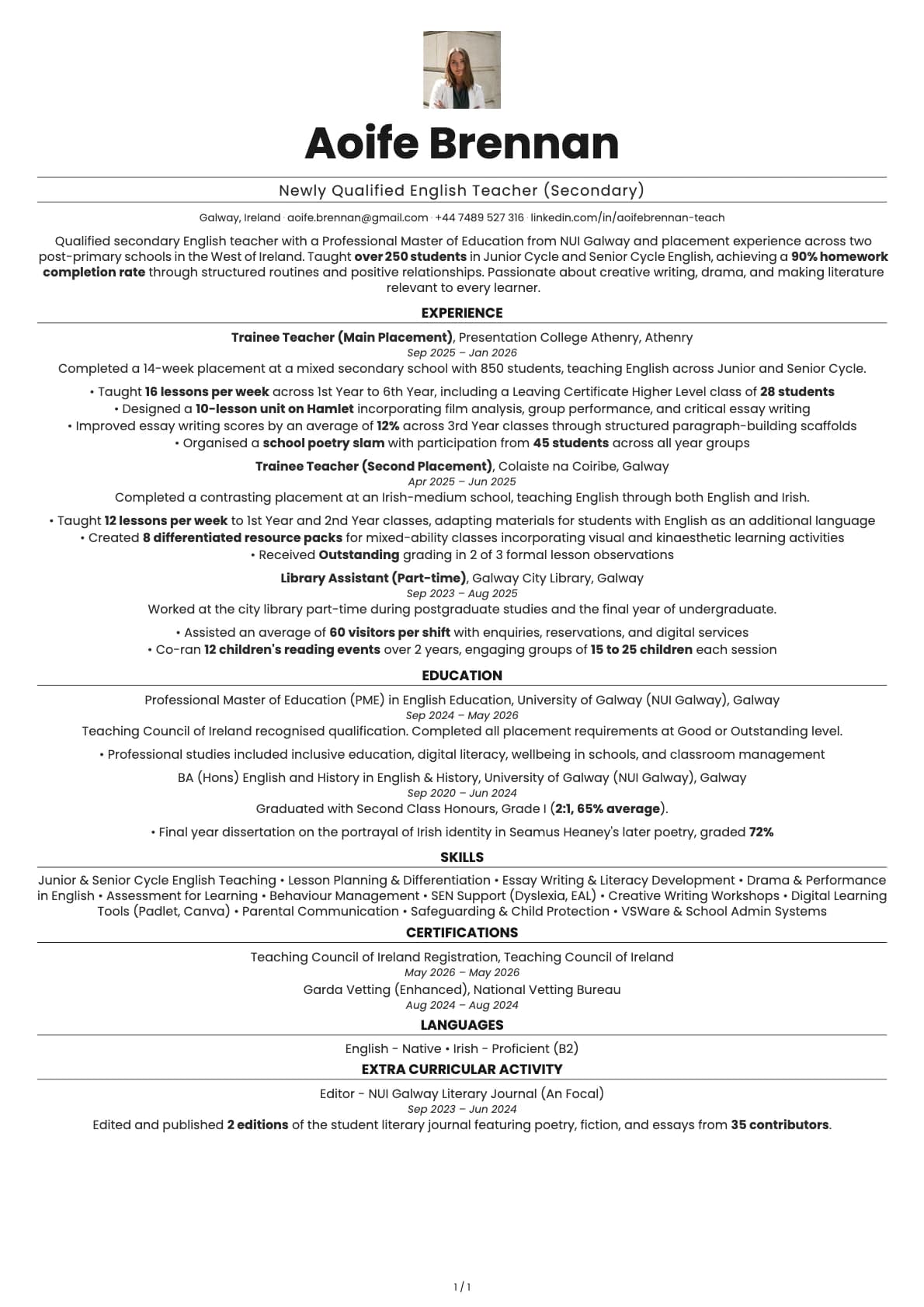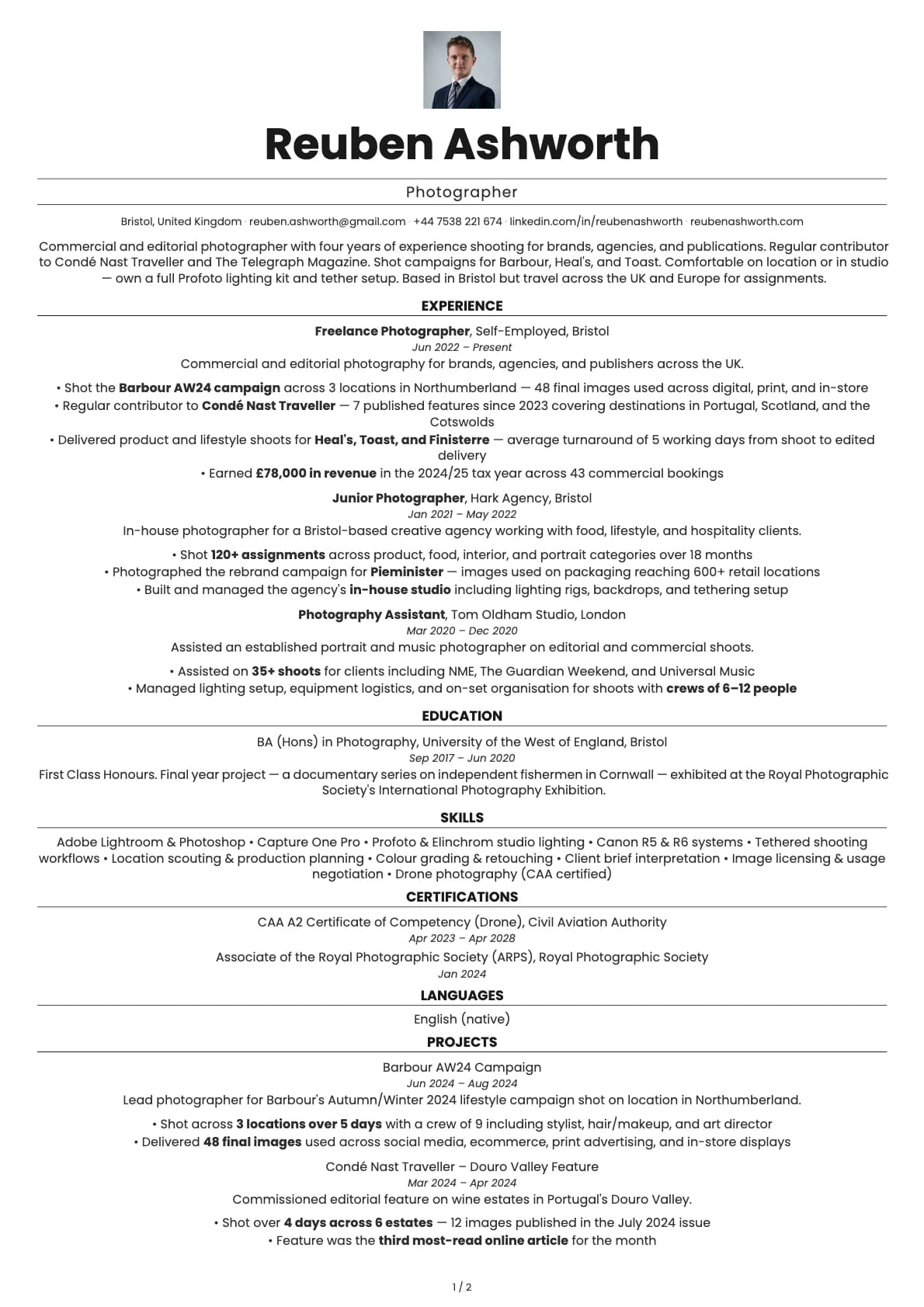
Quartz Resume Template
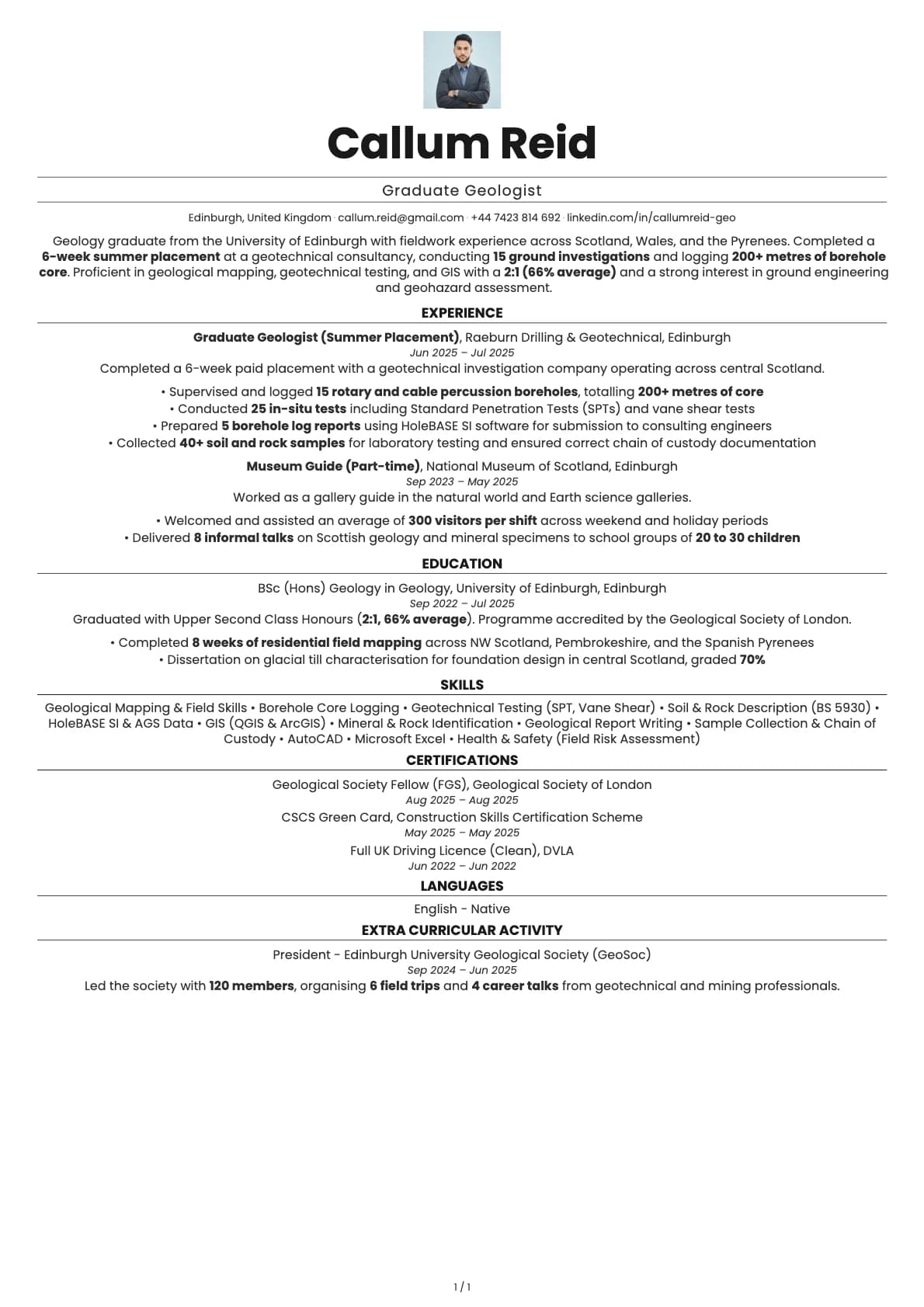
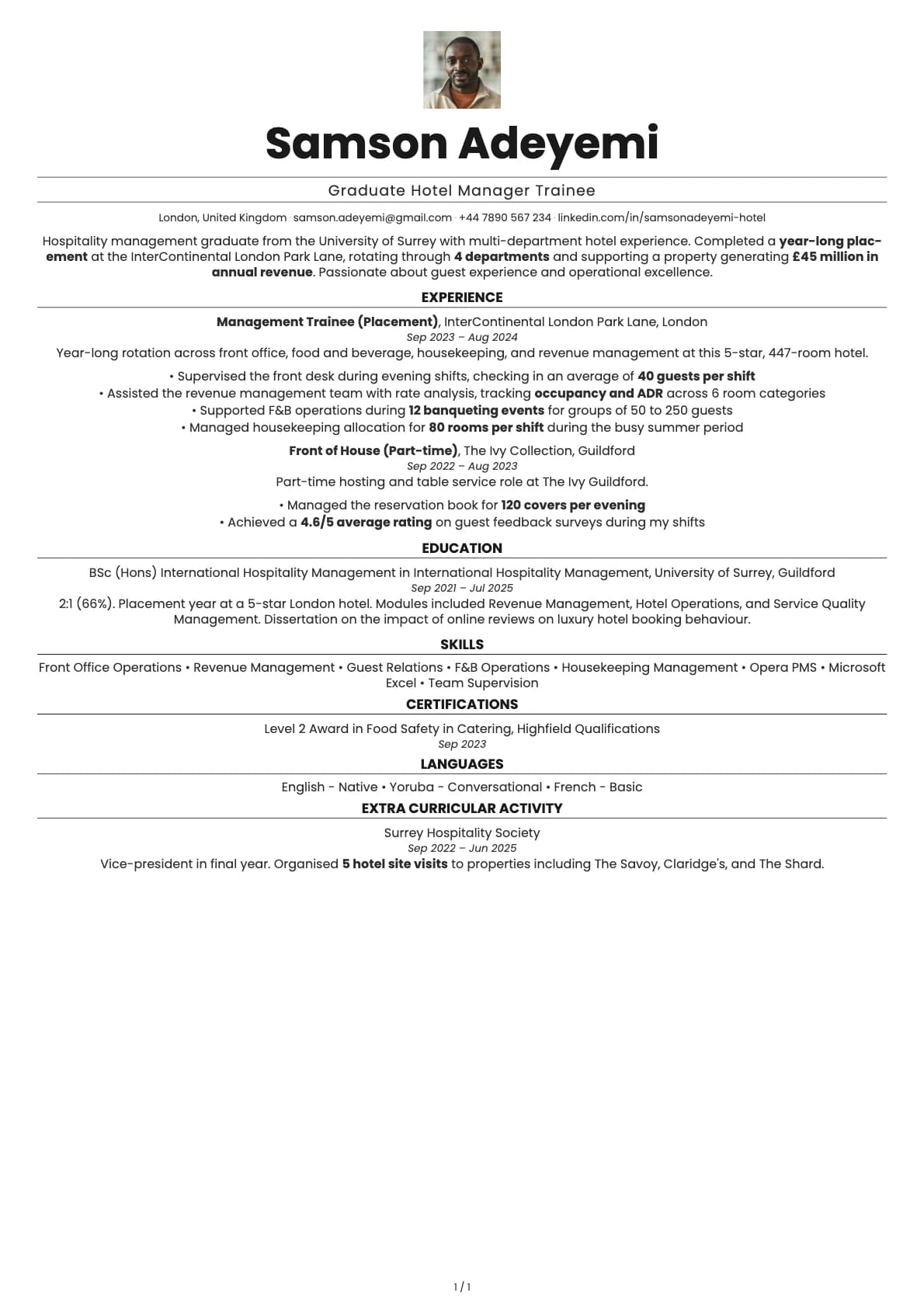
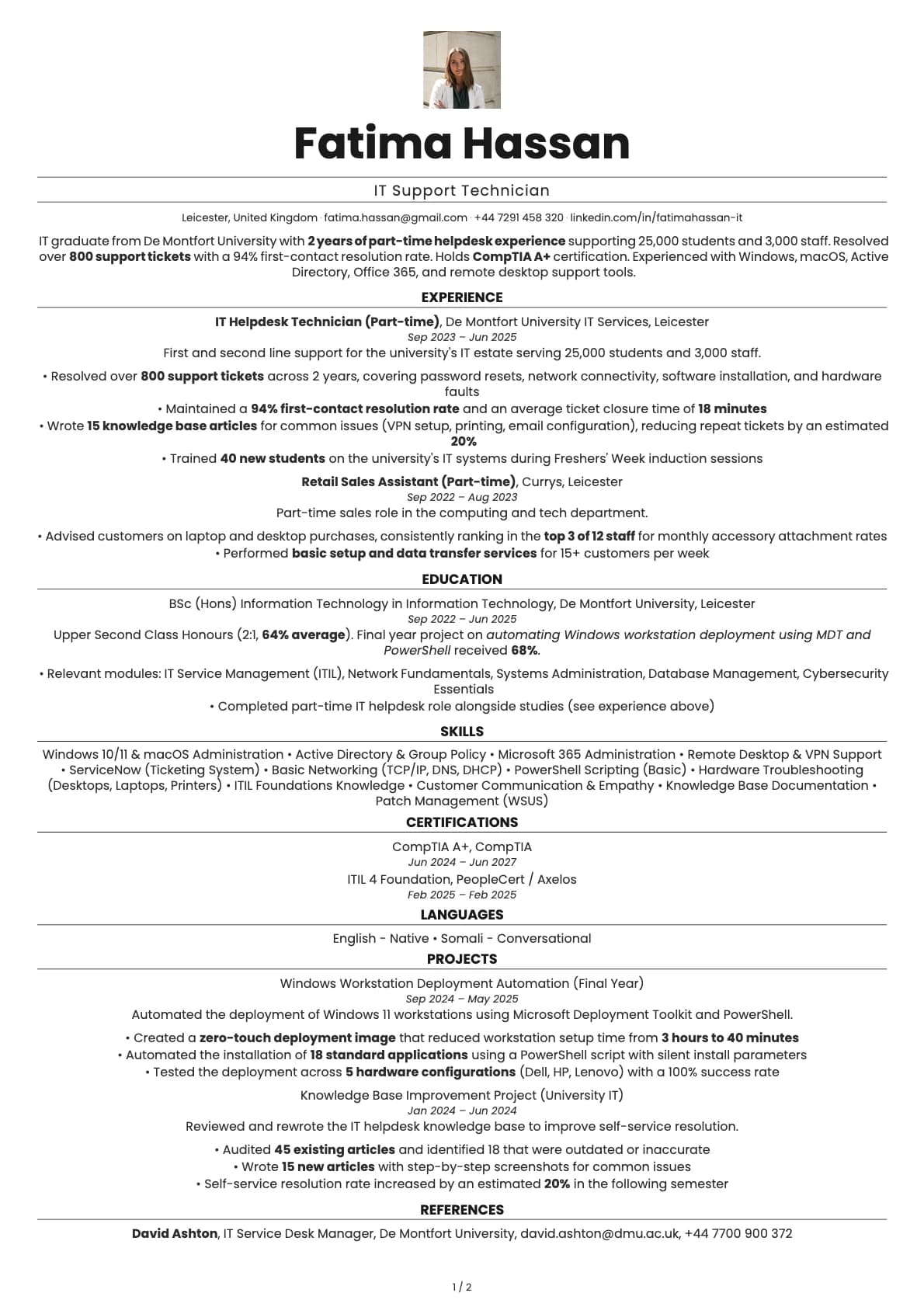
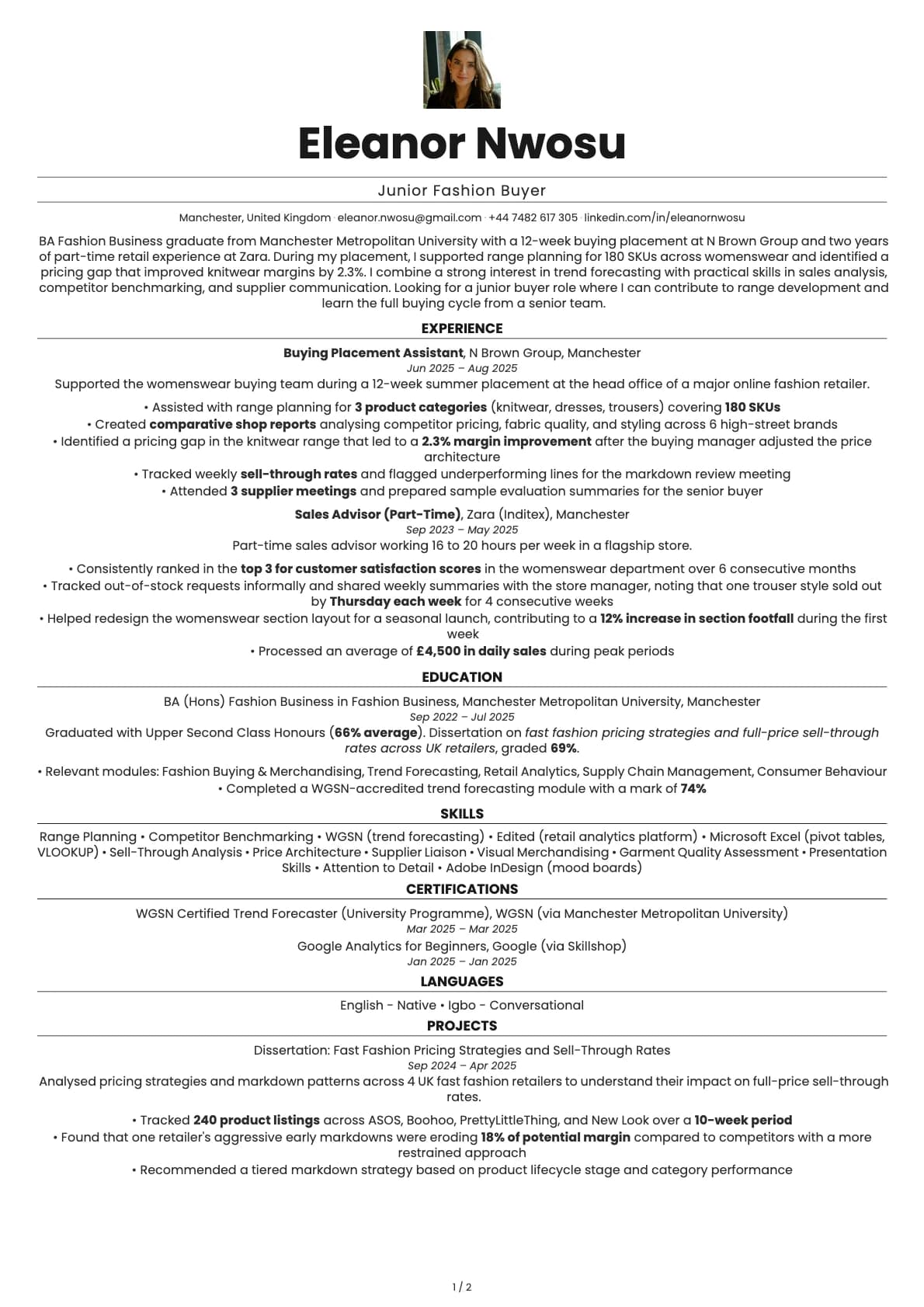
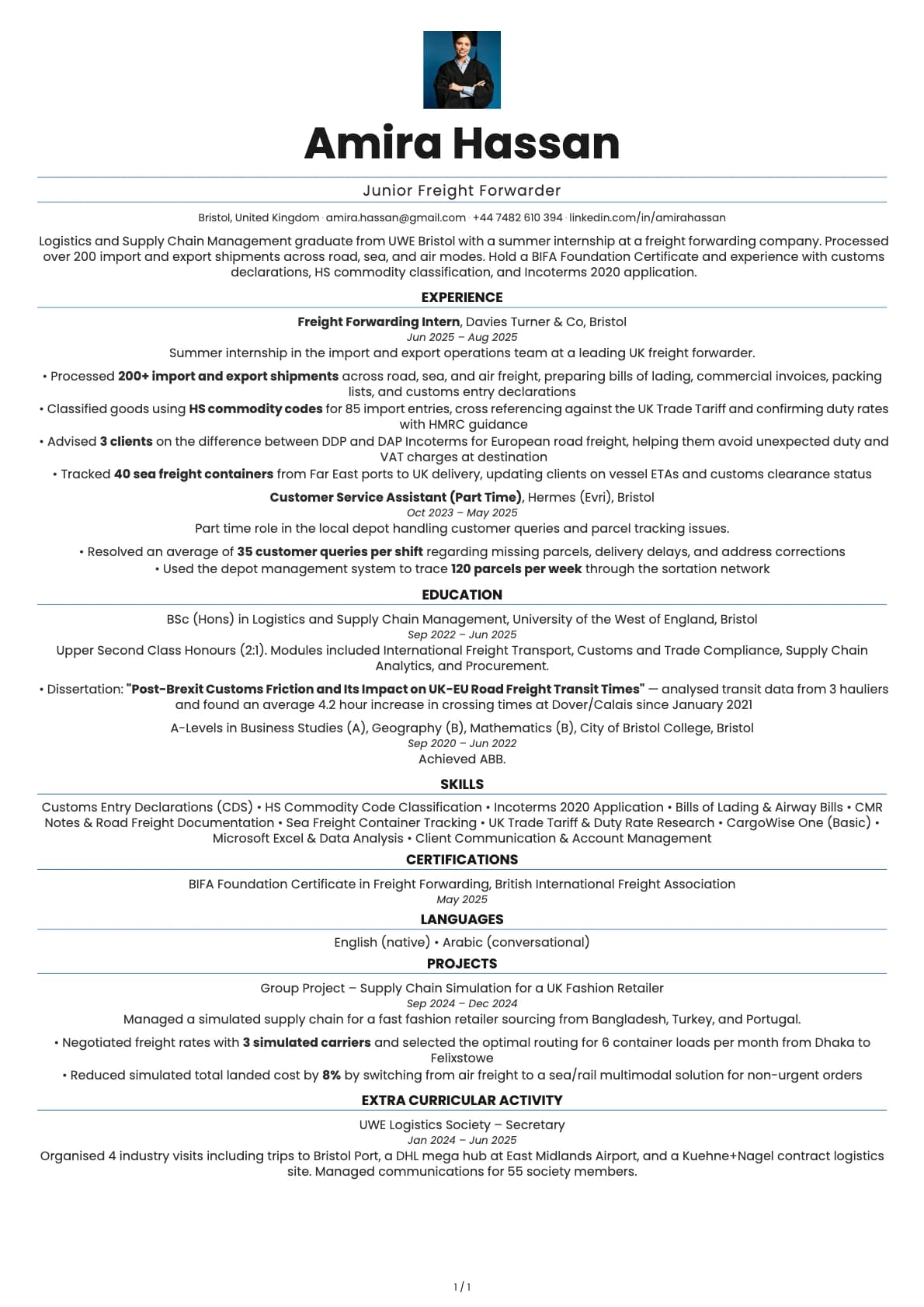
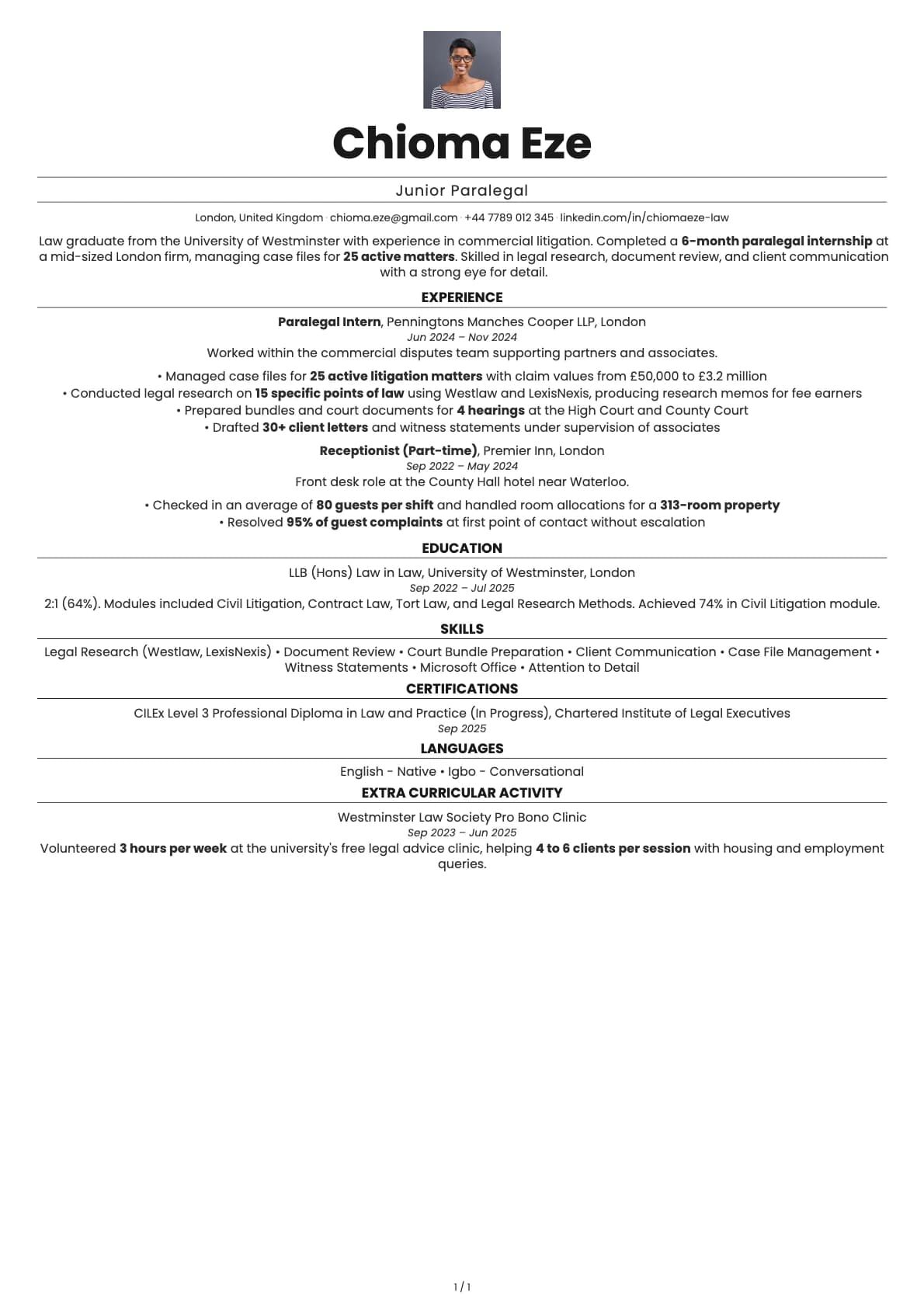
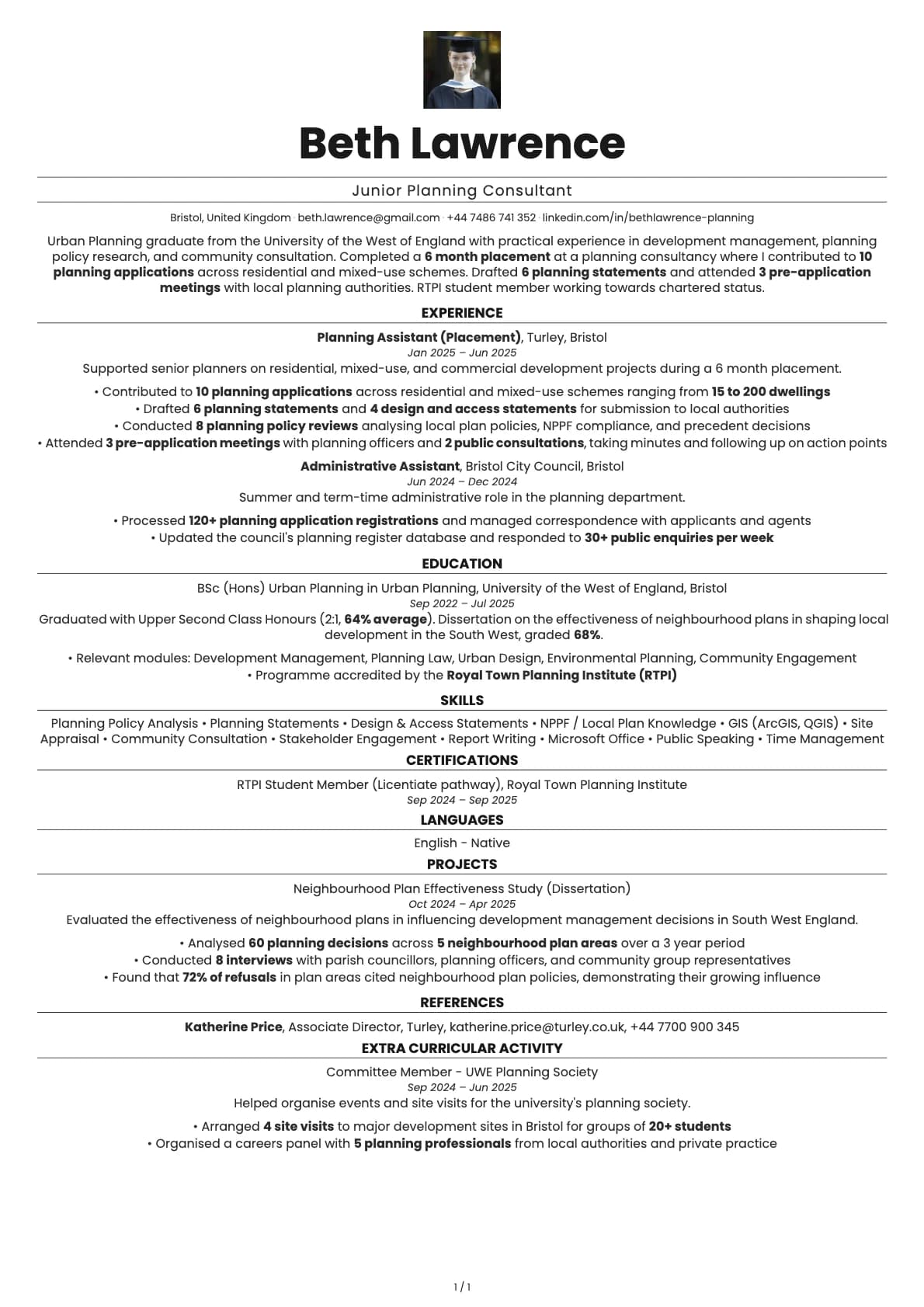
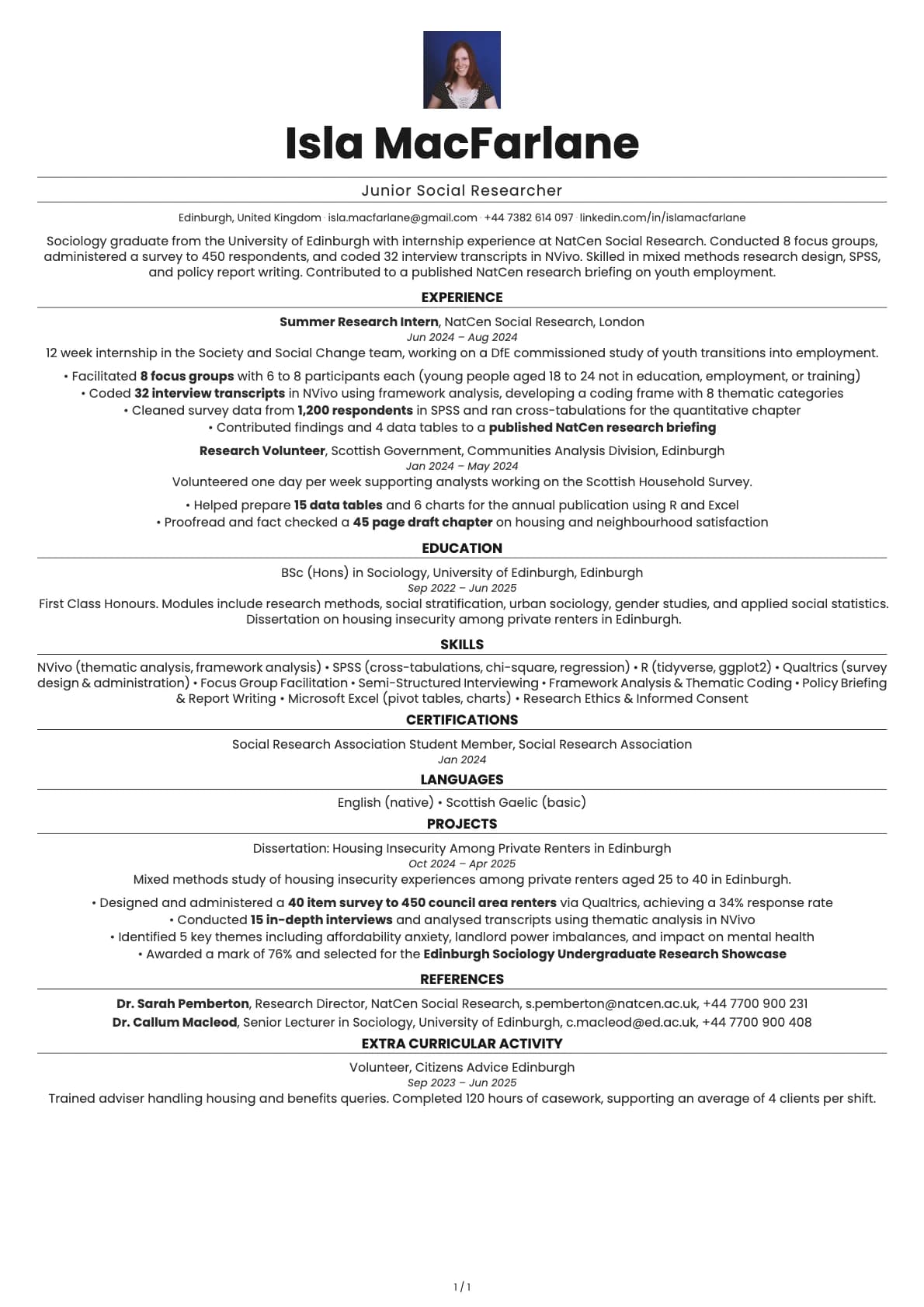
A minimalist resume template with a full-width header and two-column body, 7 colour options, and a 7.5/10 ATS score. Clean layout for all industries.
Free to use. No account needed to start.
Why Quartz?
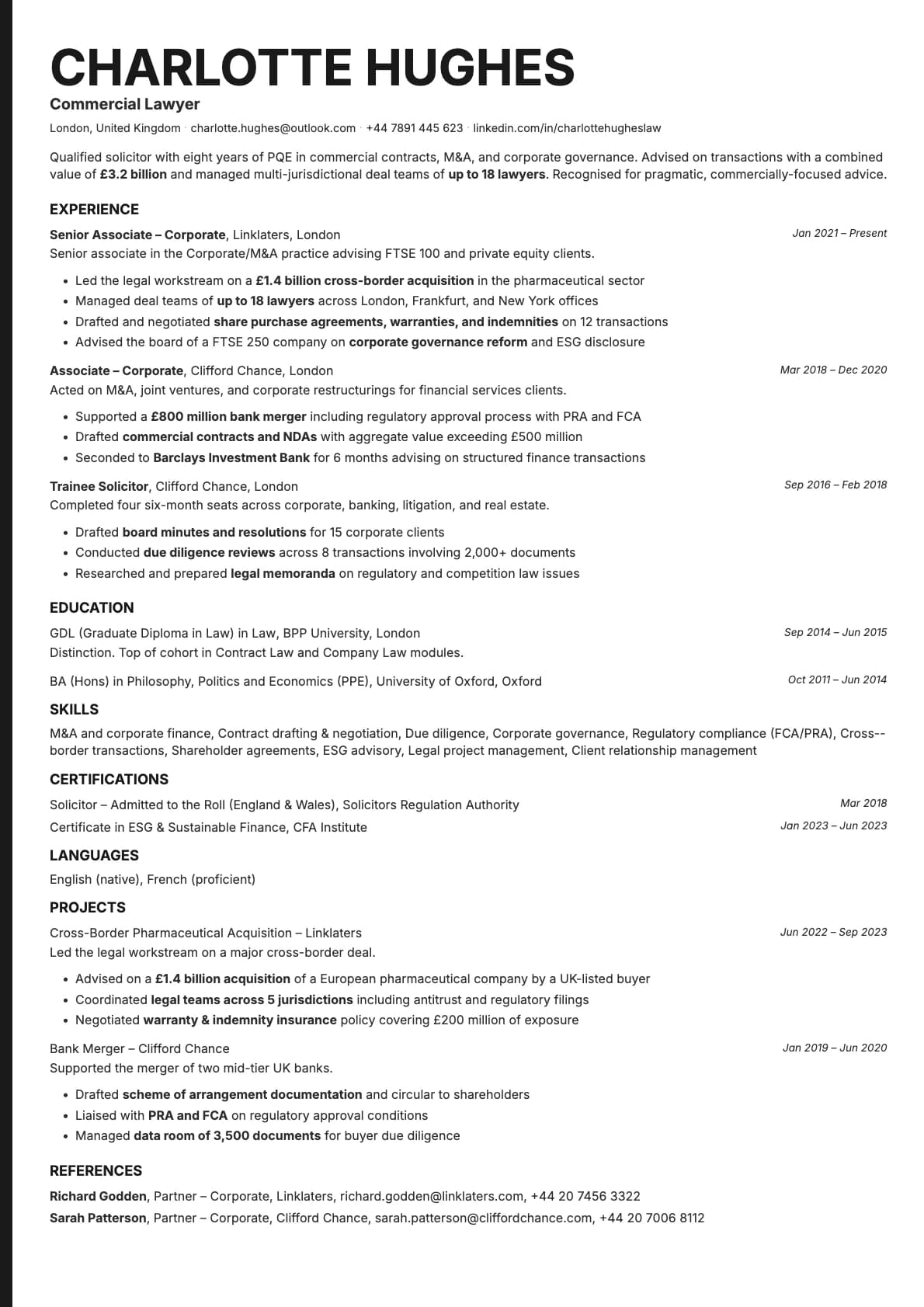
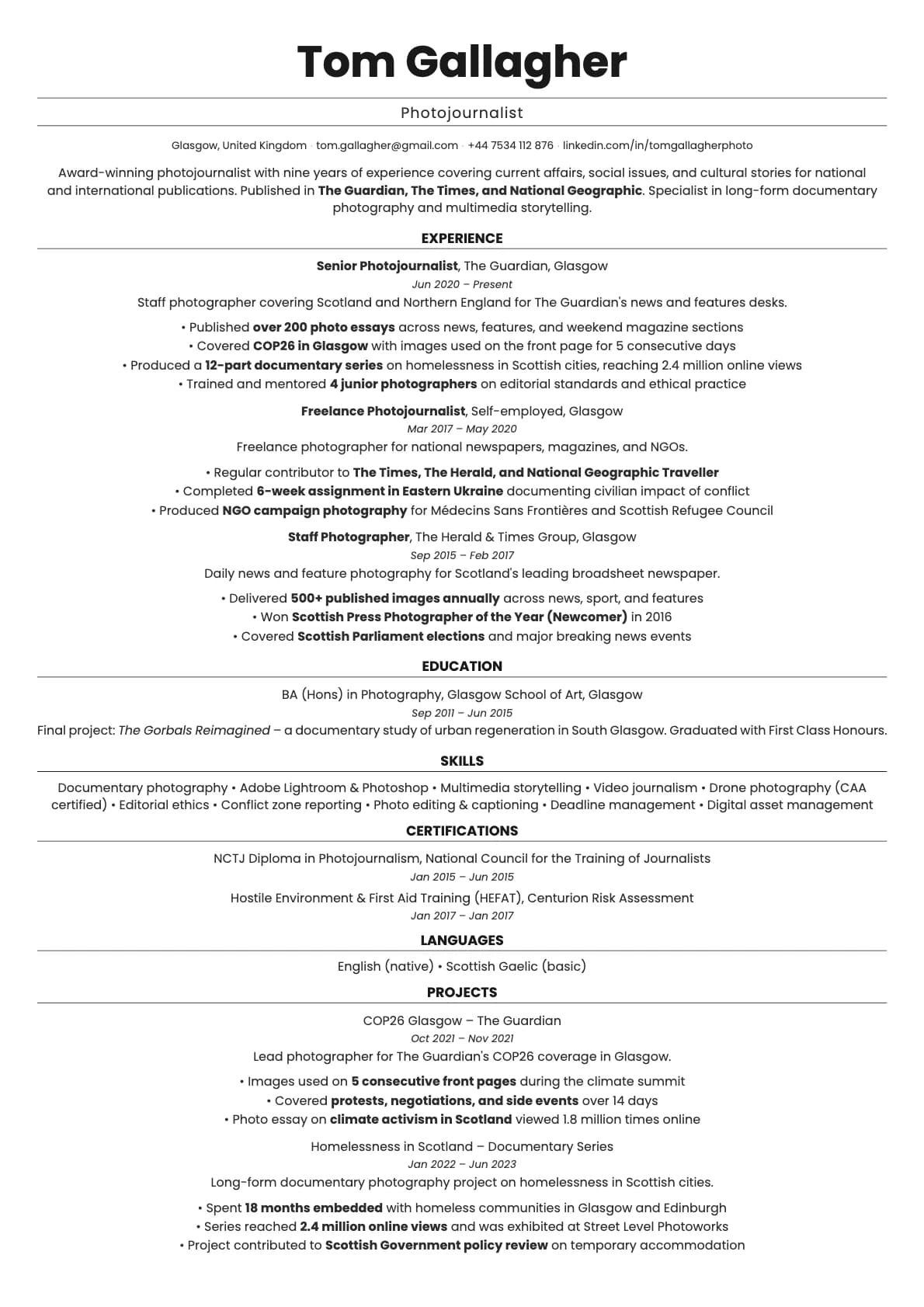
Quartz puts your name front and centre in a full-width header, then splits the rest of the page into two columns. Contact details and supporting sections go in a narrow left sidebar, while your main experience and education fill the wider right column.
It is a practical layout. You get the space efficiency of a two-column design without the cluttered feel that some sidebar templates create. The header gives your name and title room to breathe, and the body is structured enough that recruiters can find what they need in seconds.
Who should use this template?
Quartz fits most industries and experience levels. The minimalist styling keeps it appropriate for corporate roles, while the two-column layout gives you enough room to show off a well-rounded skill set without spilling onto extra pages.
It works well for mid-career professionals who have enough content to fill a page but do not want to go to two pages yet. It is also a solid choice if you are applying to companies that value clean design, like SaaS companies, consultancies, or marketing agencies.
If you want a similar header-plus-two-column layout but with more visual weight, Obsidian takes that concept and adds higher contrast and a bolder feel. If you decide you would rather skip the two-column layout and go with something that scores higher on ATS, Marble gives you a polished single-column format. And for a stripped-back minimalist option in a single column, Ivory is worth a look.
What you get
- A full-width header with your name centred and prominent
- A two-column body with contact info and secondary sections in a left sidebar
- 7 colour themes, from clean white to soft grey, blue, green, and navy
- The default font is Poppins, a geometric sans-serif that reads clearly at any size. You can switch to any other font in Laddro (Inter, Arvo, Lora, Century Gothic, and more) whenever you want
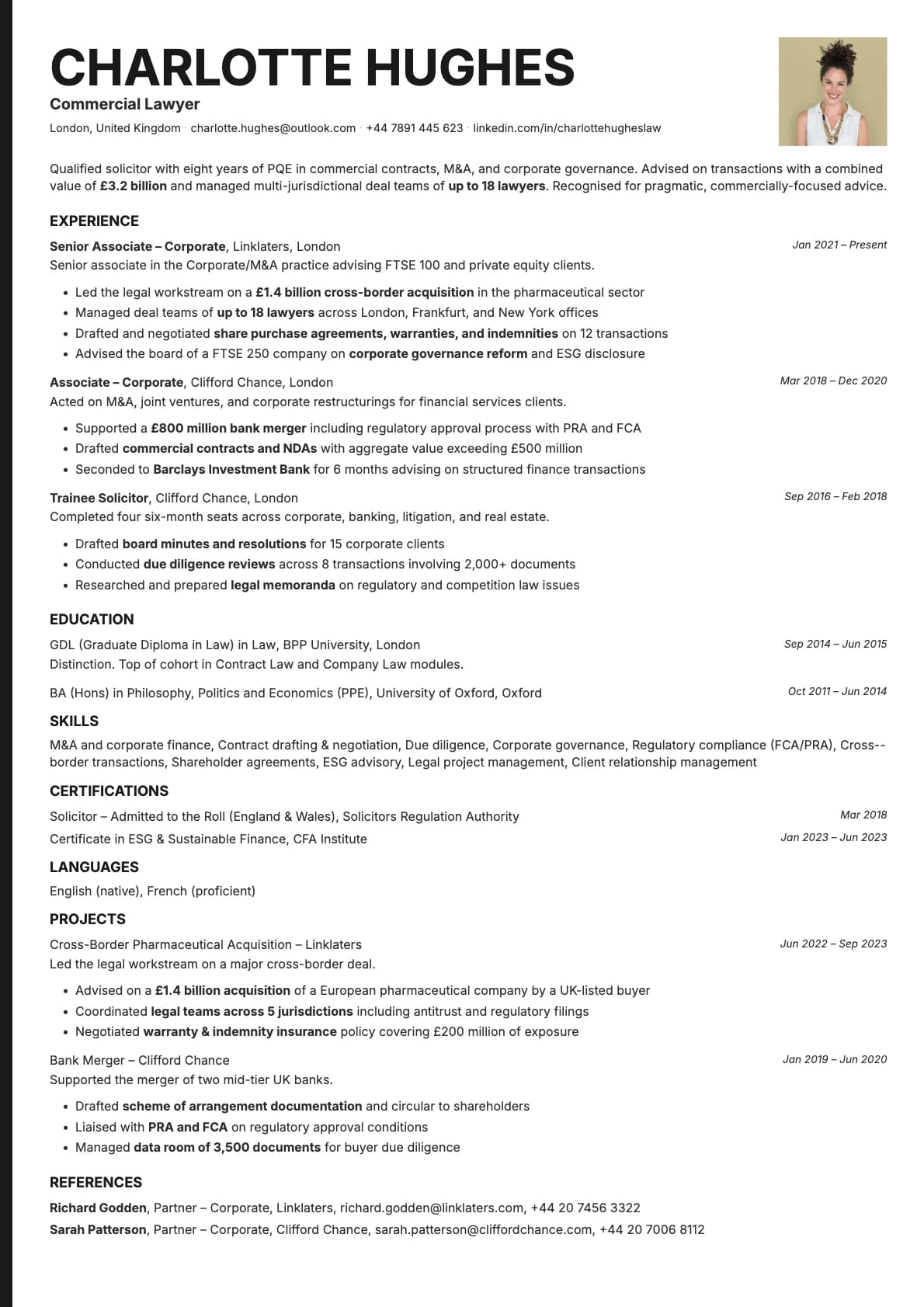
- Photo support if you need it, placed in the header area
- Multi-page support for longer resumes
ATS compatibility
Quartz scores 7.5/10. The two-column body is the main factor. Most modern ATS platforms (Greenhouse, Lever, Workday) handle two-column layouts well enough, but some older systems can stumble when trying to determine reading order across columns.
The full-width header actually helps here. Your name, title, and contact info sit in a single-stream section that every parser reads correctly. The potential issues only come up in the body section, and even then, the standard section headings ("Experience", "Education", "Skills") keep things predictable for most systems.
For online applications through major job portals, 7.5 is still a strong score. If you are uploading to a system you know is older, you might want to keep a plain single-column version as a backup.
Colour options
You get 7 colour variations:
- Pure white with black text for maximum readability
- Light grey backgrounds for a softer, warmer feel
- Blue and navy accents for a professional, trustworthy tone
- Green accents for a calm, modern look
- Charcoal text on grey for an understated, minimal style
All colours are calibrated to look good on screen and in print. The accent colours appear in headings and dividers, keeping the overall look clean.
Tips for getting the most out of Quartz
- Put your strongest content in the right column. That is where the eye goes first, so your experience and achievements should live there. Use the left sidebar for skills, languages, certifications, and contact details.
- The centred header works best when you keep it simple. Your name, job title, and maybe a one-line tagline. Do not cram a full summary into the header area.
- Stick to one page if you can. The two-column layout gives you more space per page than a single-column template, so most people can fit 5-8 years of experience on one sheet.
- If you add a photo, make sure it is a clean, professional headshot. The minimalist design means any visual element stands out more.
Build your resume with Quartz on Laddro
Start building with Quartz. Fill in your details, switch colours and fonts in real time, and download a PDF when you are ready. No account needed to start.
How would you rate this template?
Your rating helps others pick the right template for their resume.
Make this template yours
Pick a colour, add your details, and download your resume. No design skills needed.
Free to use. No account needed to start.