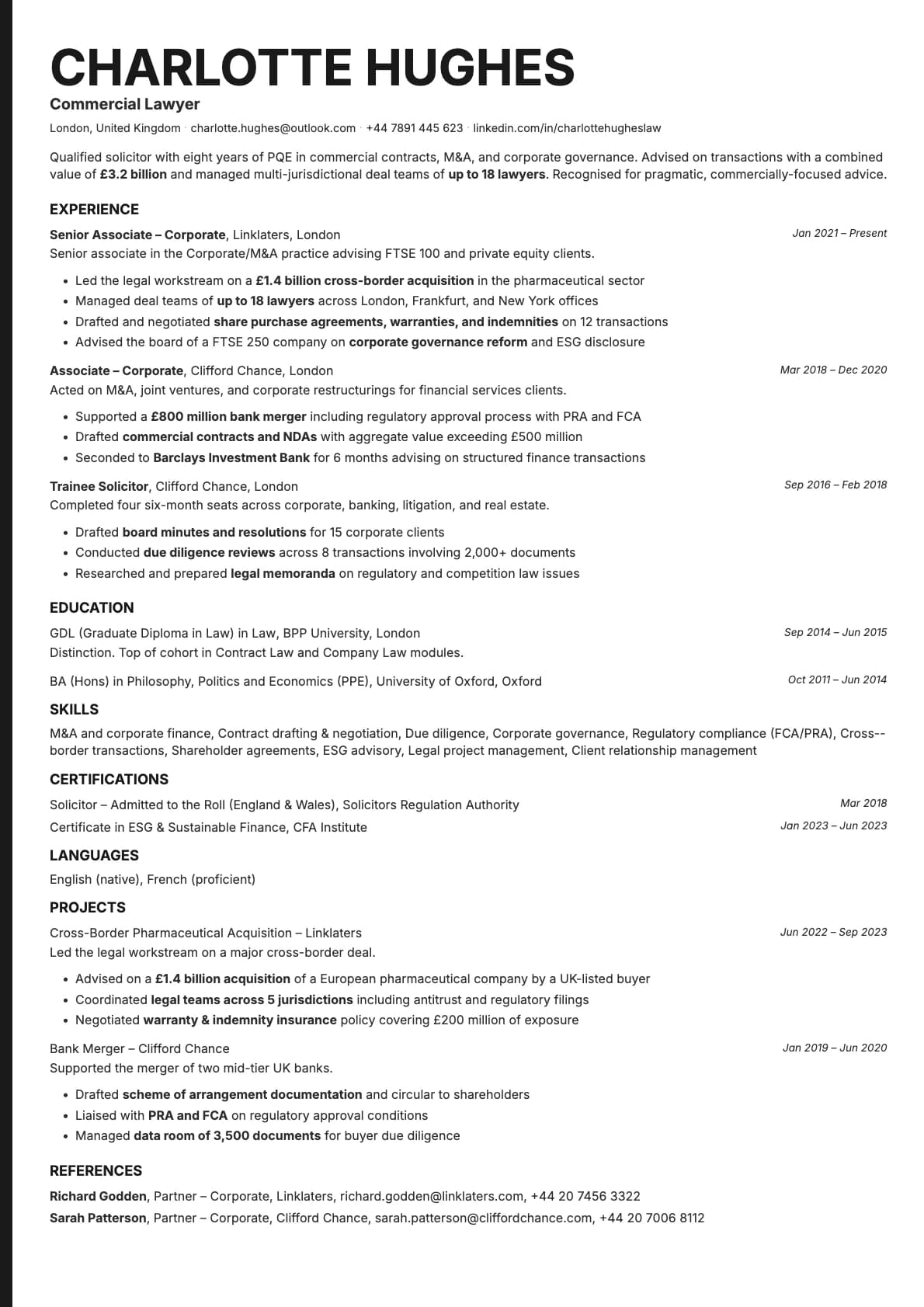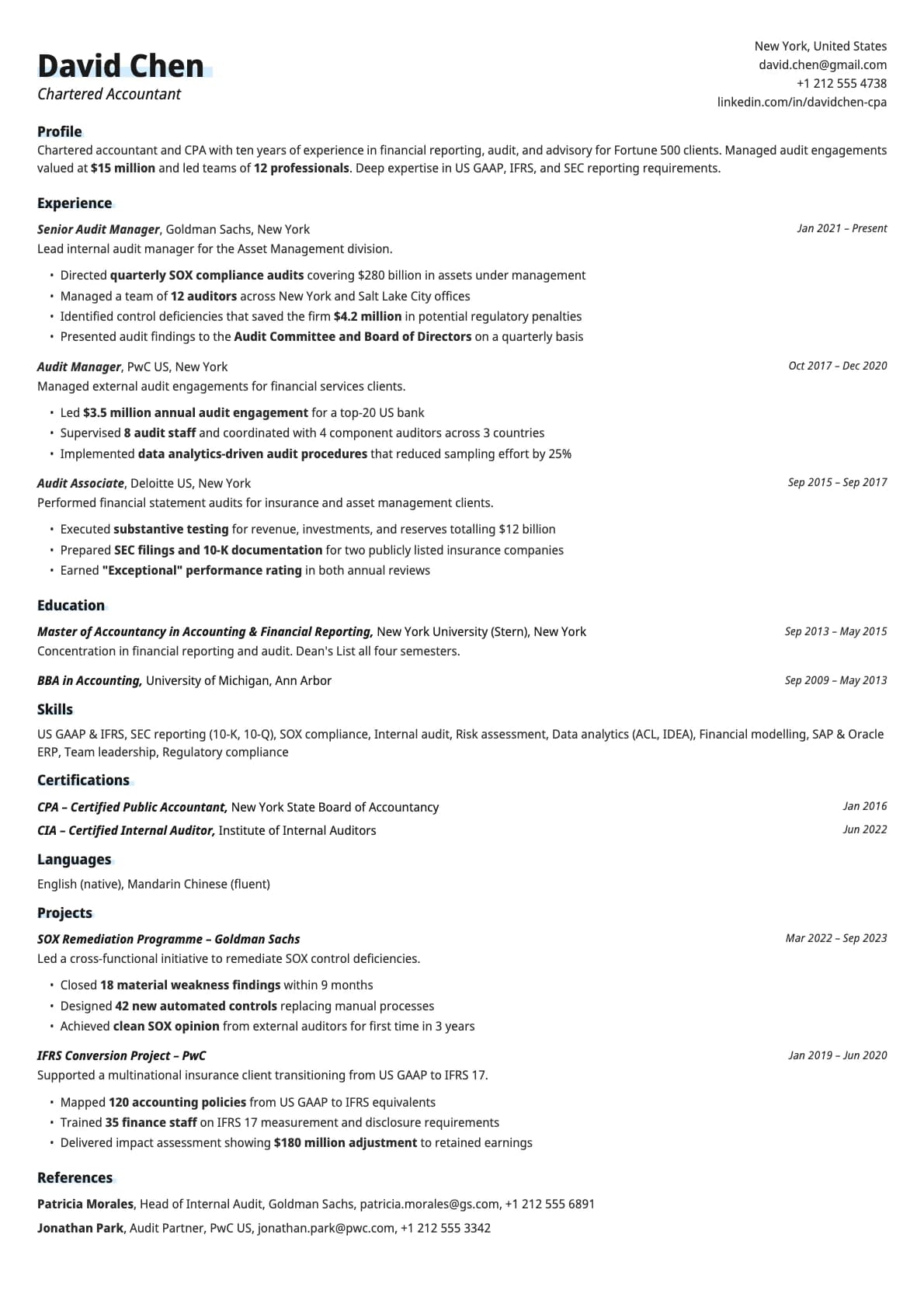
Copper Resume Template
A modern single-column resume template built for tech and engineering roles.
Free to use. No account needed to start.
Why Copper?
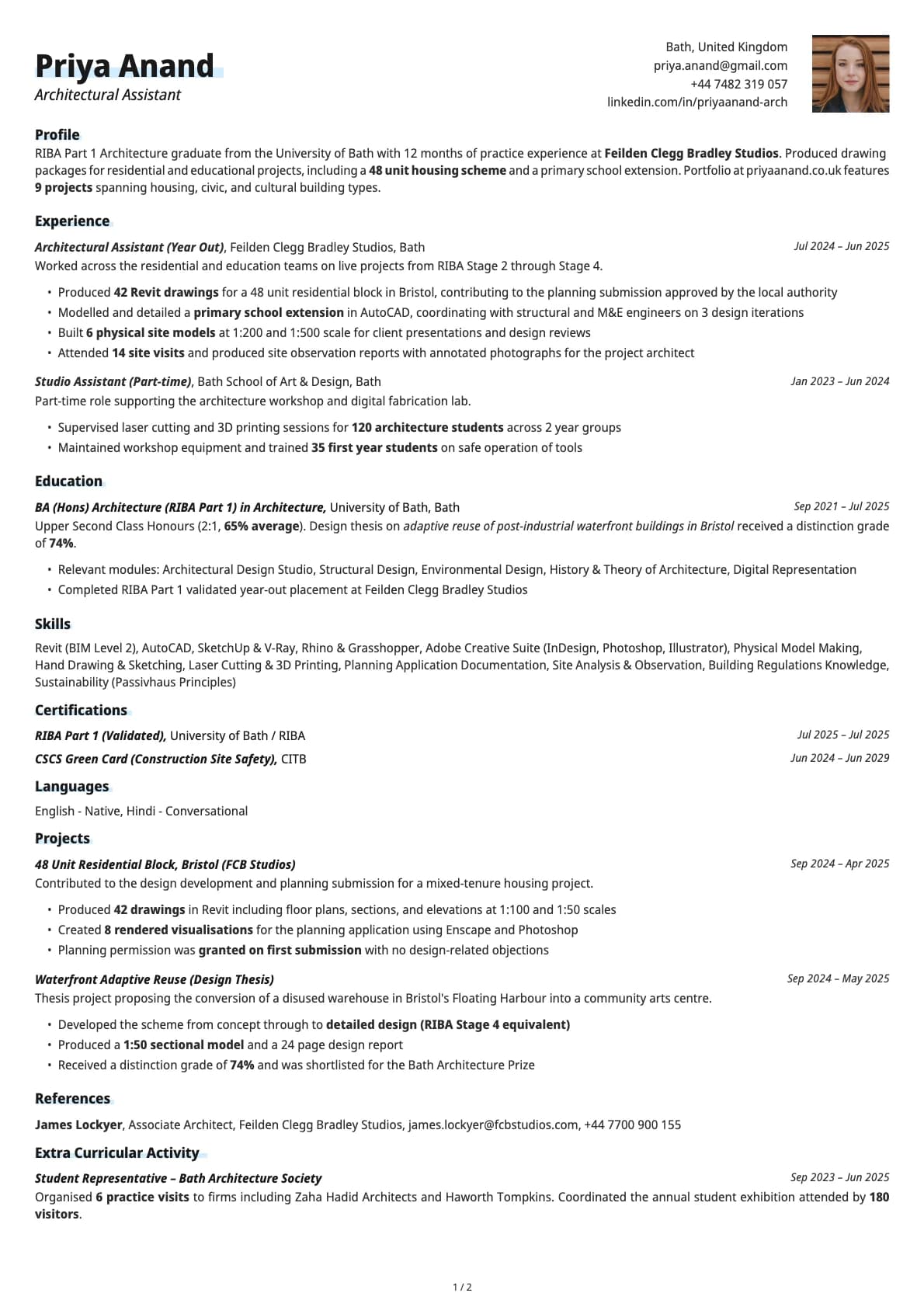
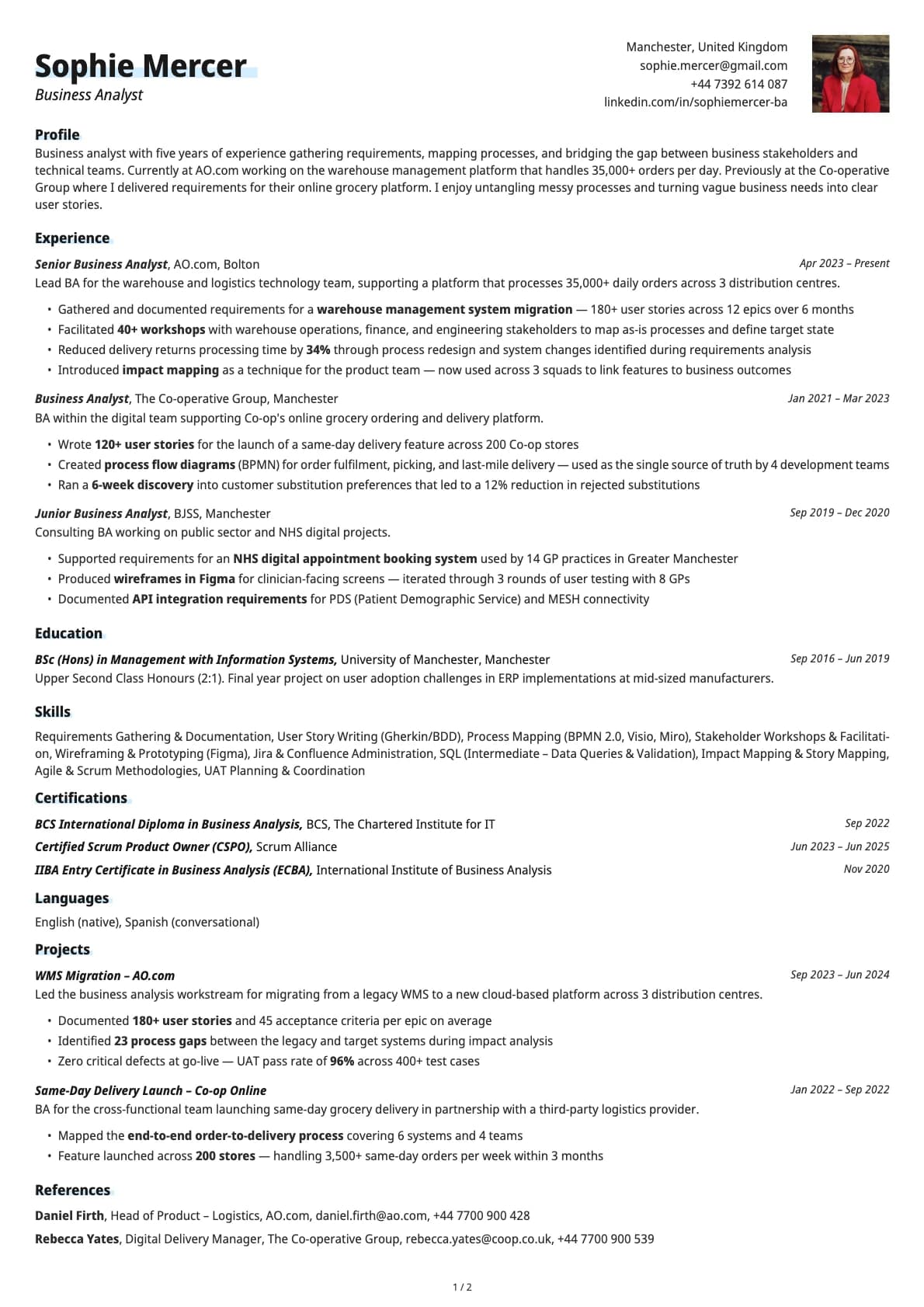
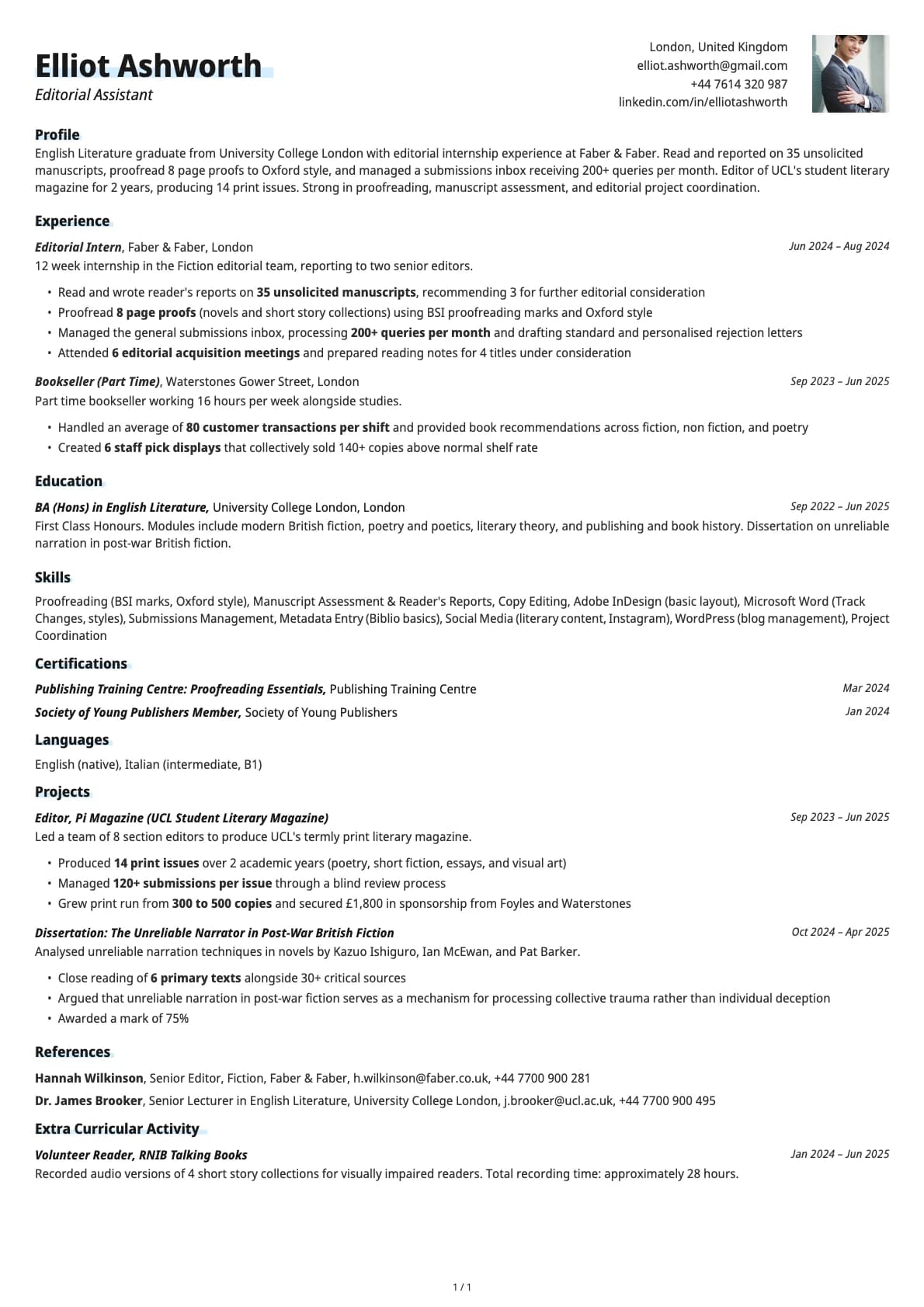
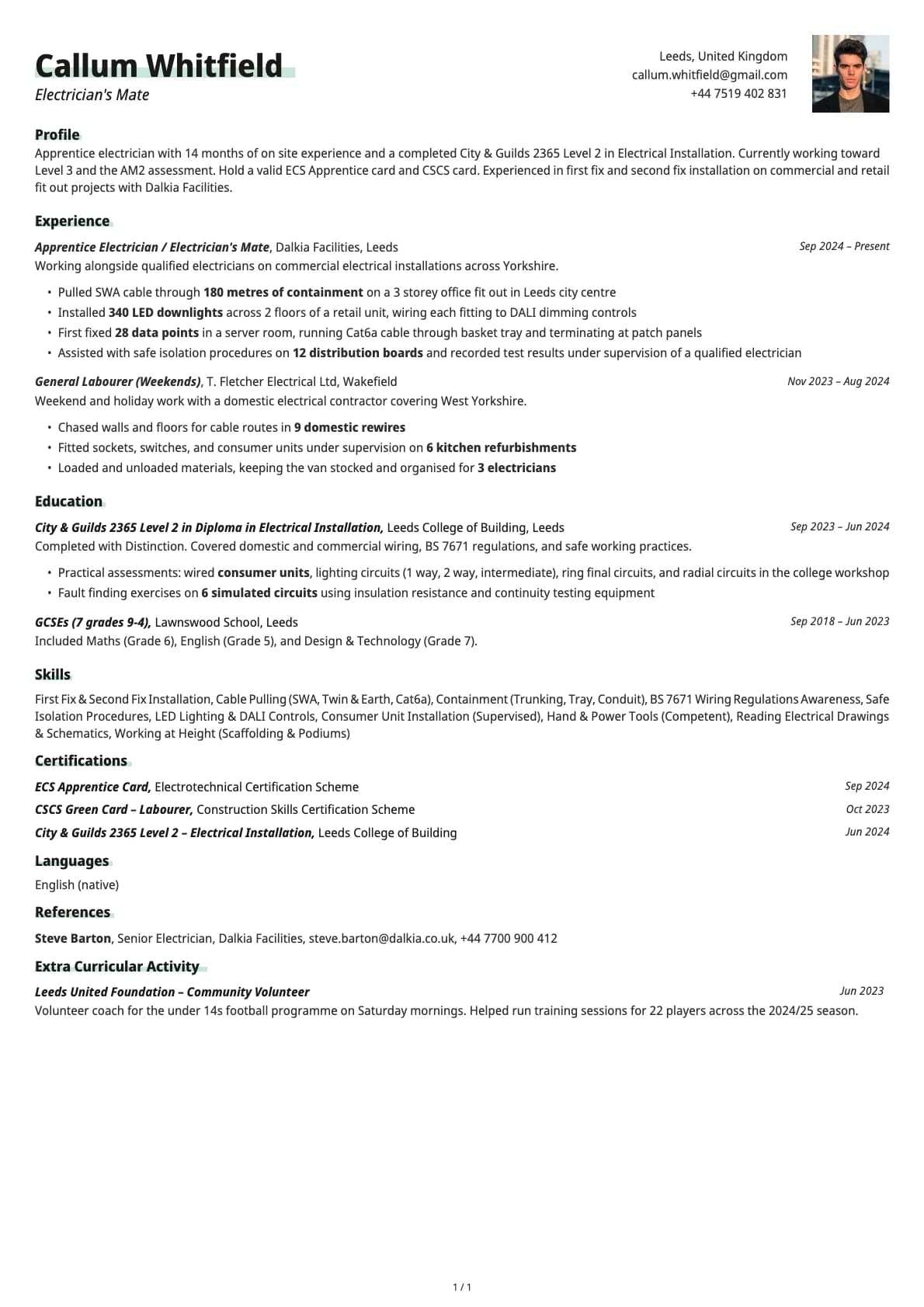
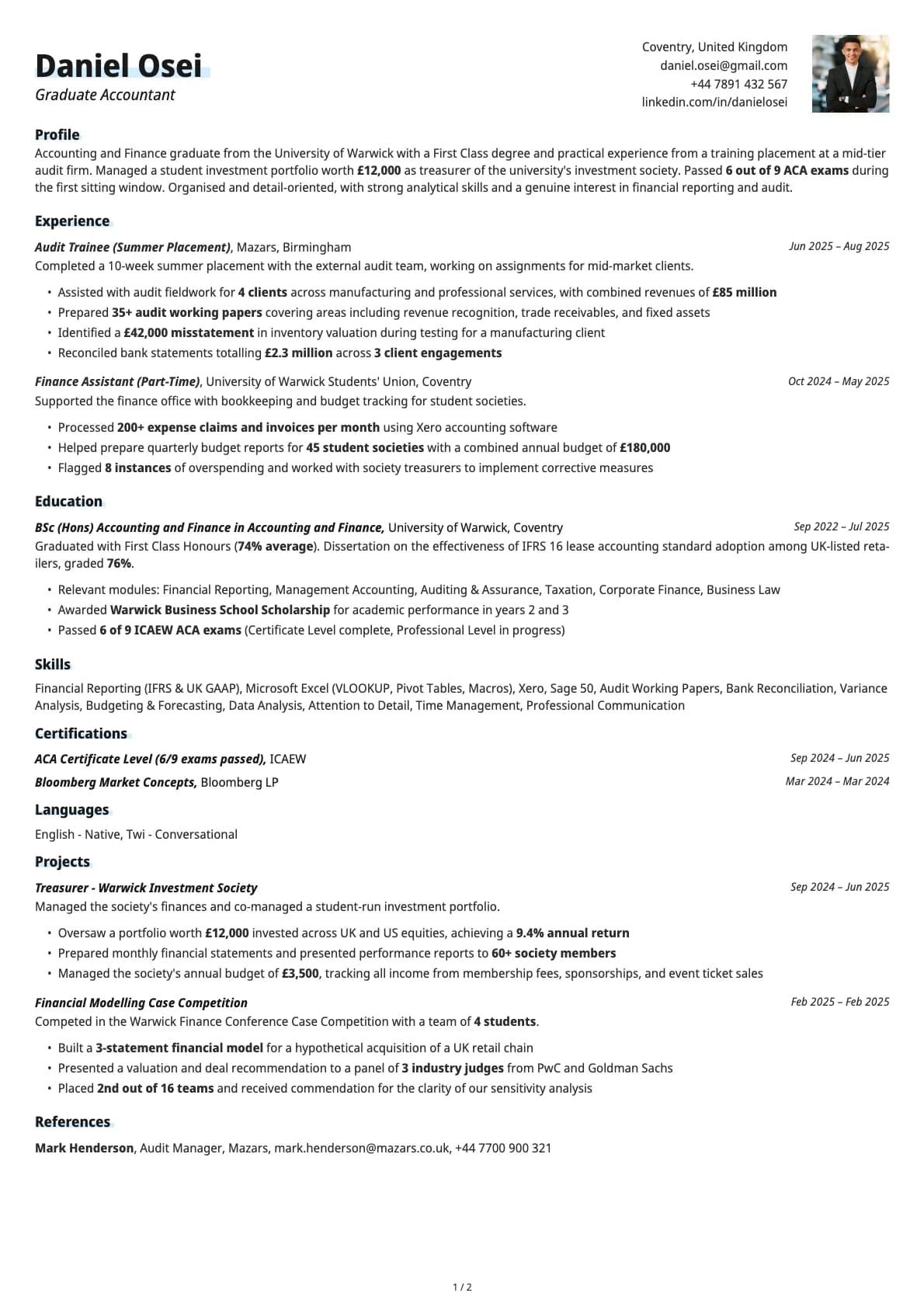
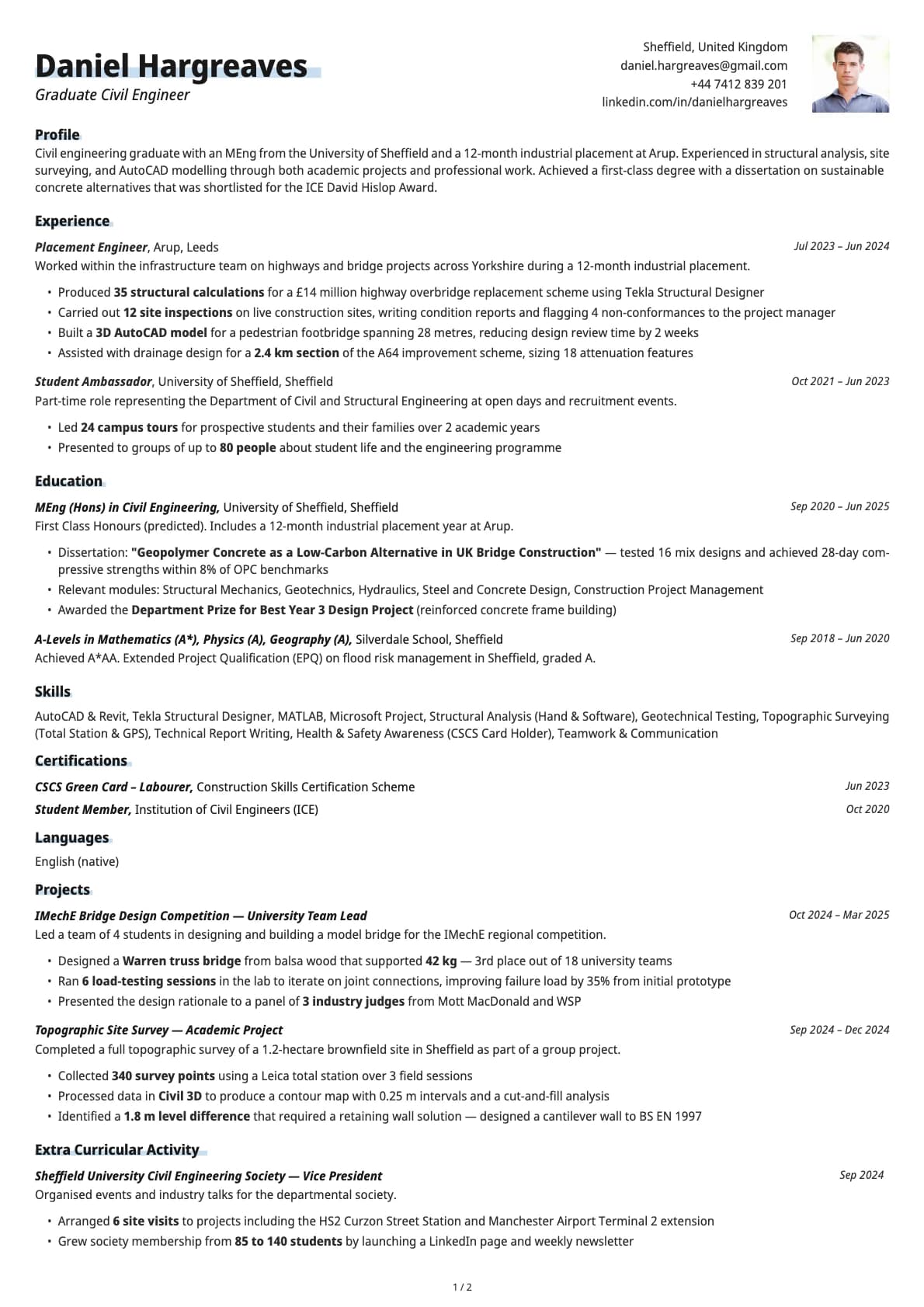
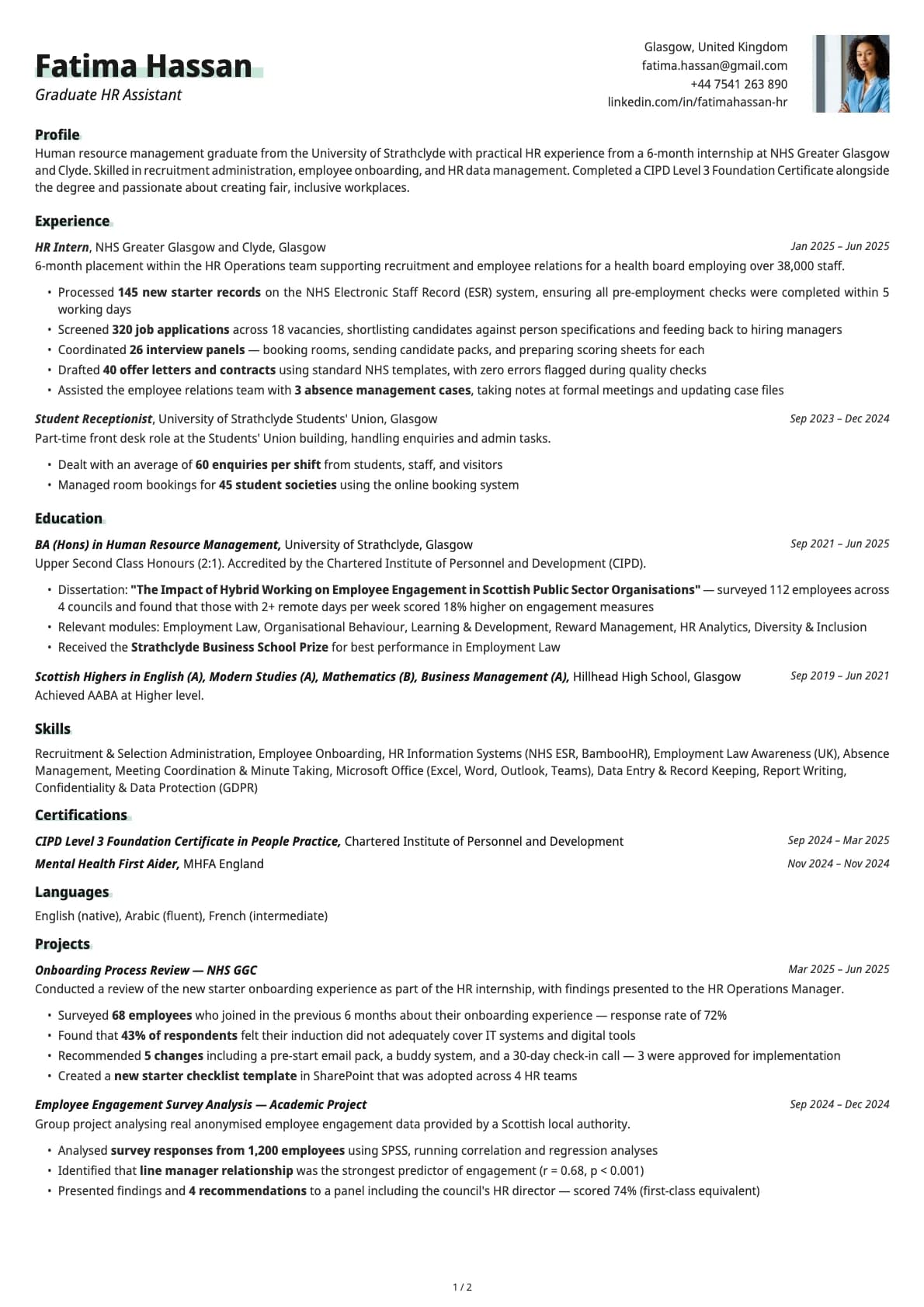
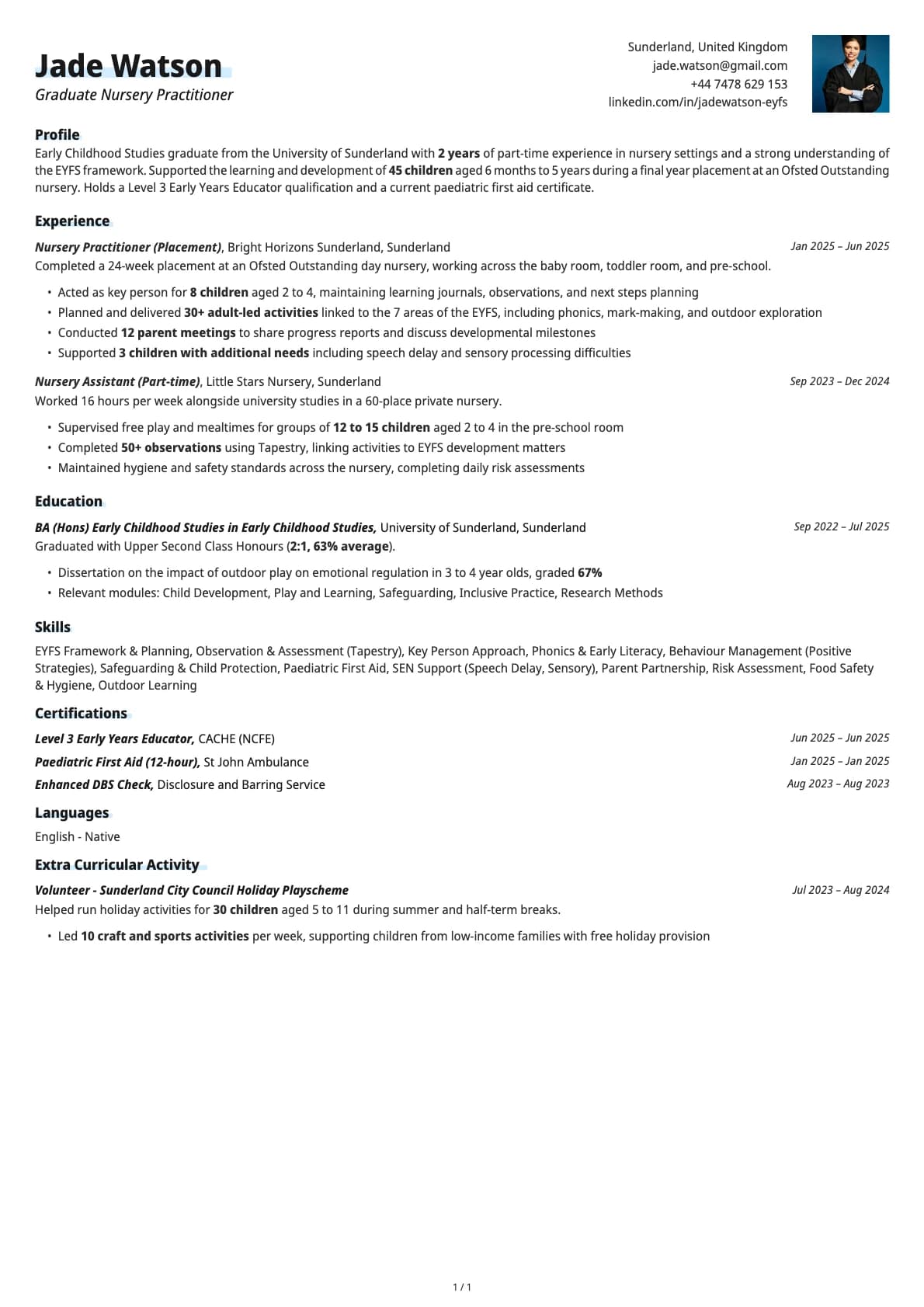
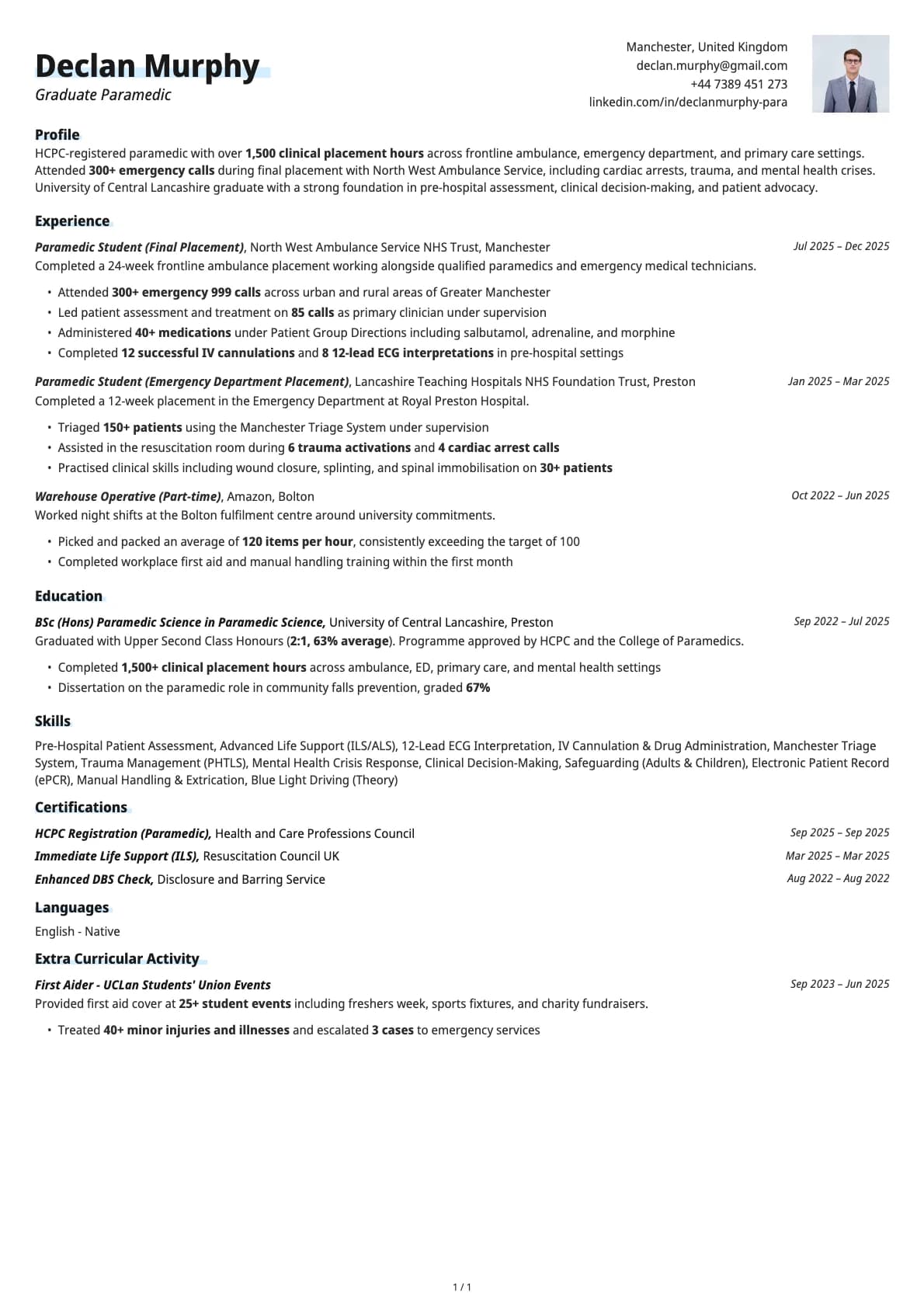
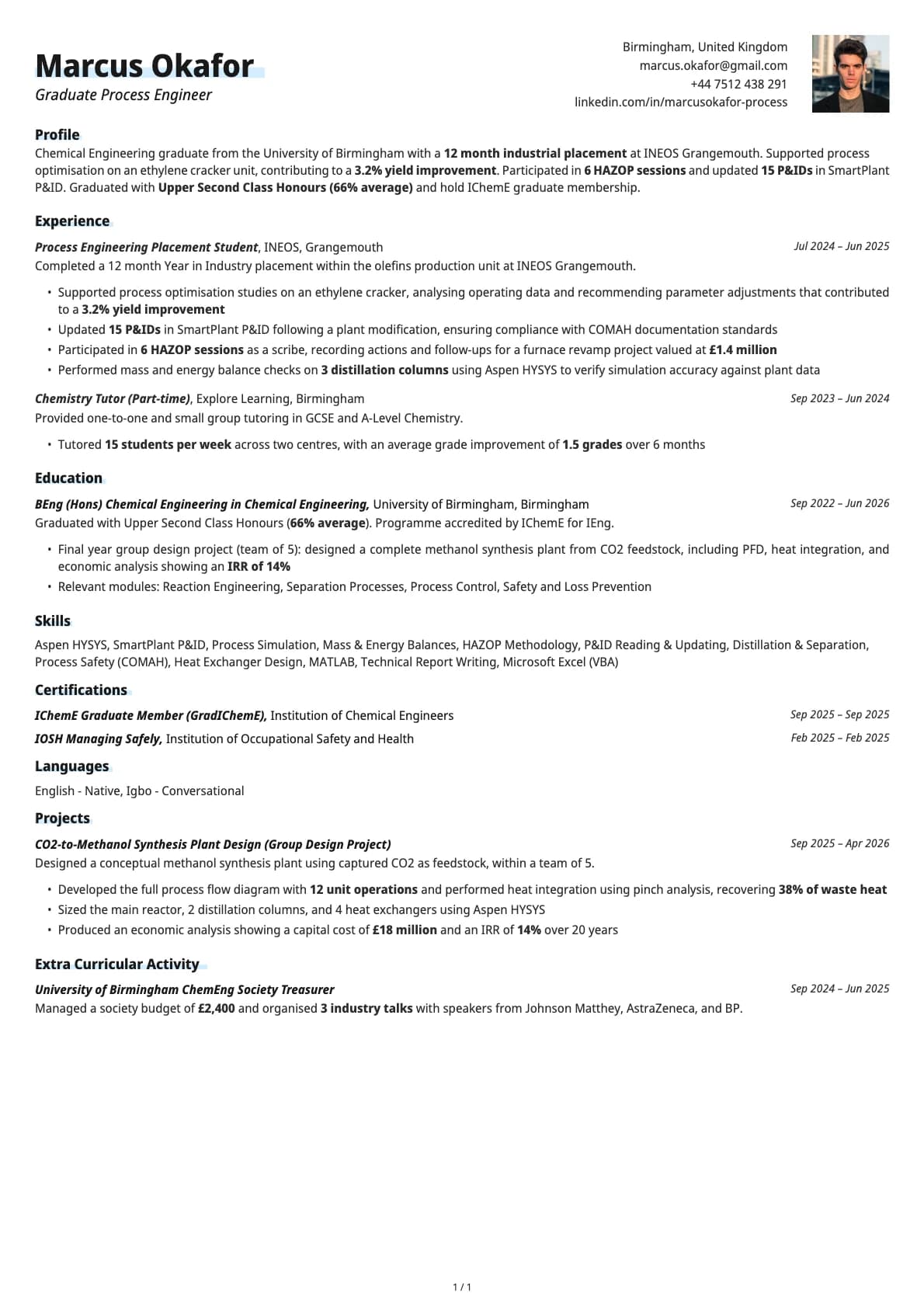
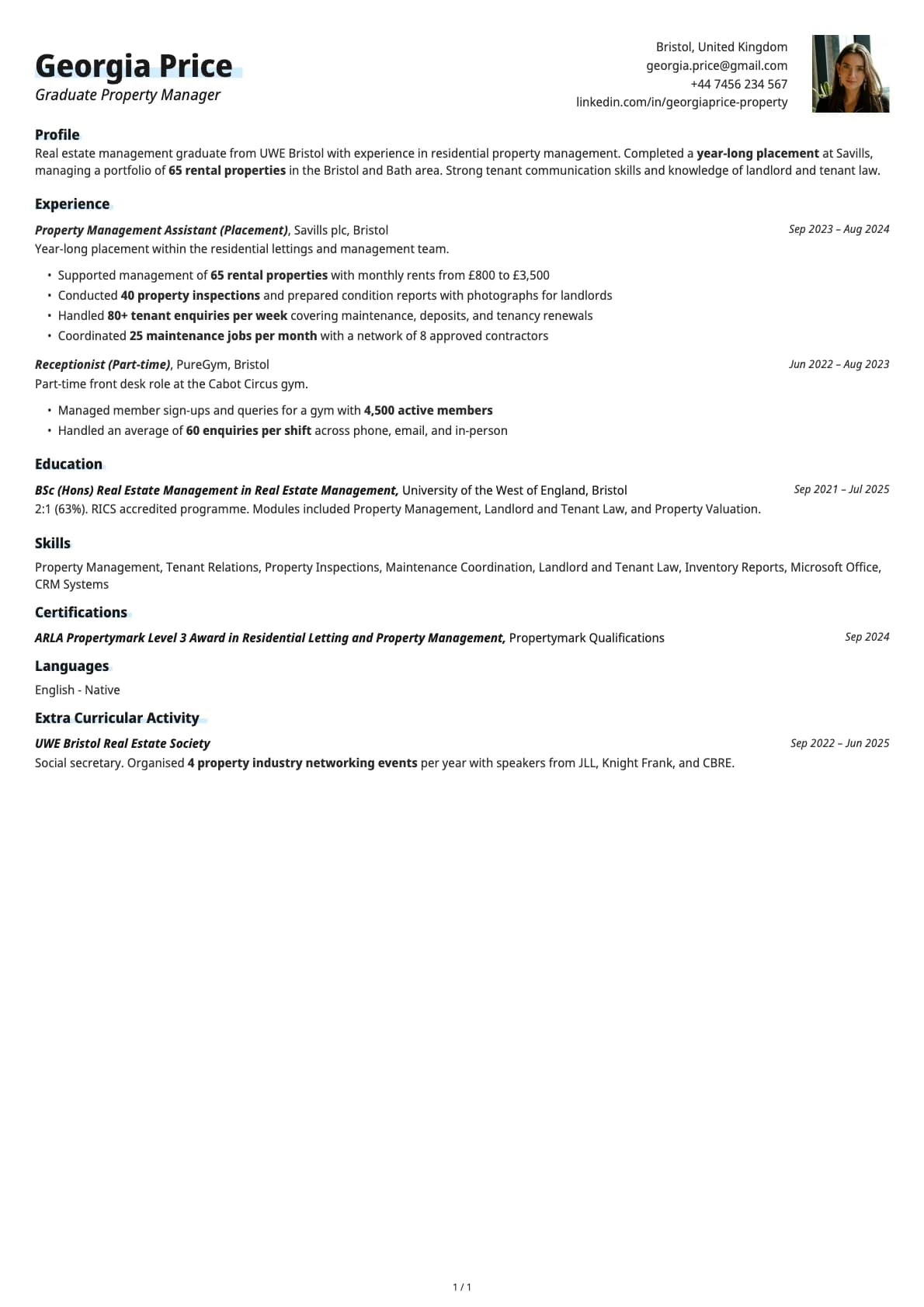
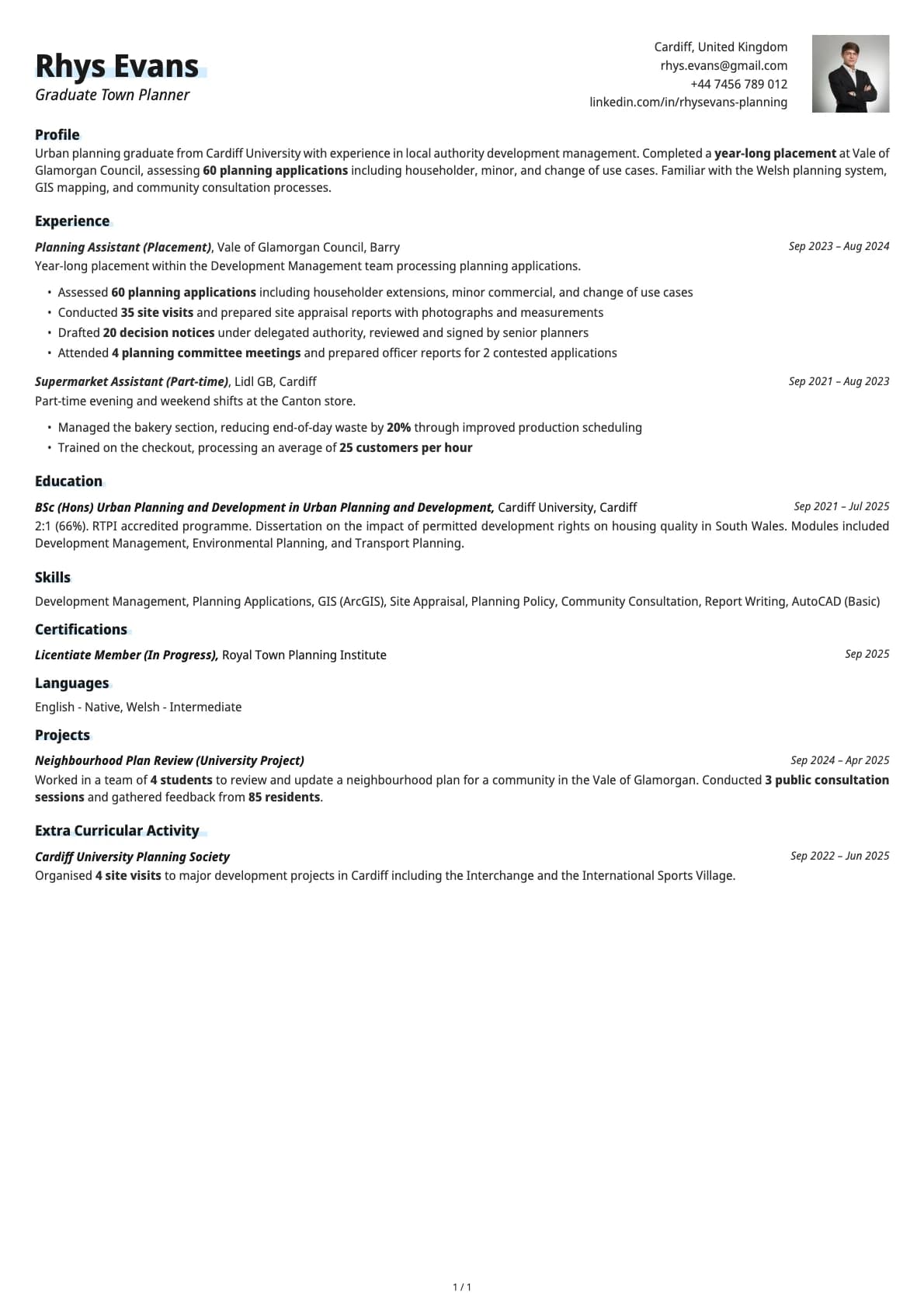
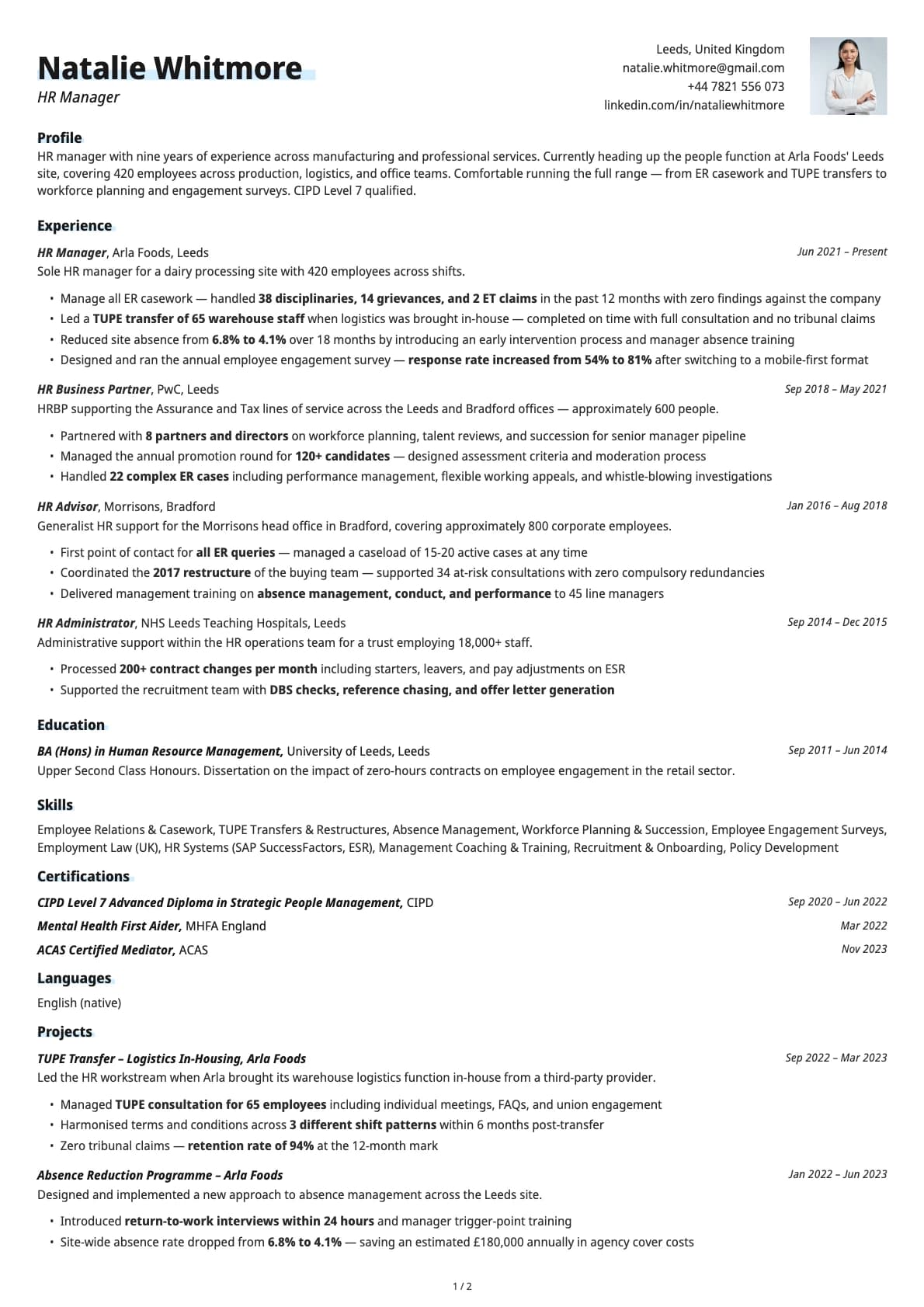
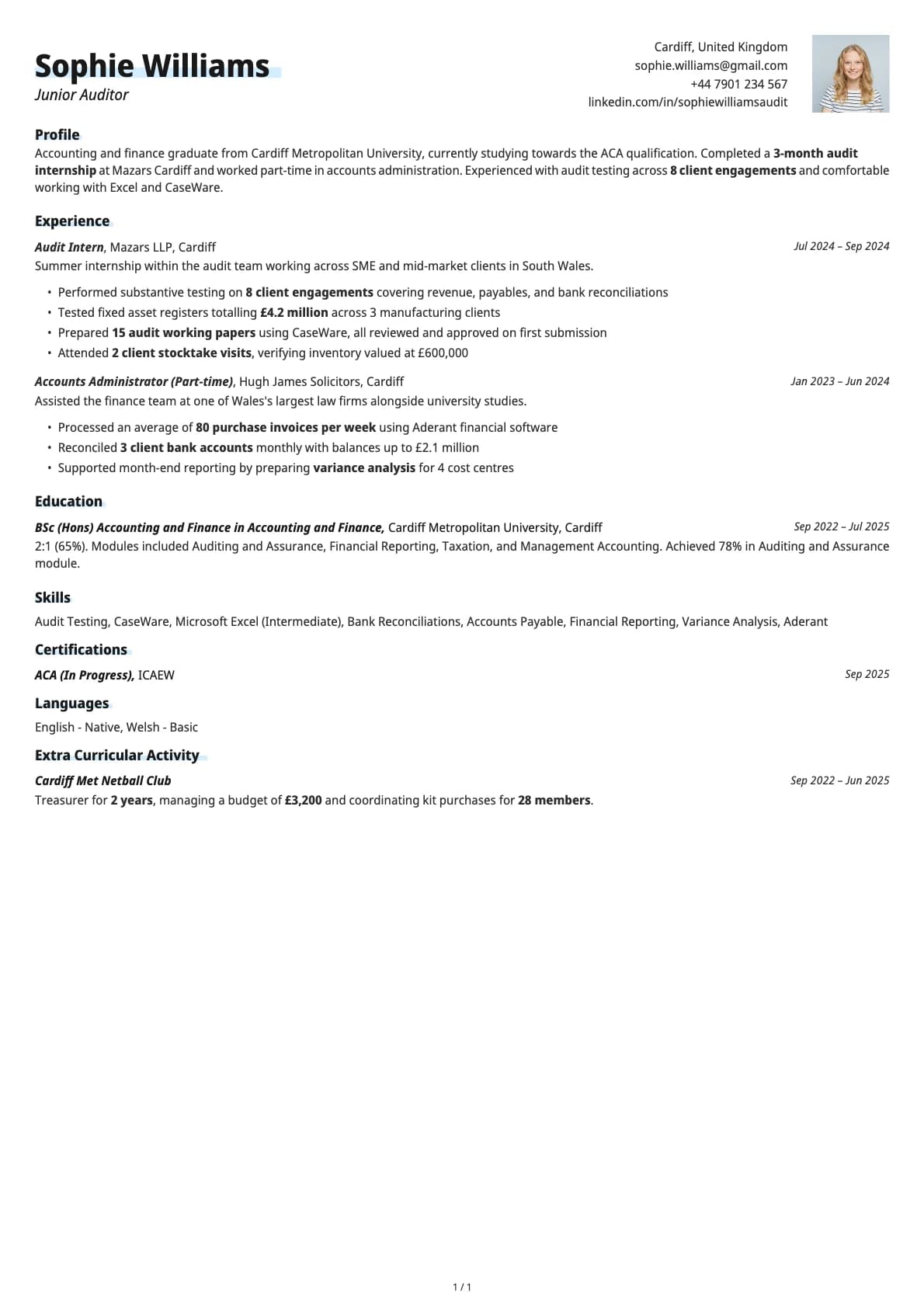
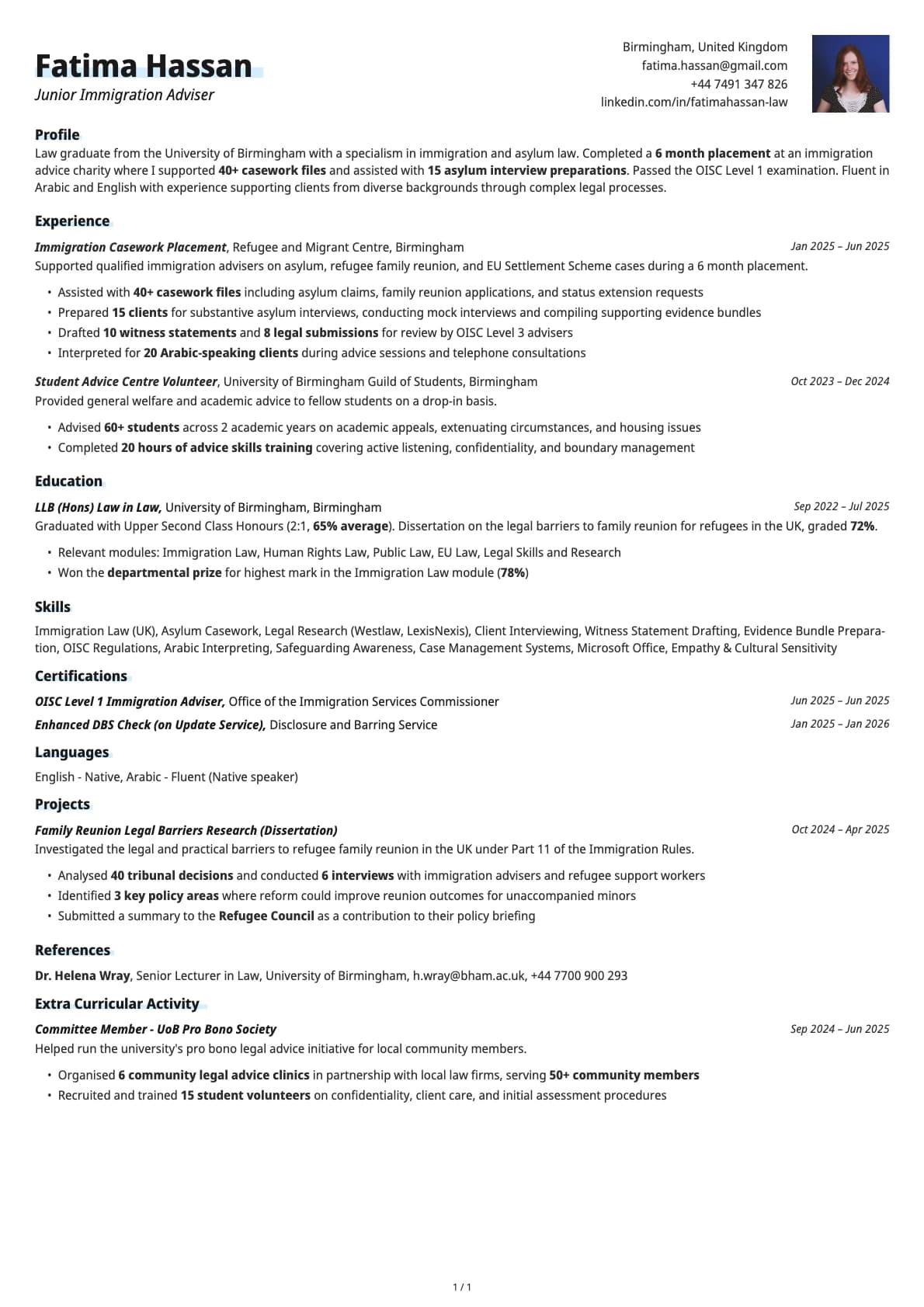
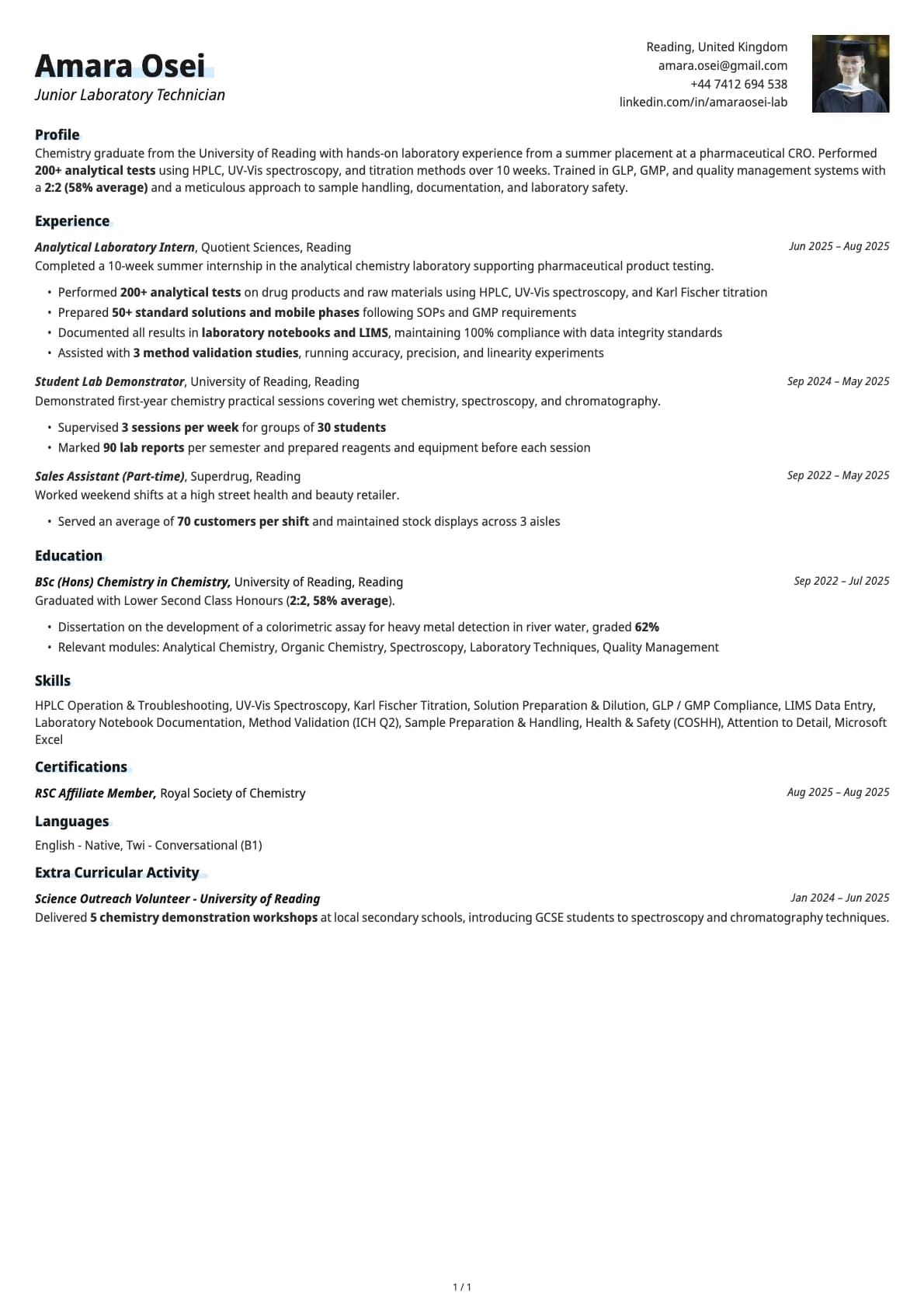
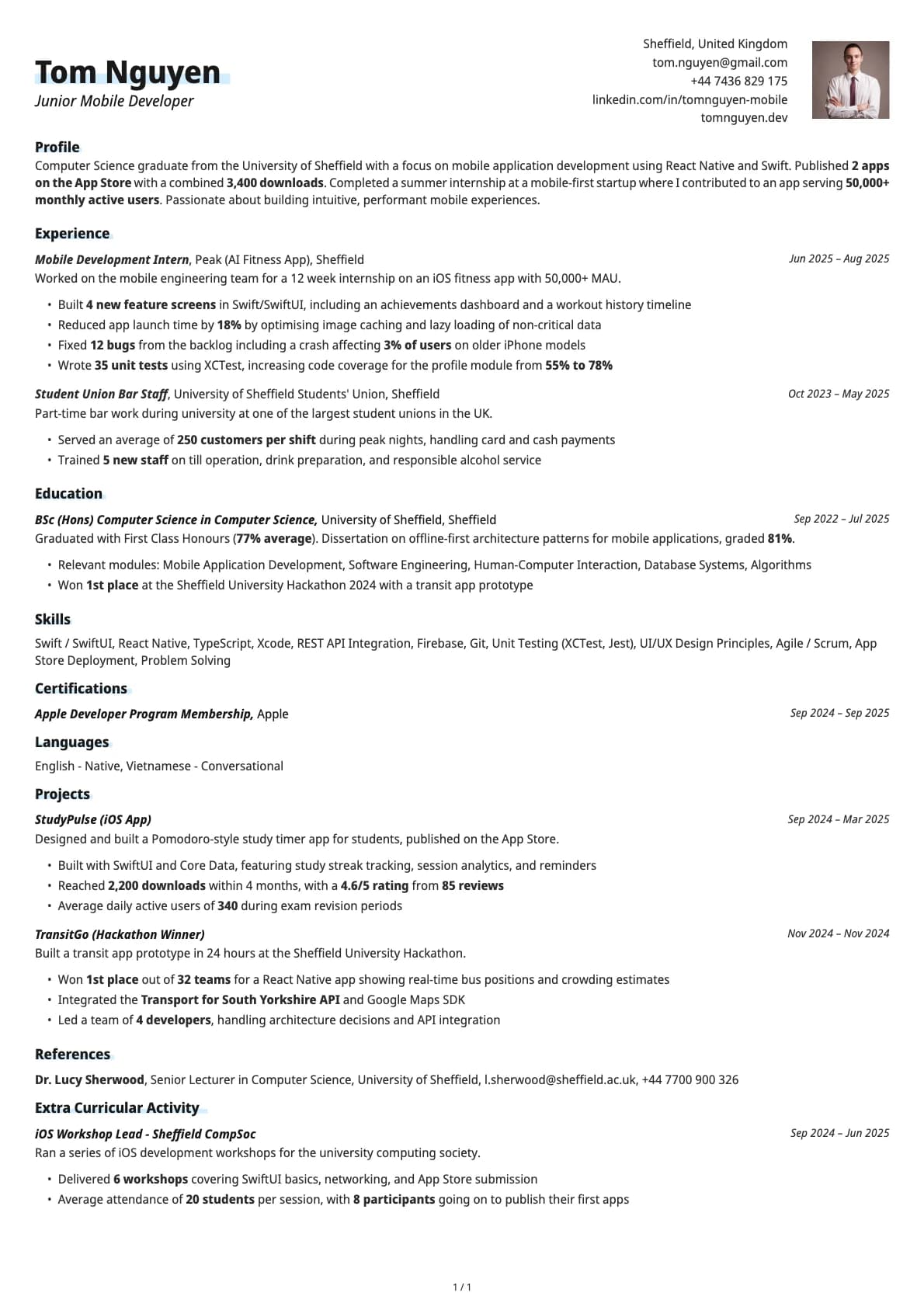
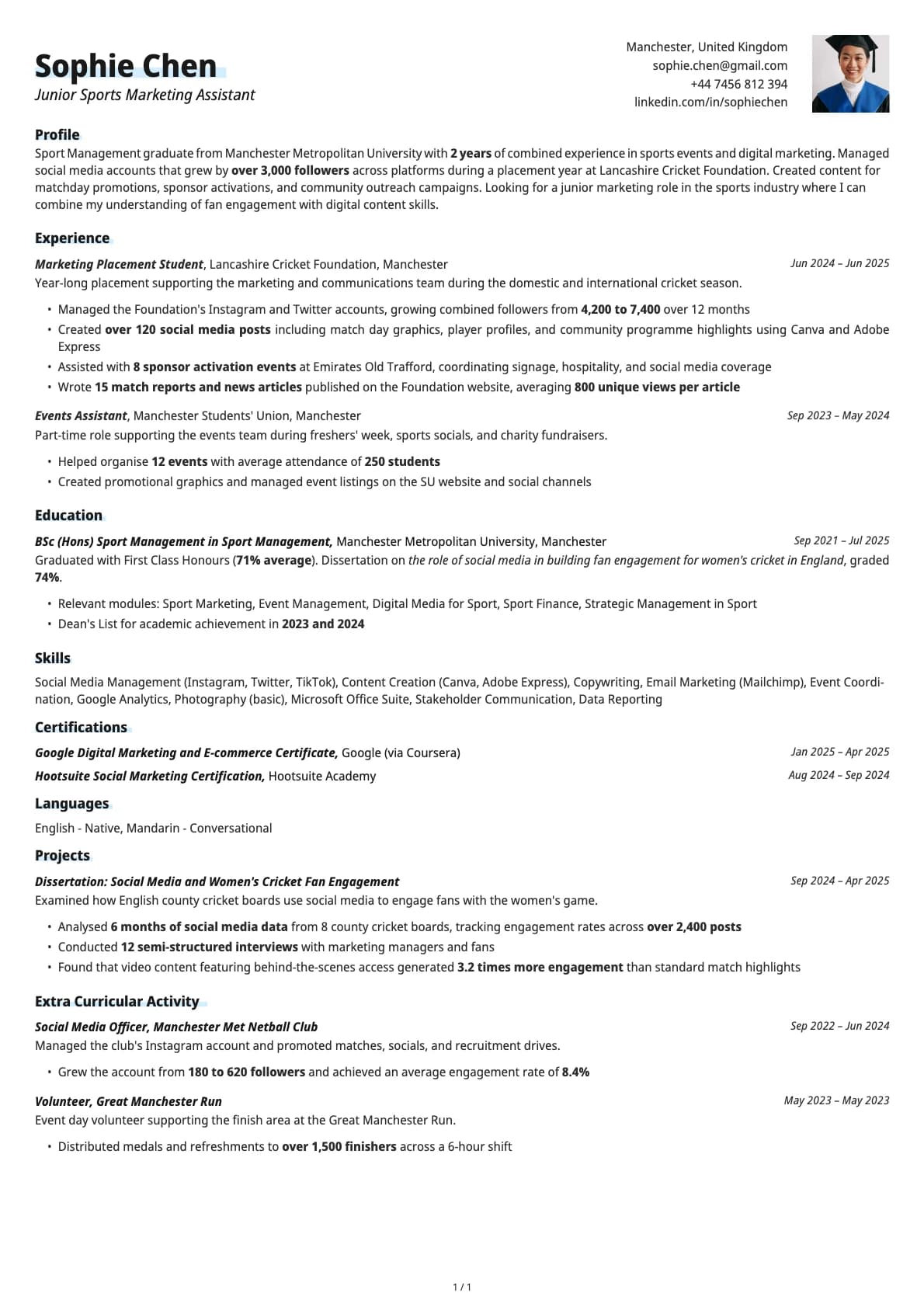
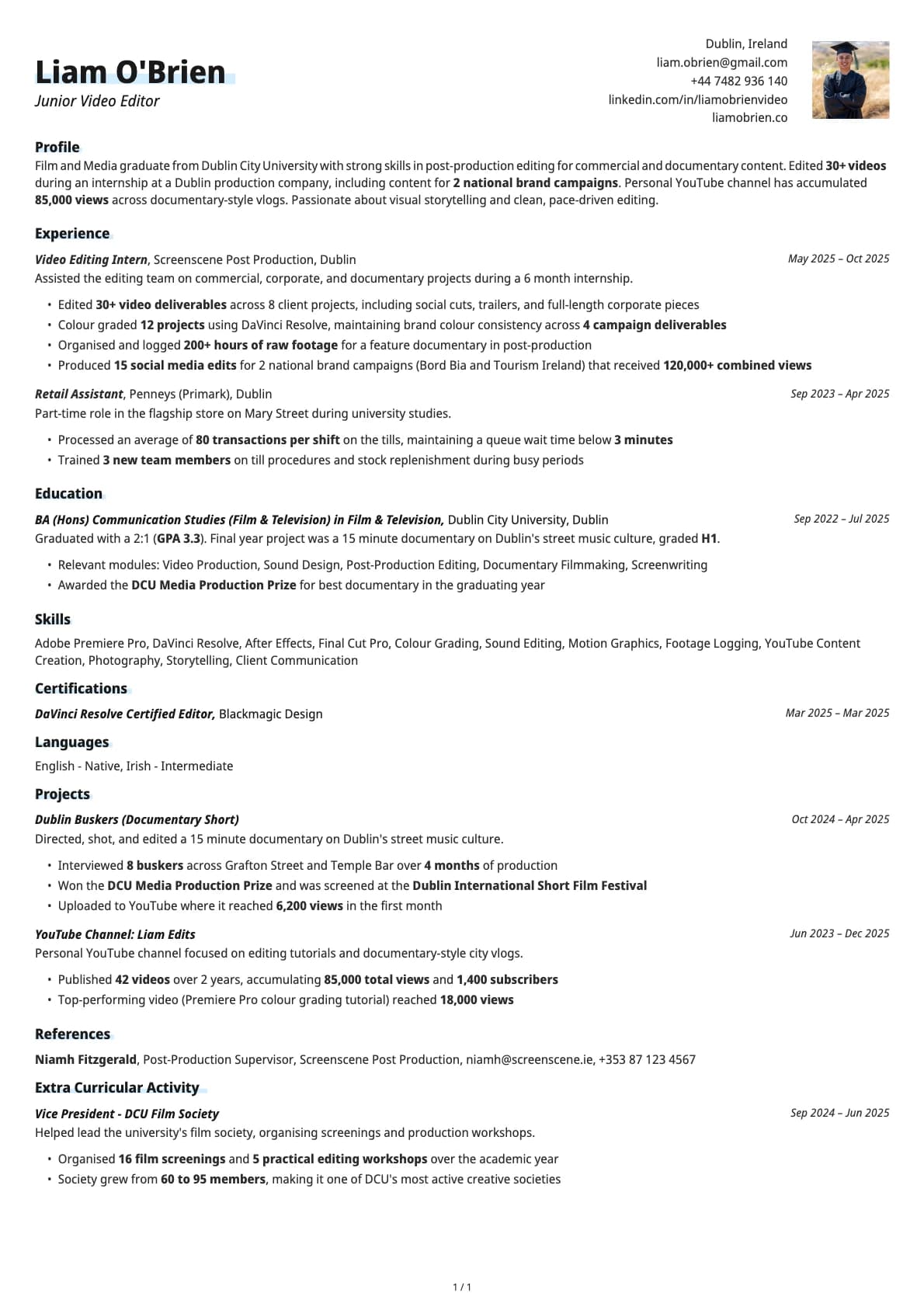
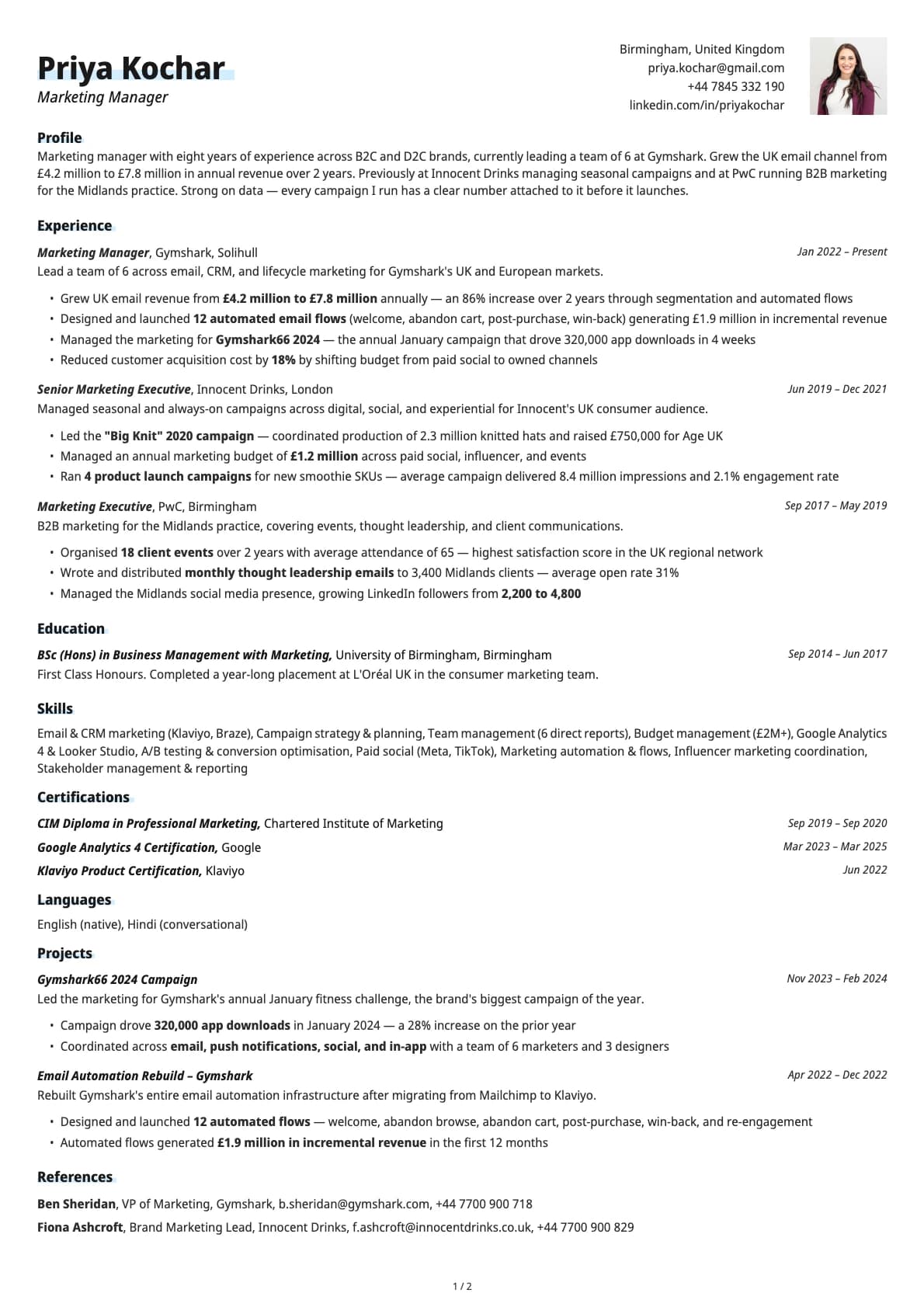
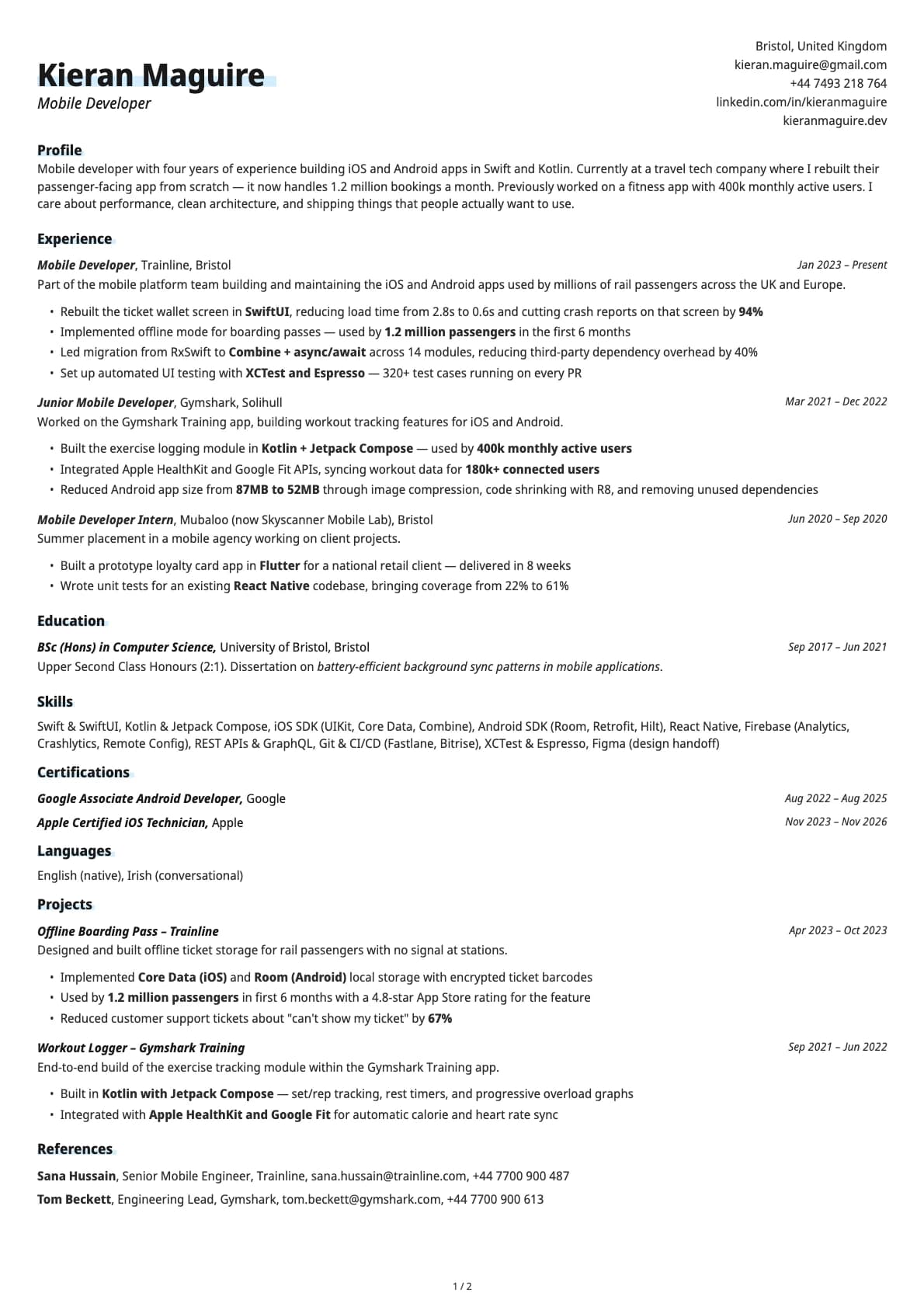
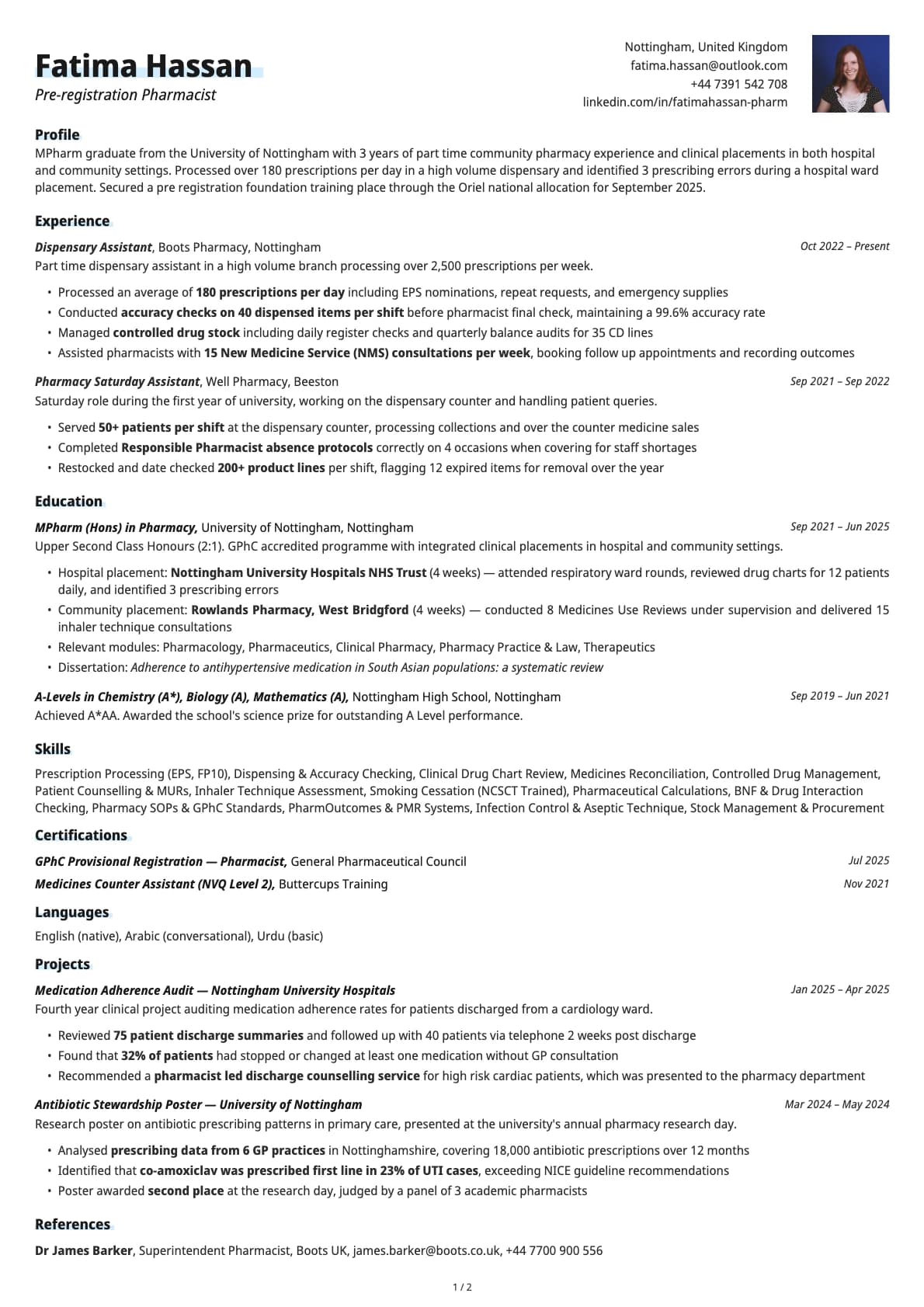
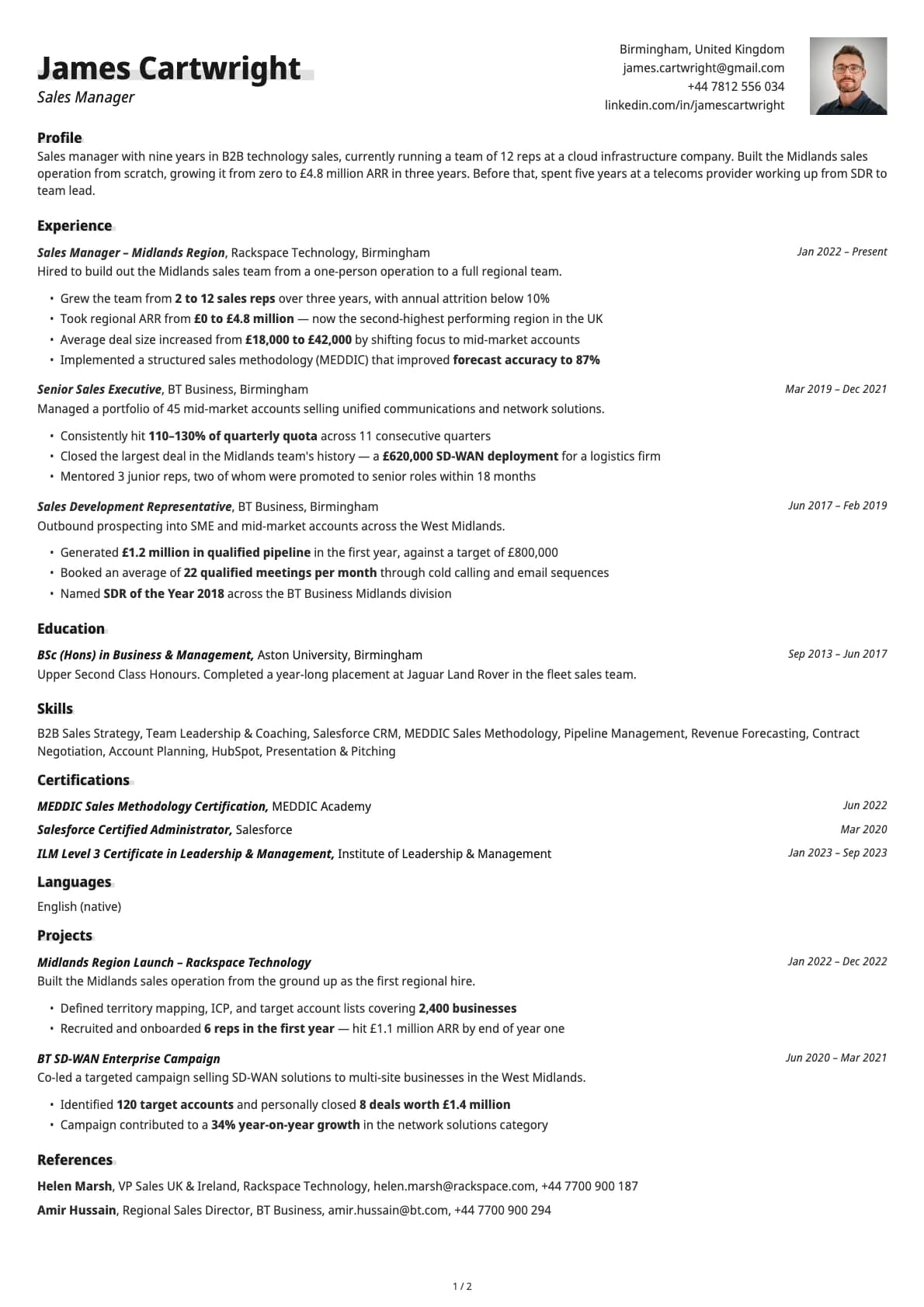
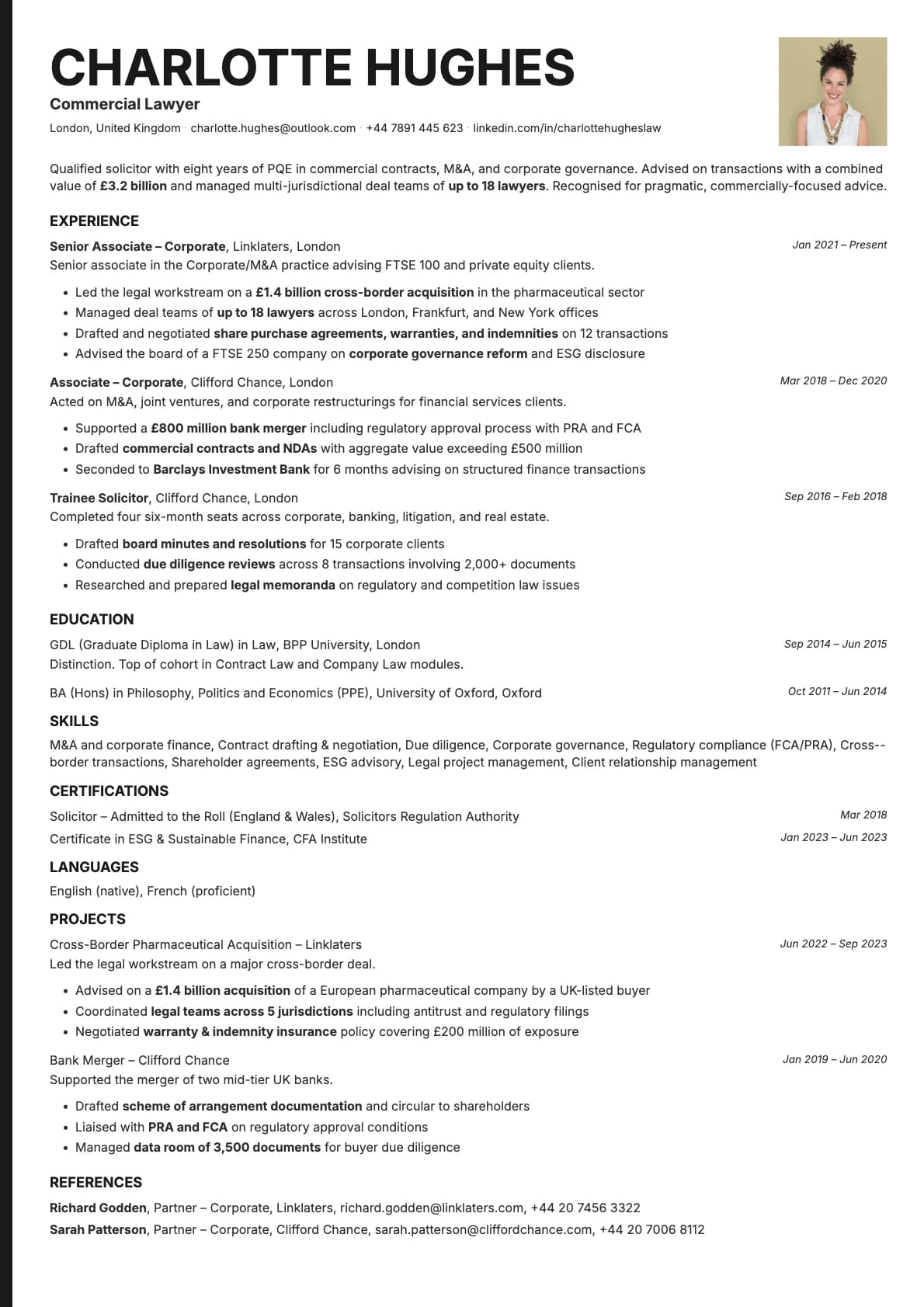
Copper is built for people who want their resume to feel technical without looking like a spreadsheet. It uses a single-column layout that scores 9.5/10 on ATS compatibility, so automated systems at companies like Google, Amazon, or any startup running Greenhouse will parse it without issues.
What sets Copper apart is its stacked contact layout. Instead of cramming your email, phone, LinkedIn, and GitHub on one line, Copper gives each detail its own space. The result is a header that looks organized even when you have five or six contact links. Below that, content flows in a clean vertical stream: summary, experience, skills, education.
Who should use this template?
Copper works well for software engineers, data scientists, DevOps engineers, QA leads, product managers in tech, and anyone applying to companies that use applicant tracking systems heavily.
If you have a lot of technical projects or certifications to list, the single-column layout handles that cleanly. Each section gets enough room to breathe, so a resume with multiple projects and a long skills list does not look crowded.
If you want something with a similar tech focus but a different contact layout, Nickel uses an inline pipe-separated contact style that fits more info in less vertical space. For a template that leans more minimalist, Limestone strips things down further. And if you want subtle accent lines under your section headings, Graphite adds that touch without going overboard.
What you get
- A single-column layout with a 9.5/10 ATS score
- 11 colour themes, from clean white-on-dark-text to warm earth tones and cool blue-greys
- The default font is Avrile Sans, a geometric sans-serif that looks sharp on screen and in print. You can switch to any available font (Inter, Poppins, Lora, Century Gothic, and more) in Laddro
- A stacked contact section that keeps your details readable even with multiple links
- Multi-page support for longer career histories or detailed project lists
ATS compatibility
Copper scores 9.5/10 because it does everything right for automated parsing:
- Single-column flow. No tables, no sidebars, no floating text boxes. Every ATS reads it top to bottom.
- All text is native. Nothing is embedded in images or hidden behind graphics.
- Section headings follow standard conventions, so systems like Workday, Taleo, iCIMS, and LinkedIn Easy Apply pick up your experience, education, and skills automatically.
Colour options
Copper includes 11 colour variations:
- Several clean white backgrounds with dark text for maximum readability
- A dark-mode option with a charcoal background for a more modern look
- Warm ivory and sepia tones that soften the feel without losing professionalism
- Cool blue-grey and forest green tones for a bit of personality
All variations print well and look sharp on screen. You can preview each one in the builder before downloading.
Tips for getting the most out of Copper
- Lead your experience bullets with measurable results. "Reduced API response time by 35%" beats "Worked on improving API performance."
- Put your technical skills near the top. Recruiters scanning engineering resumes look for specific technologies early.
- If you have open-source contributions or side projects, add a Projects section. Copper handles extra sections without breaking the layout.
- Stick to one page if you have under 8 years of experience. Two pages is fine for senior and staff-level roles.
Build your resume with Copper on Laddro
Start building with Copper. Fill in your details, switch colours and fonts in real time, and download a PDF when you are ready. No account needed to start.
How would you rate this template?
Your rating helps others pick the right template for their resume.
Make this template yours
Pick a colour, add your details, and download your resume. No design skills needed.
Free to use. No account needed to start.
Resumes built with Copper