Sapphire Photo Resume Template
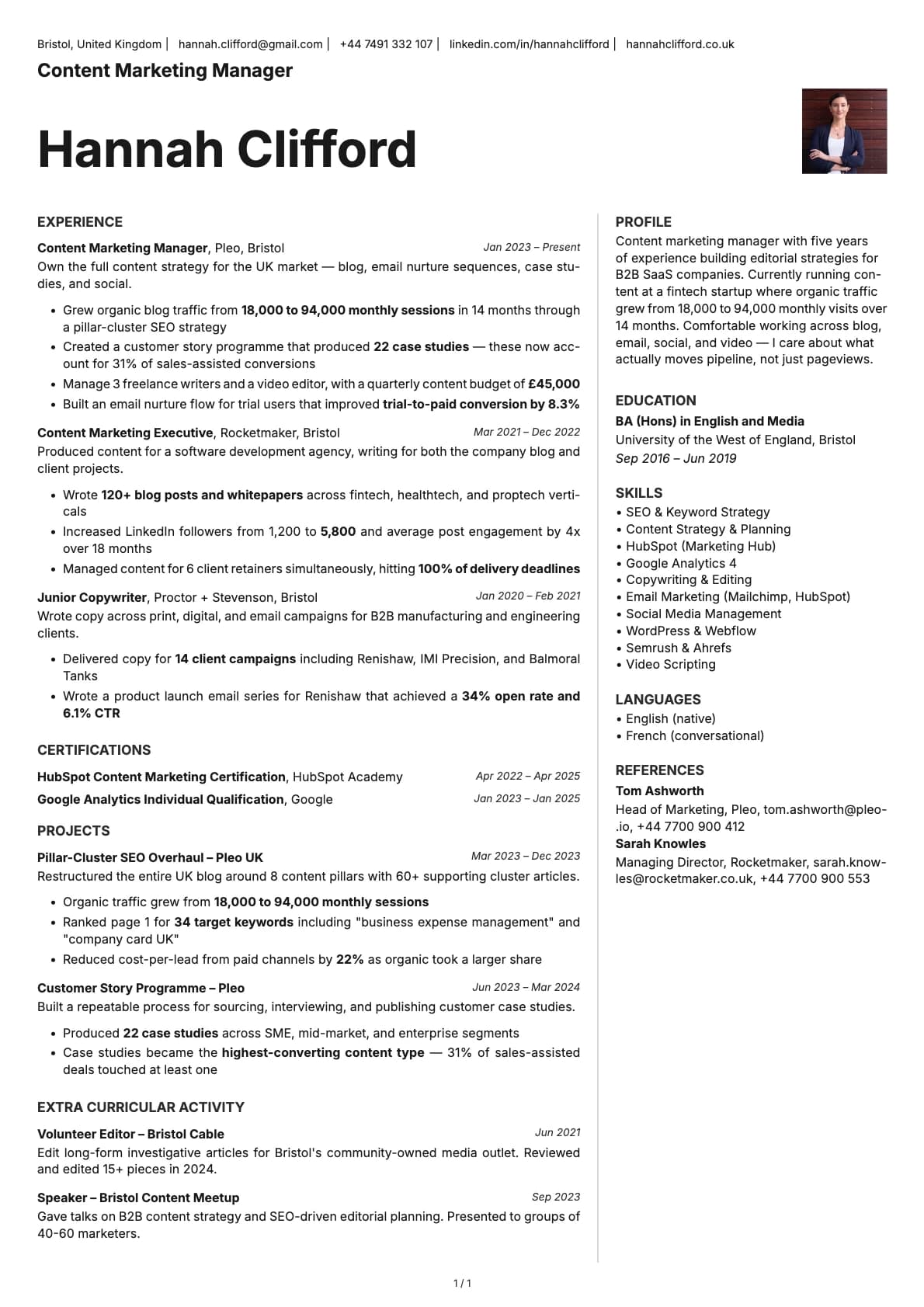
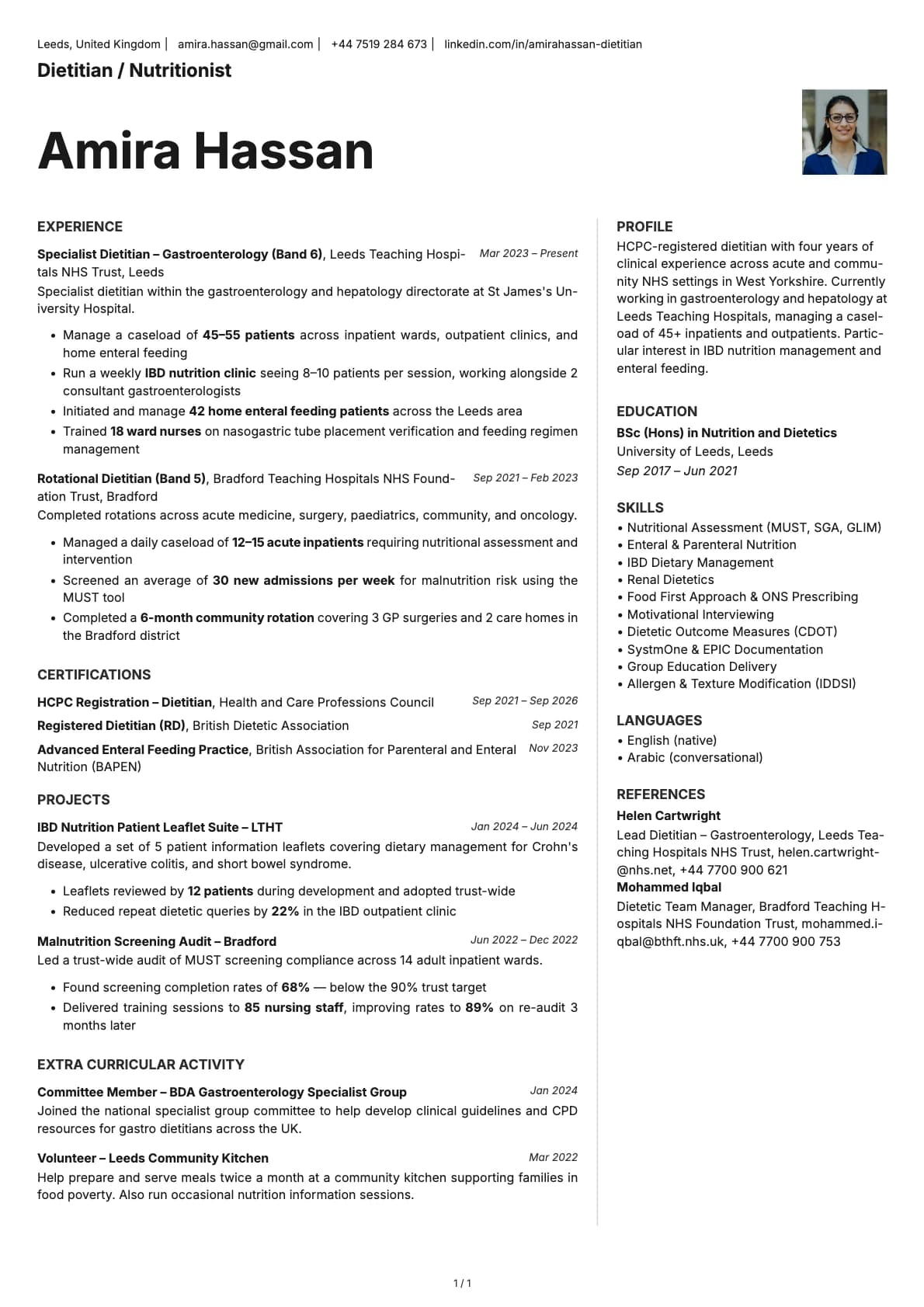
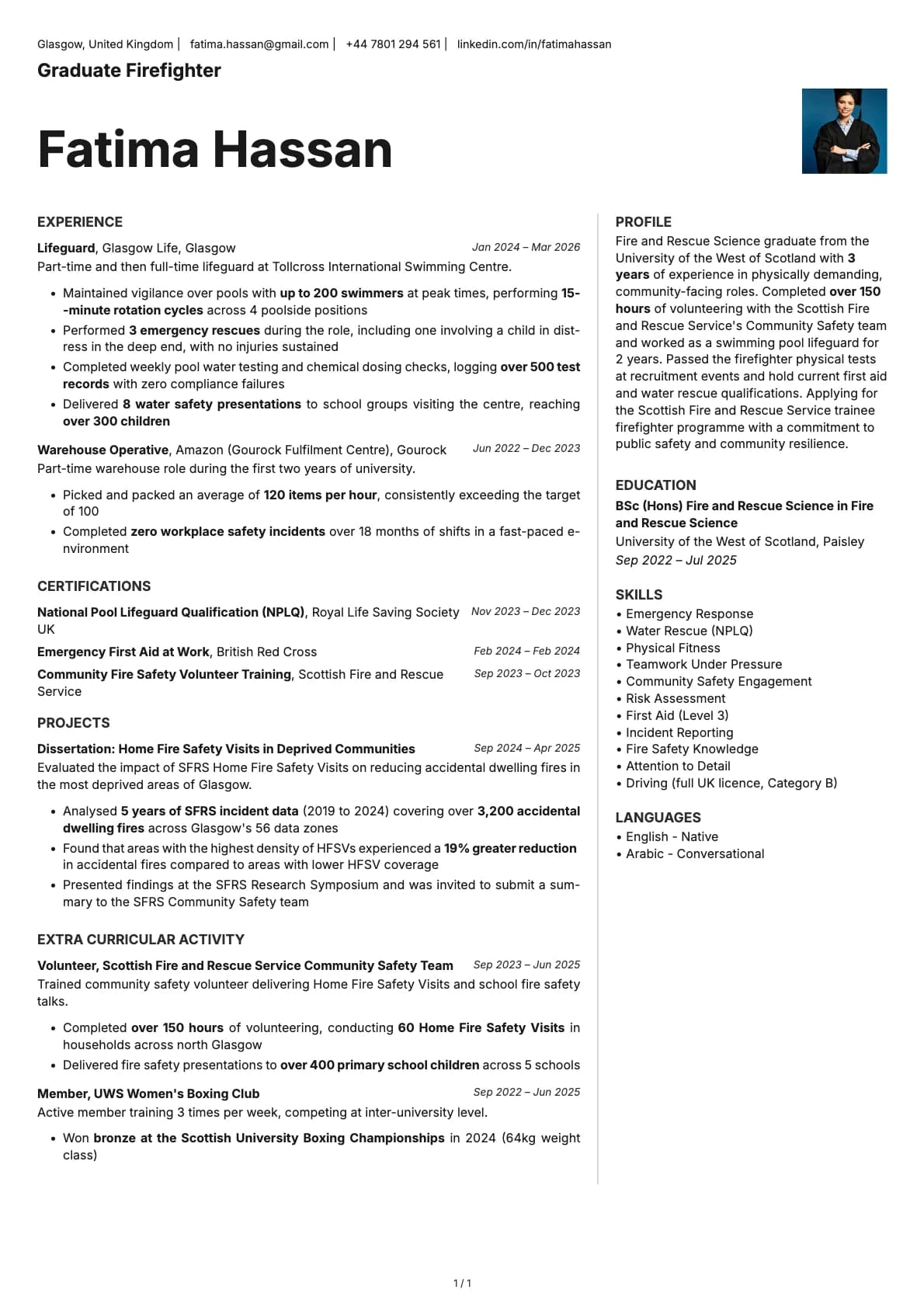
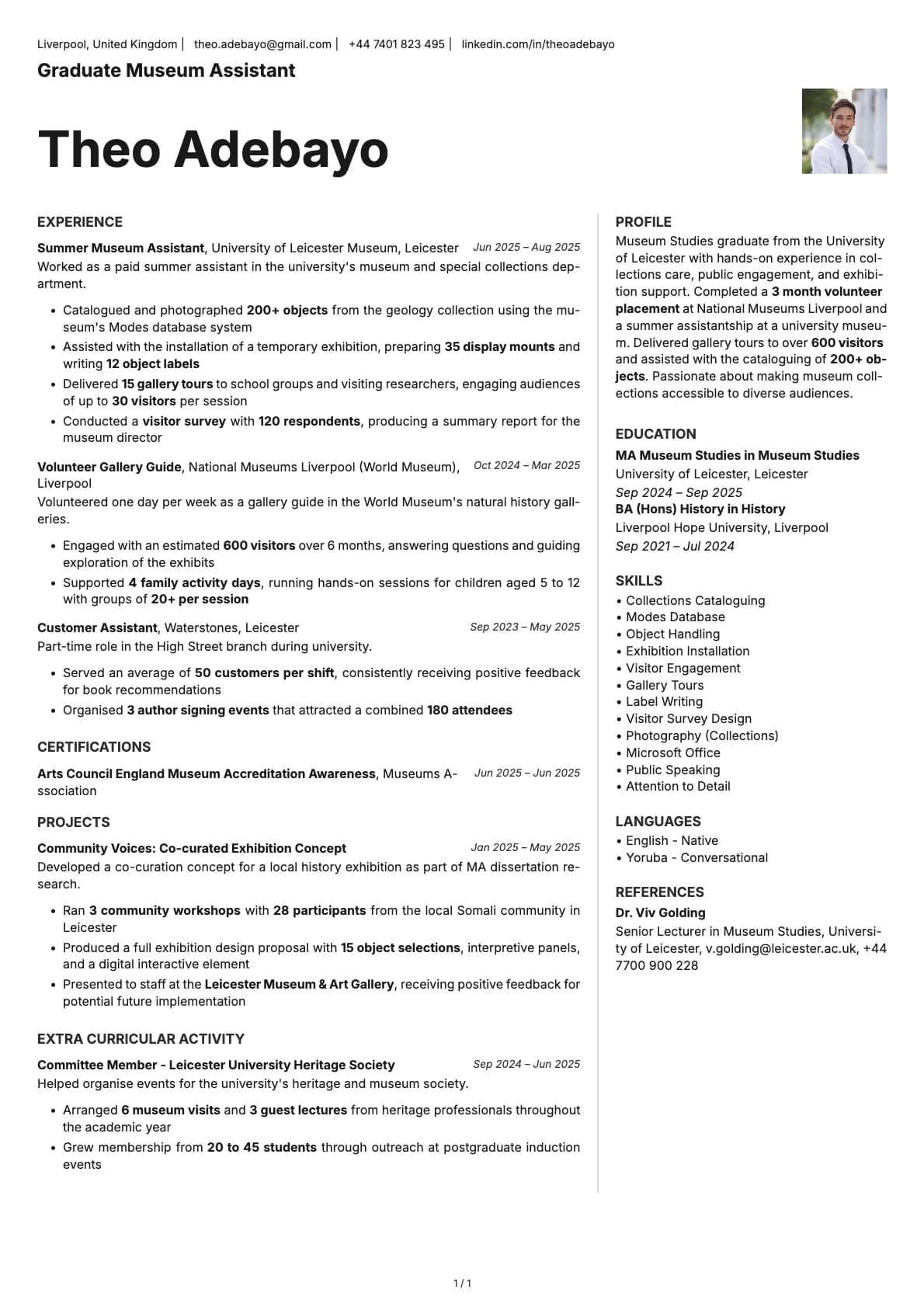
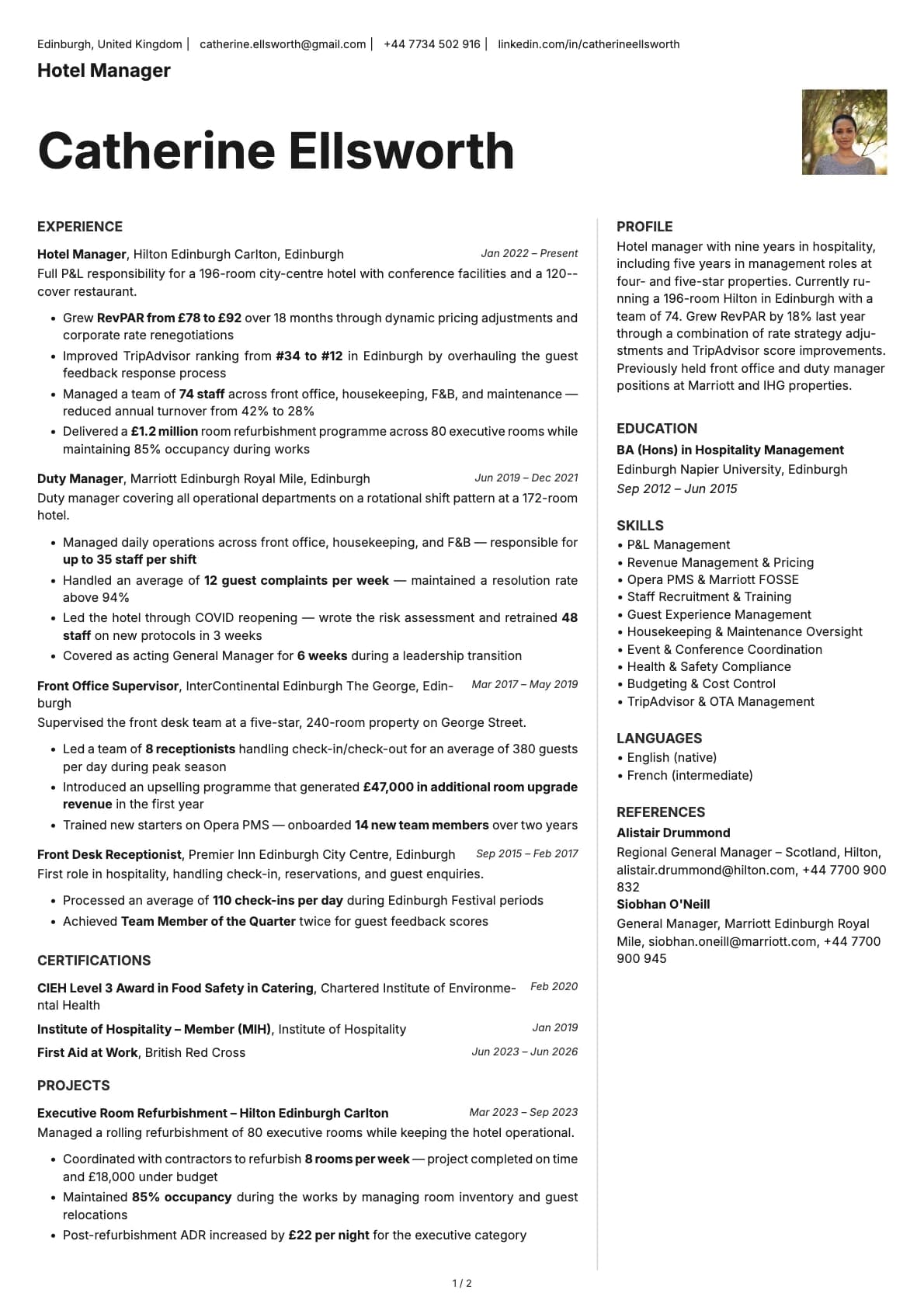
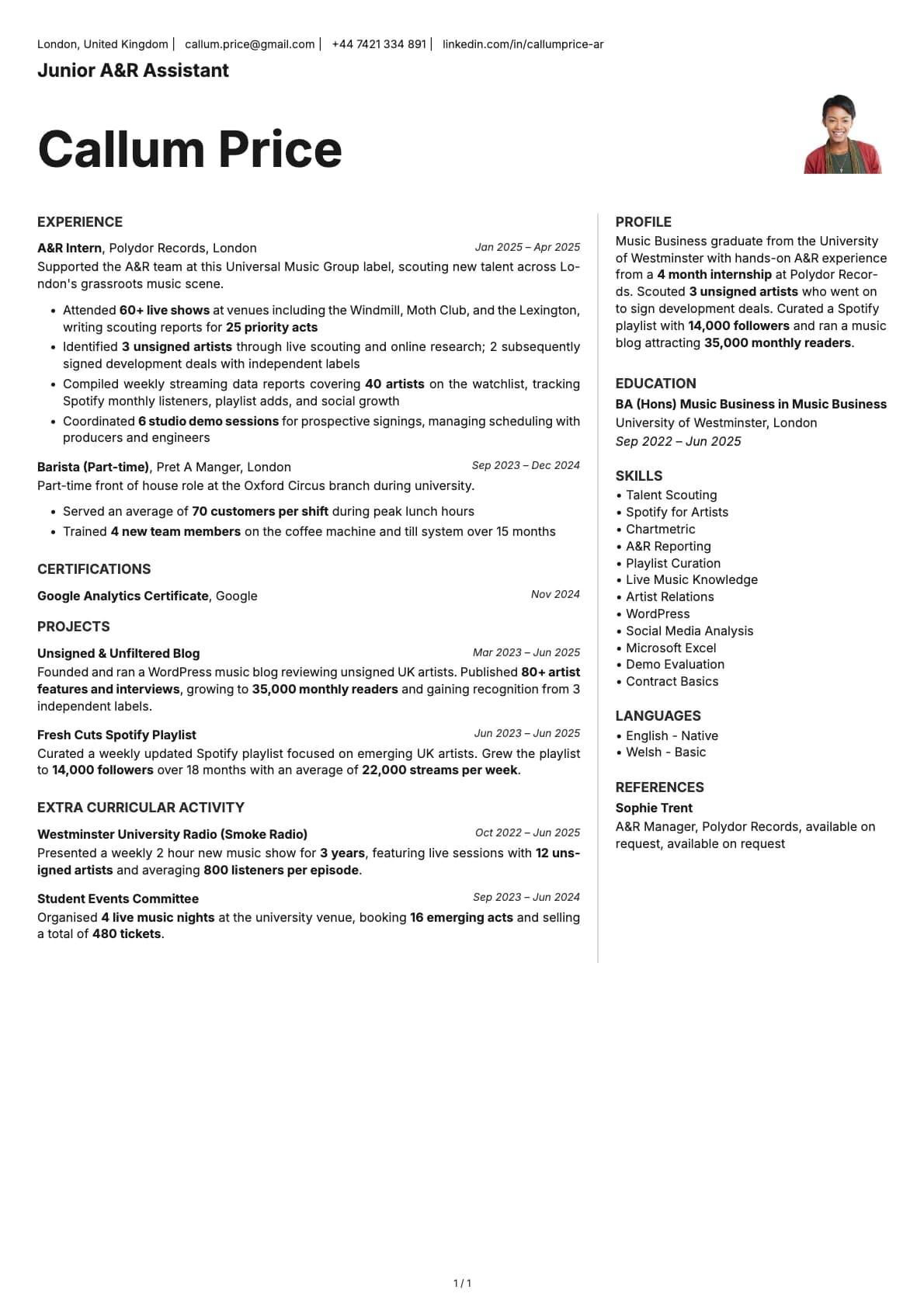
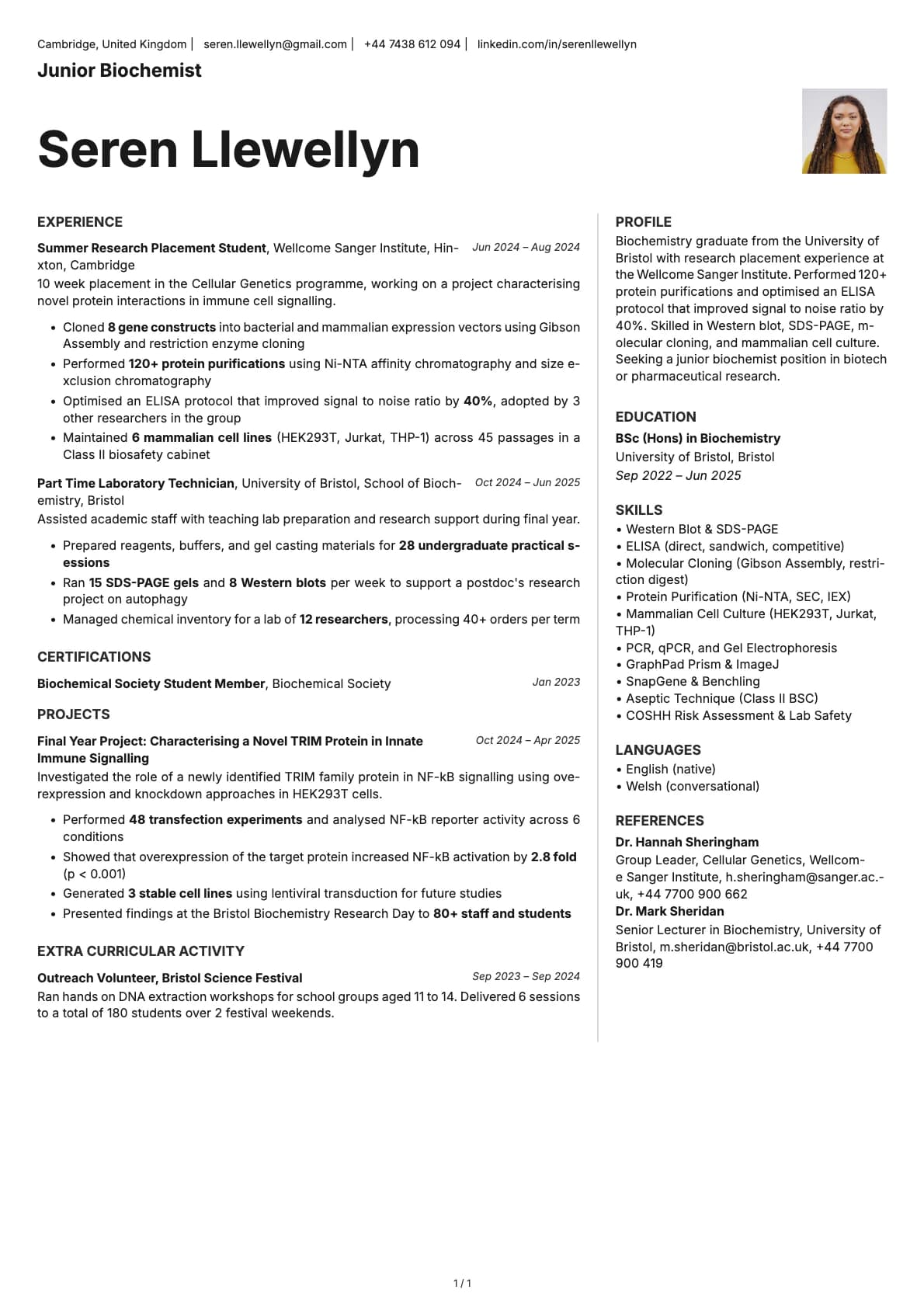
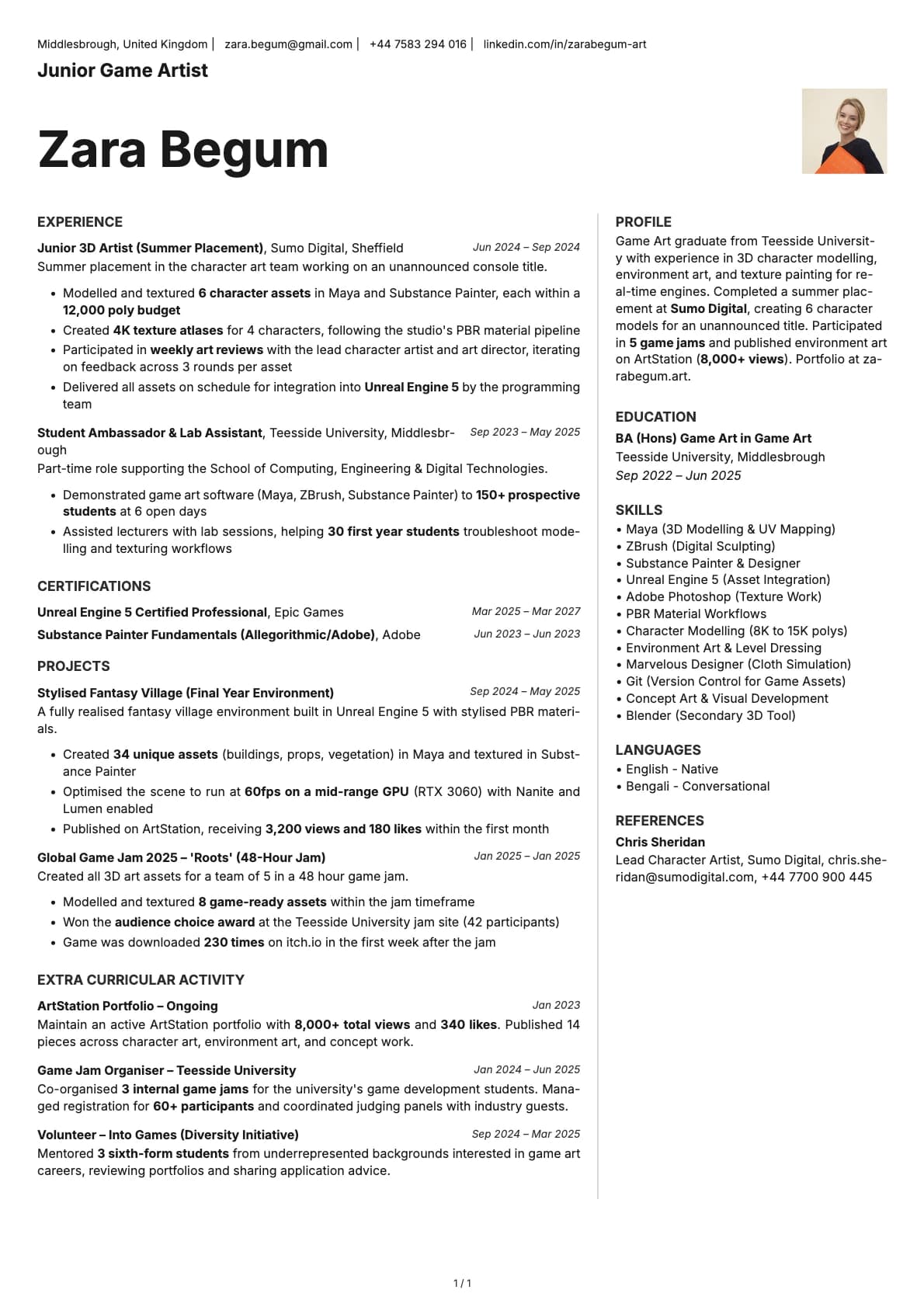
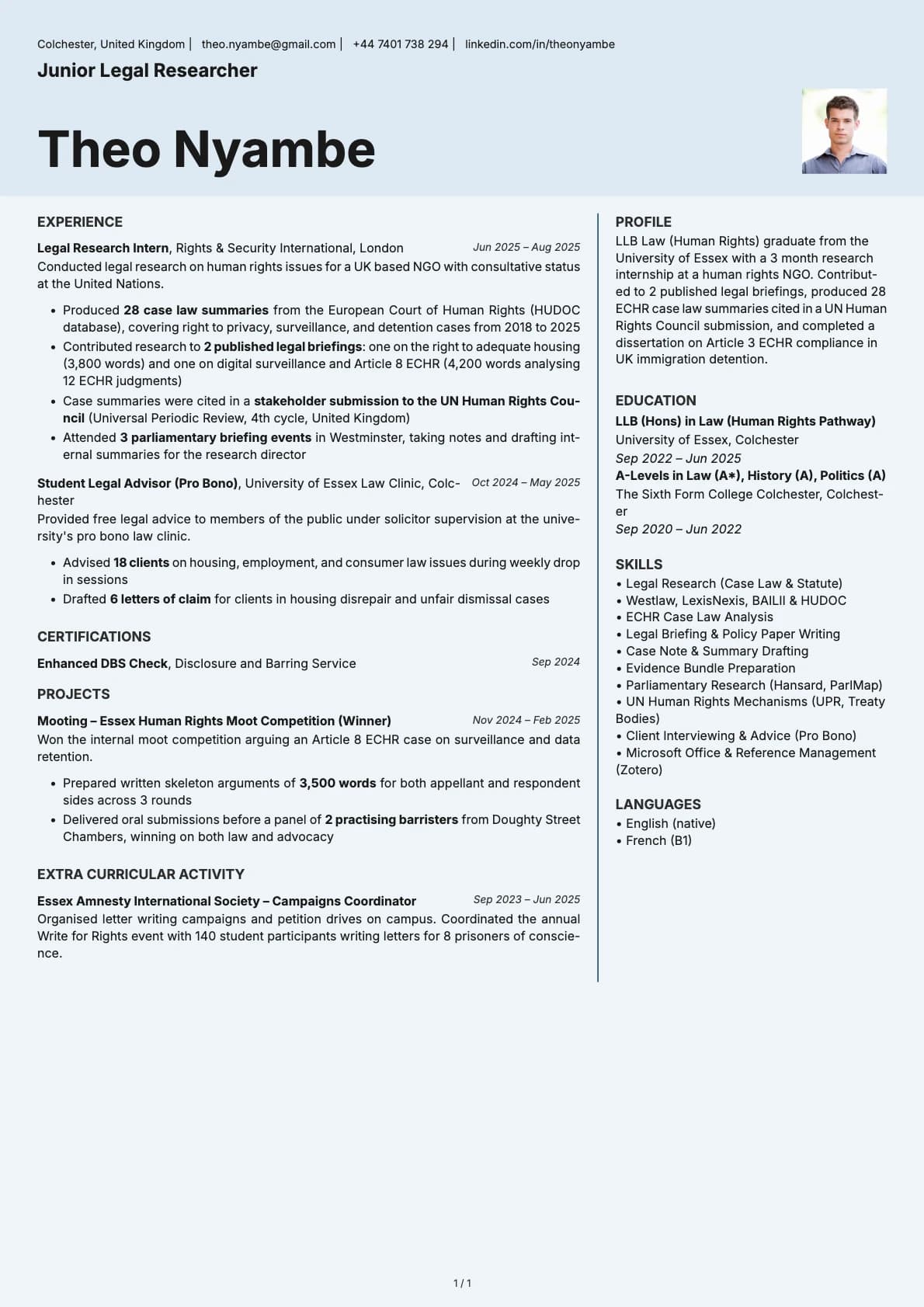
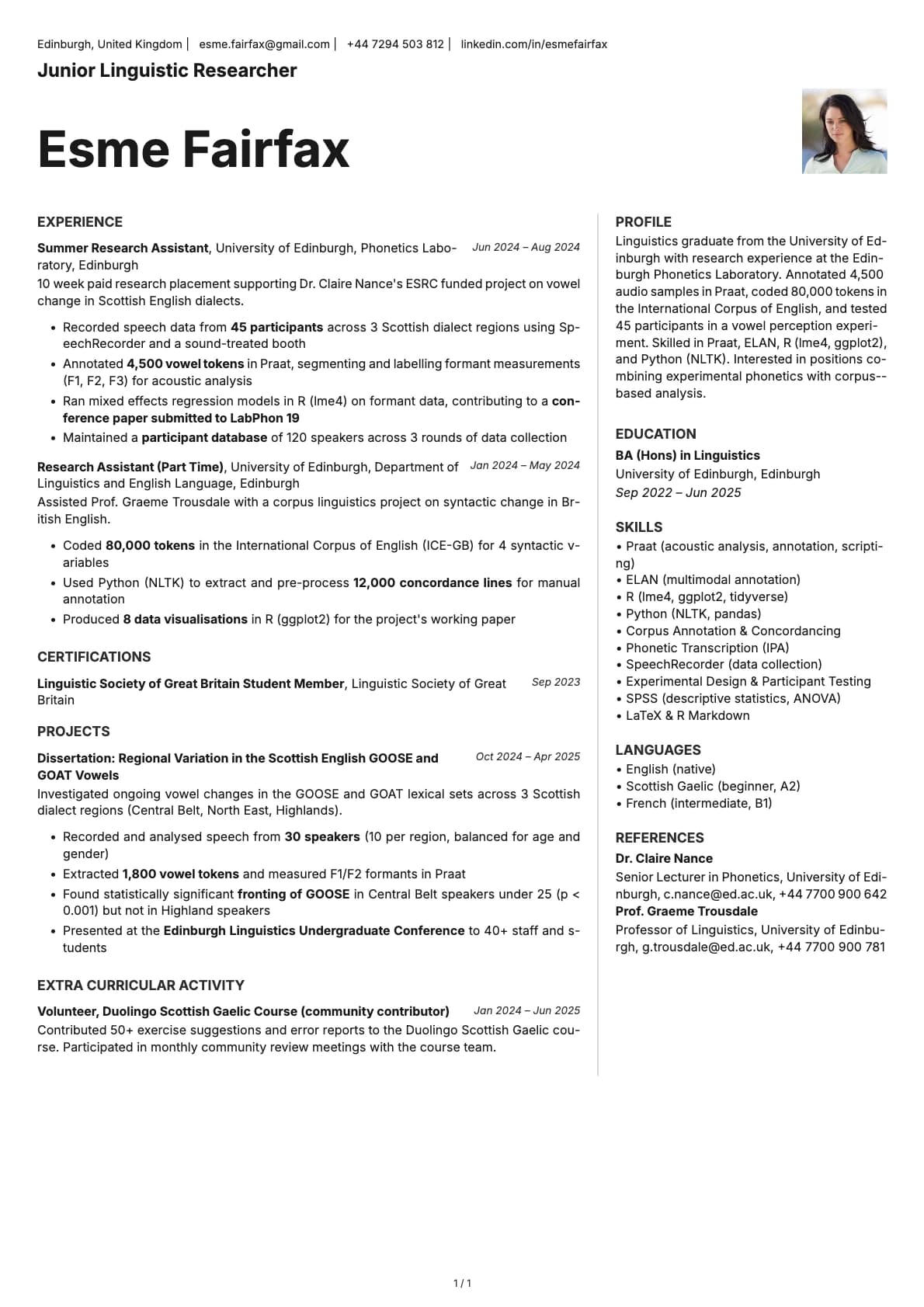
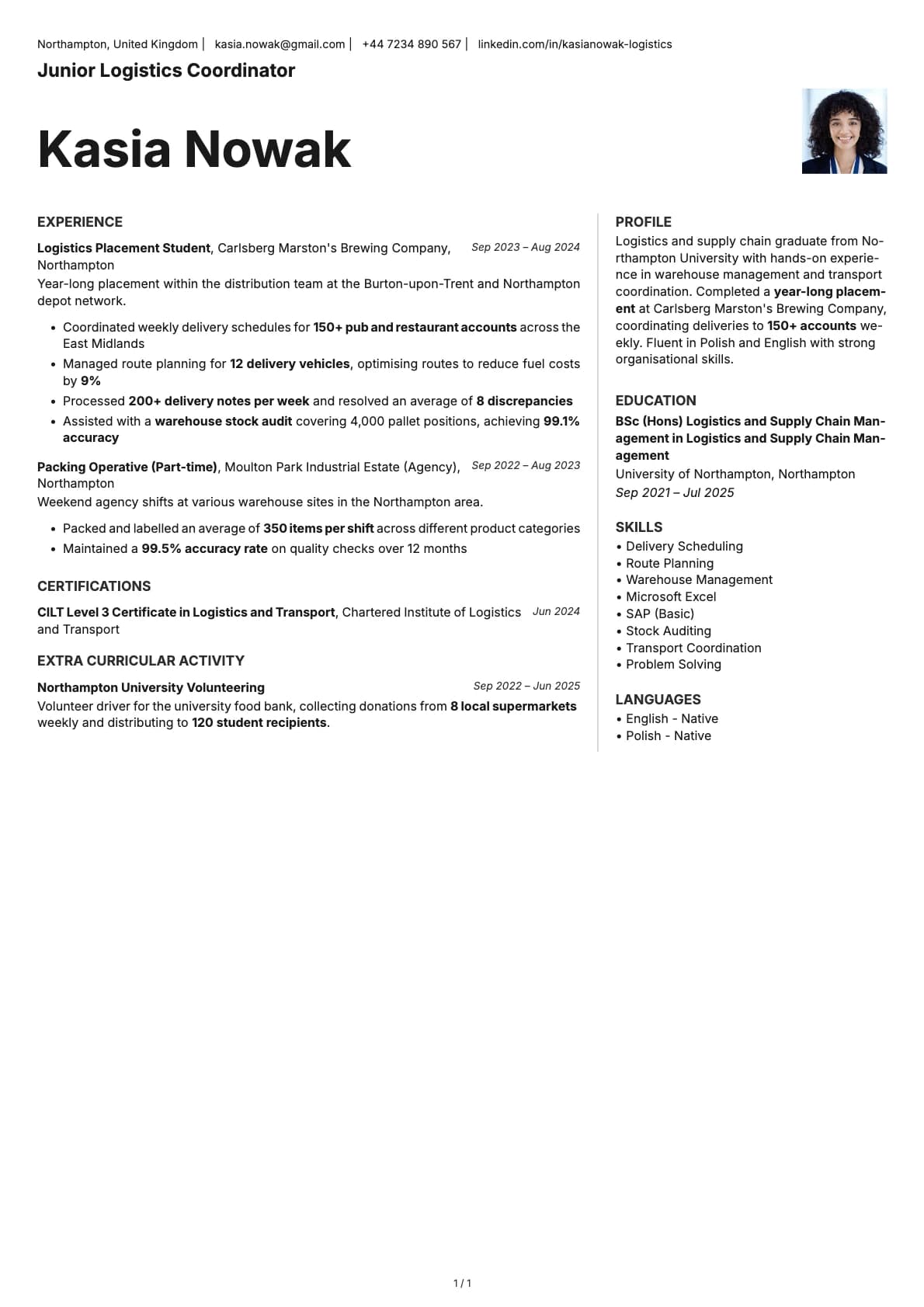
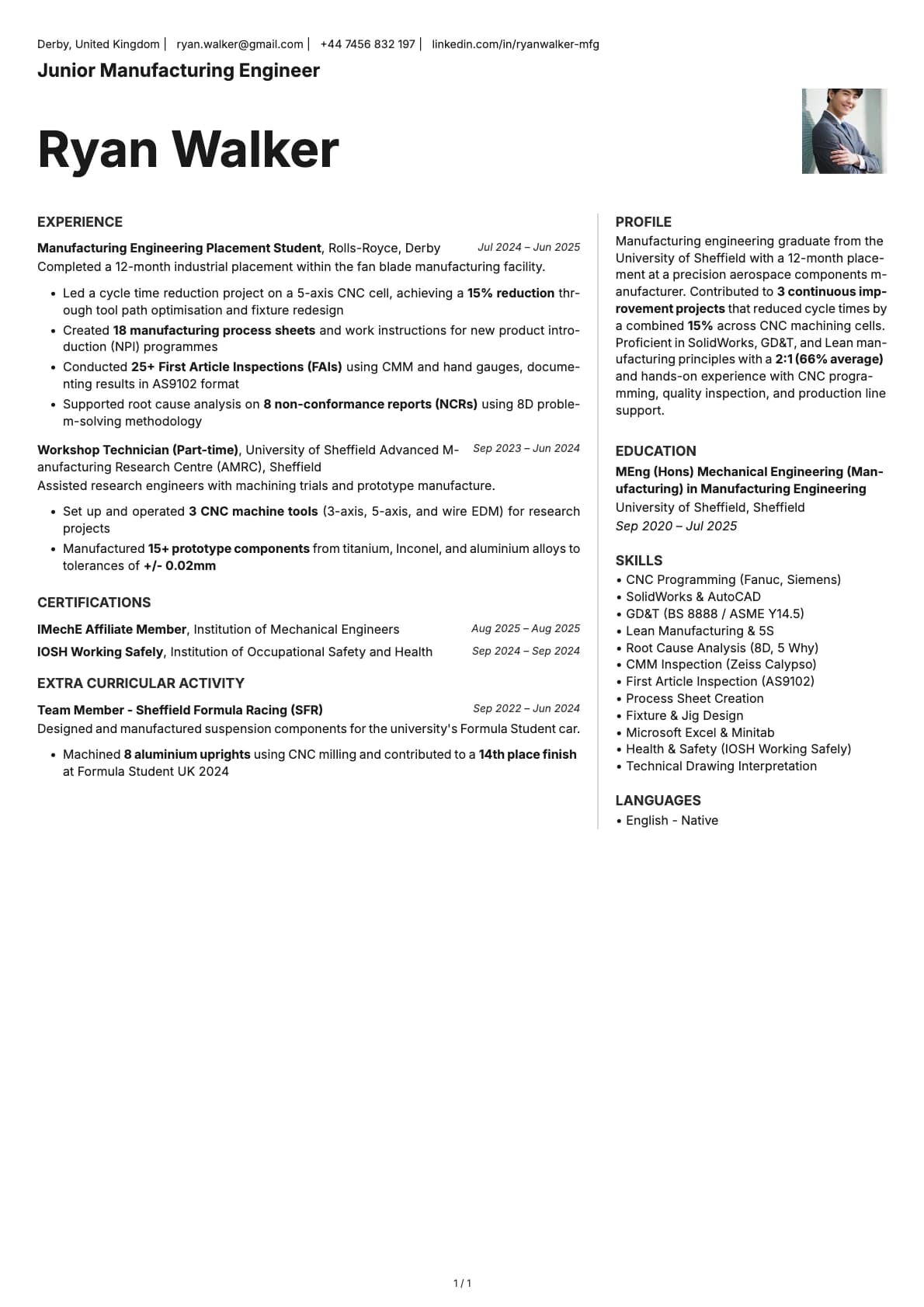
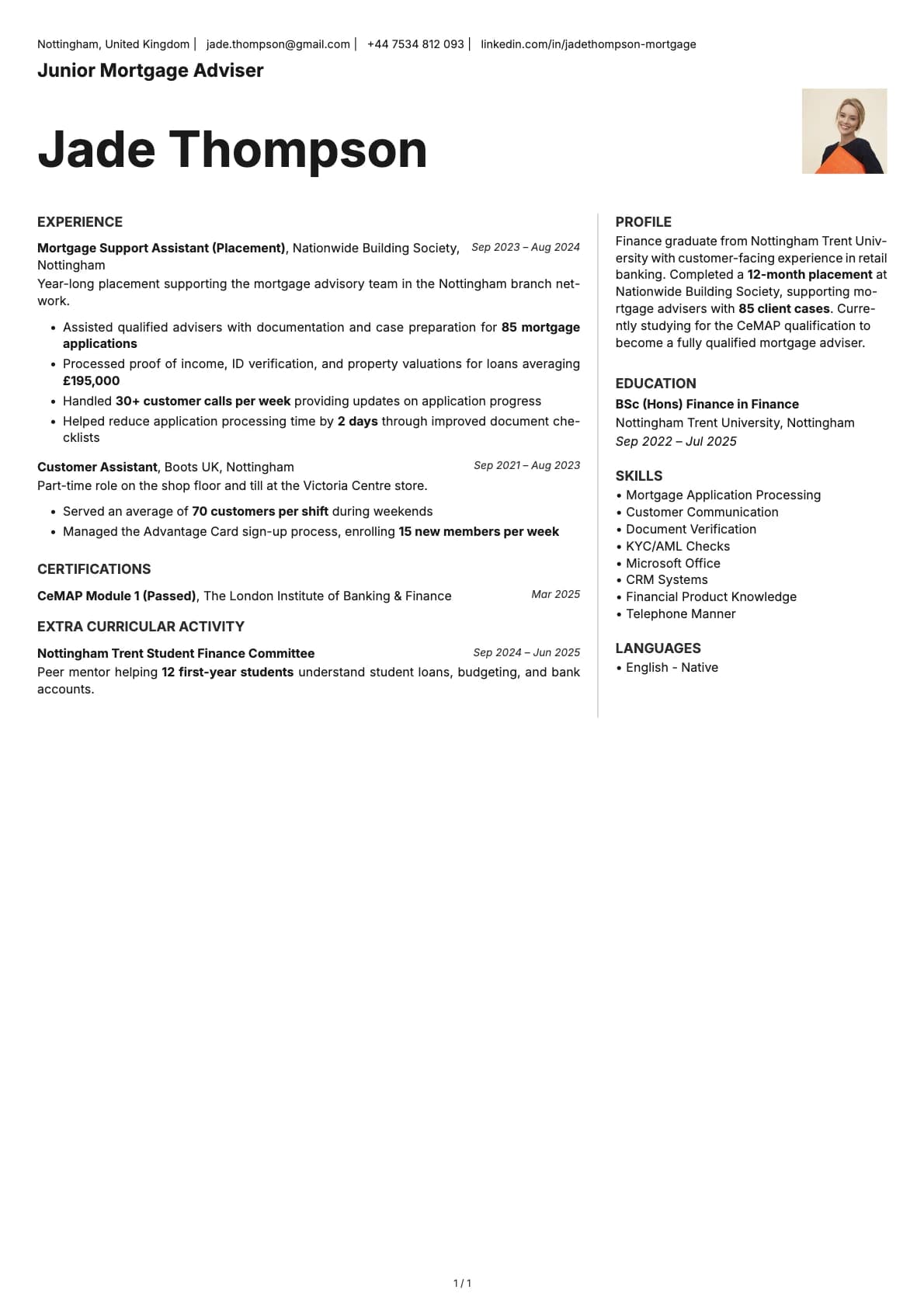
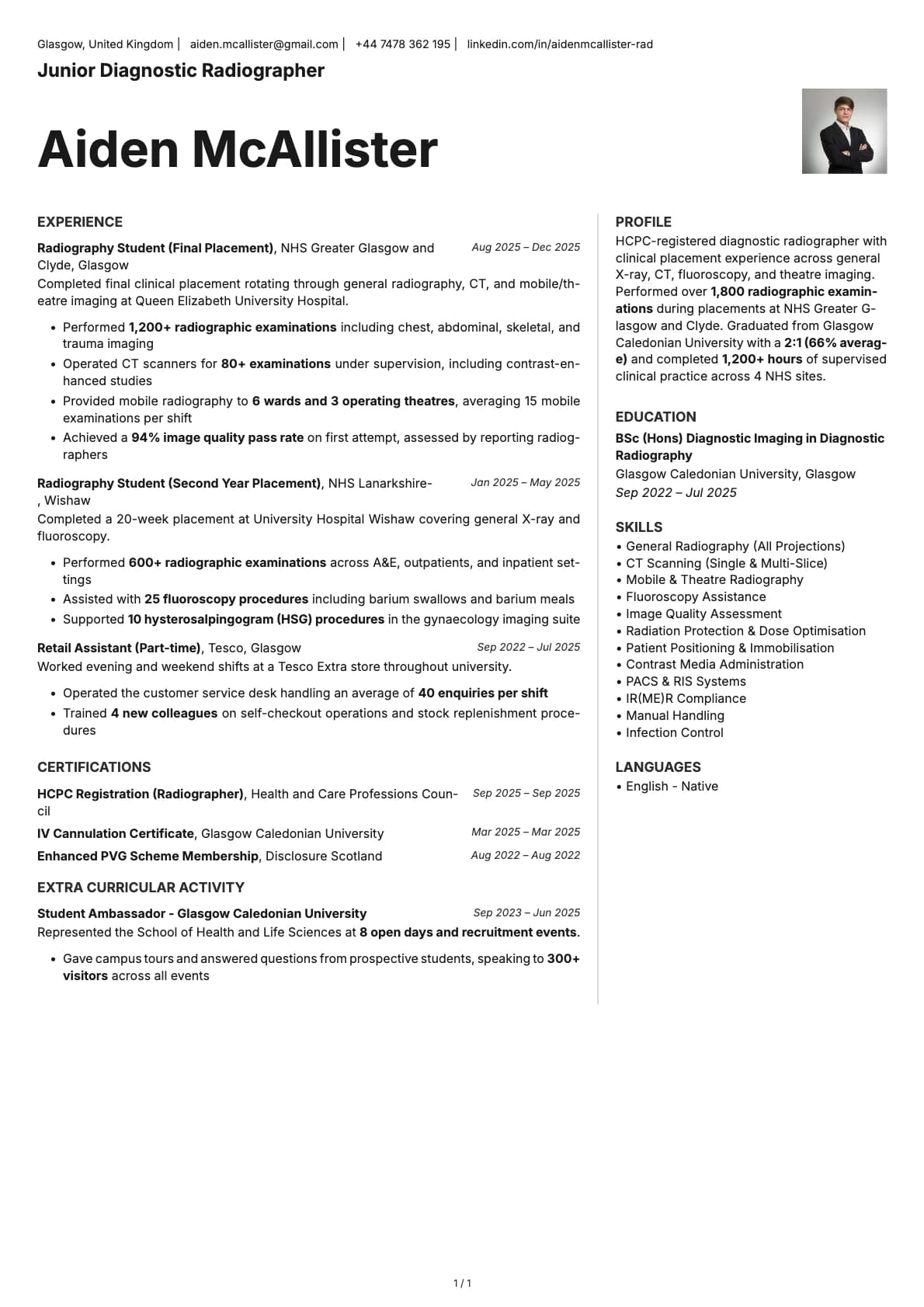
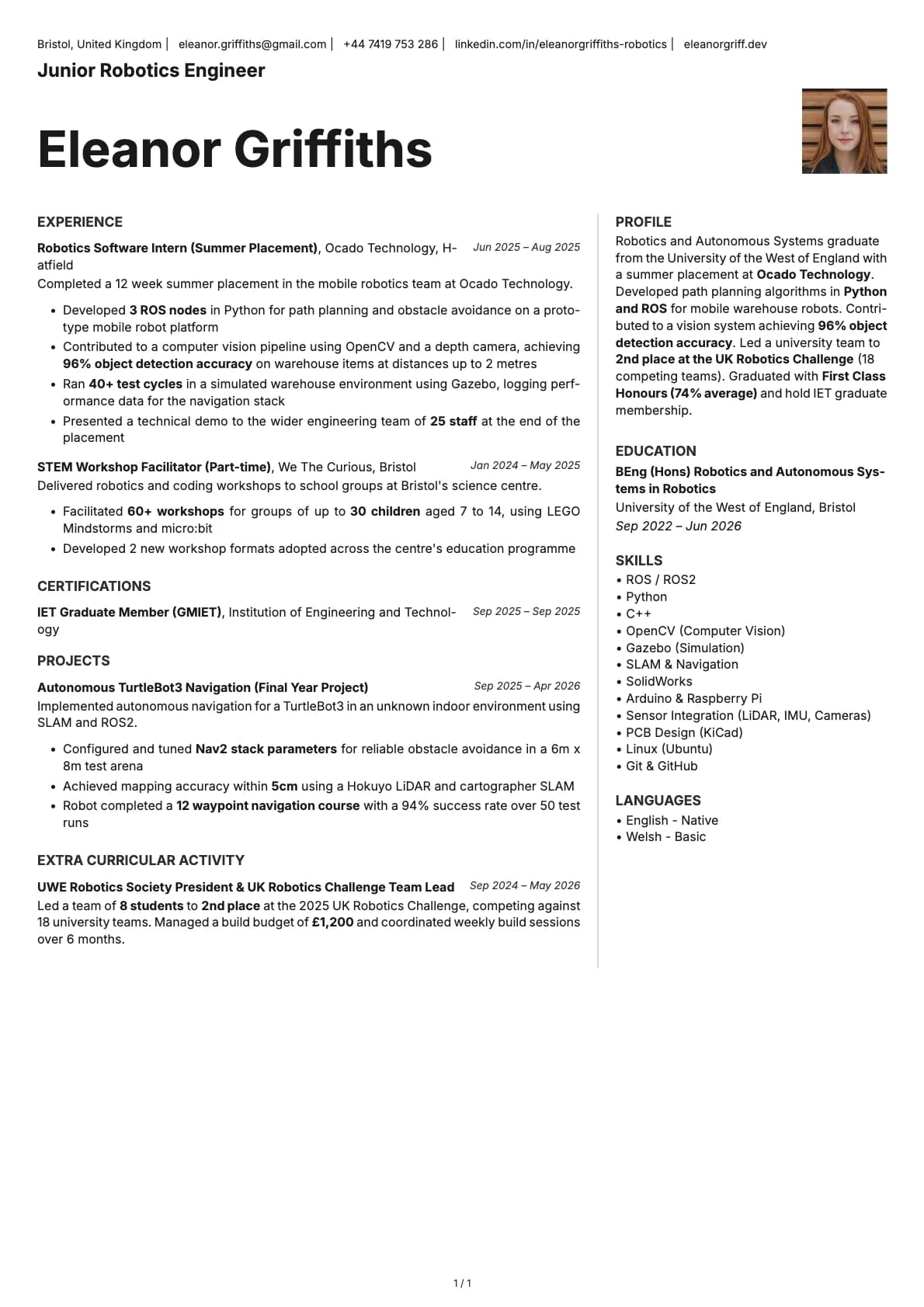
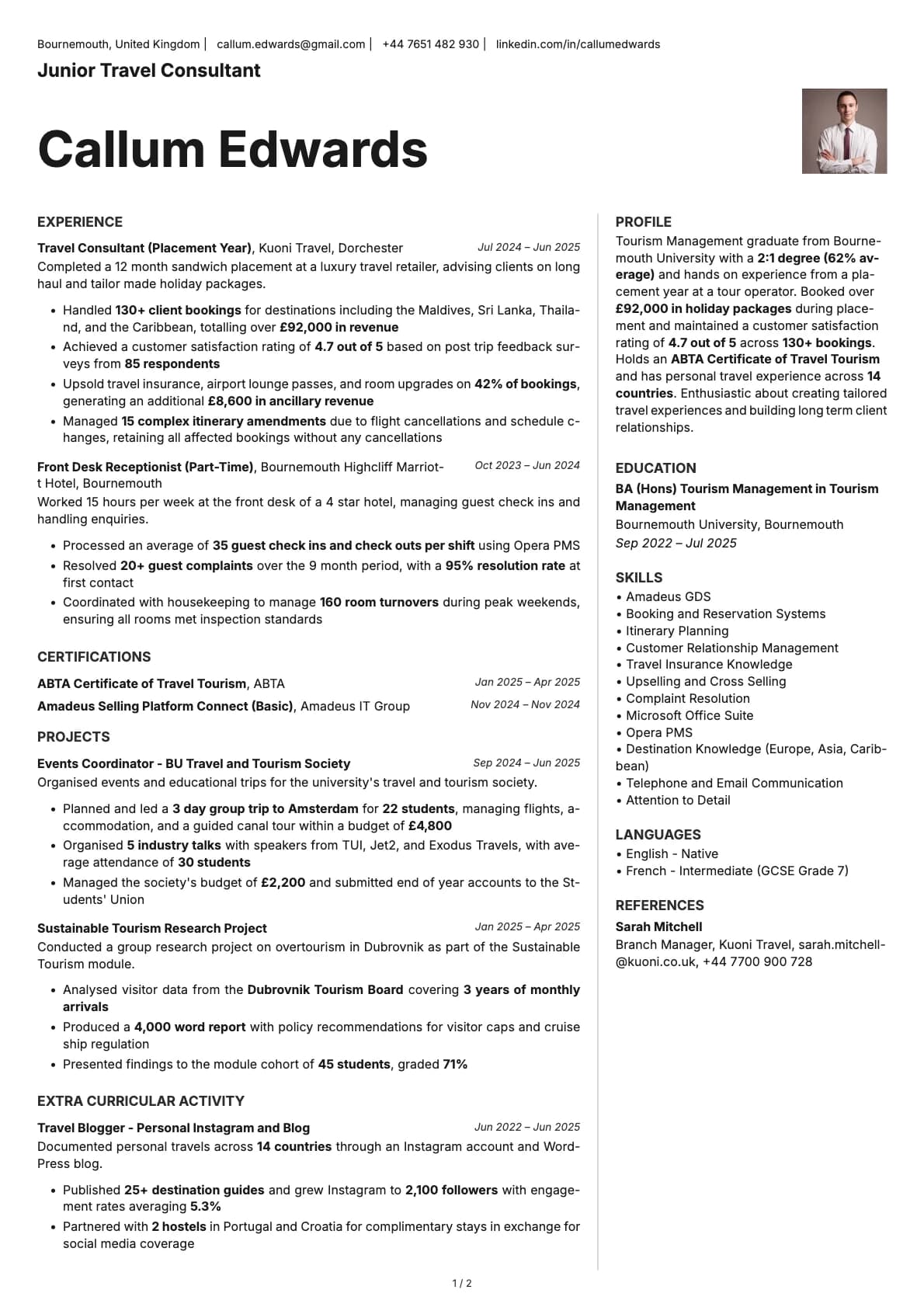
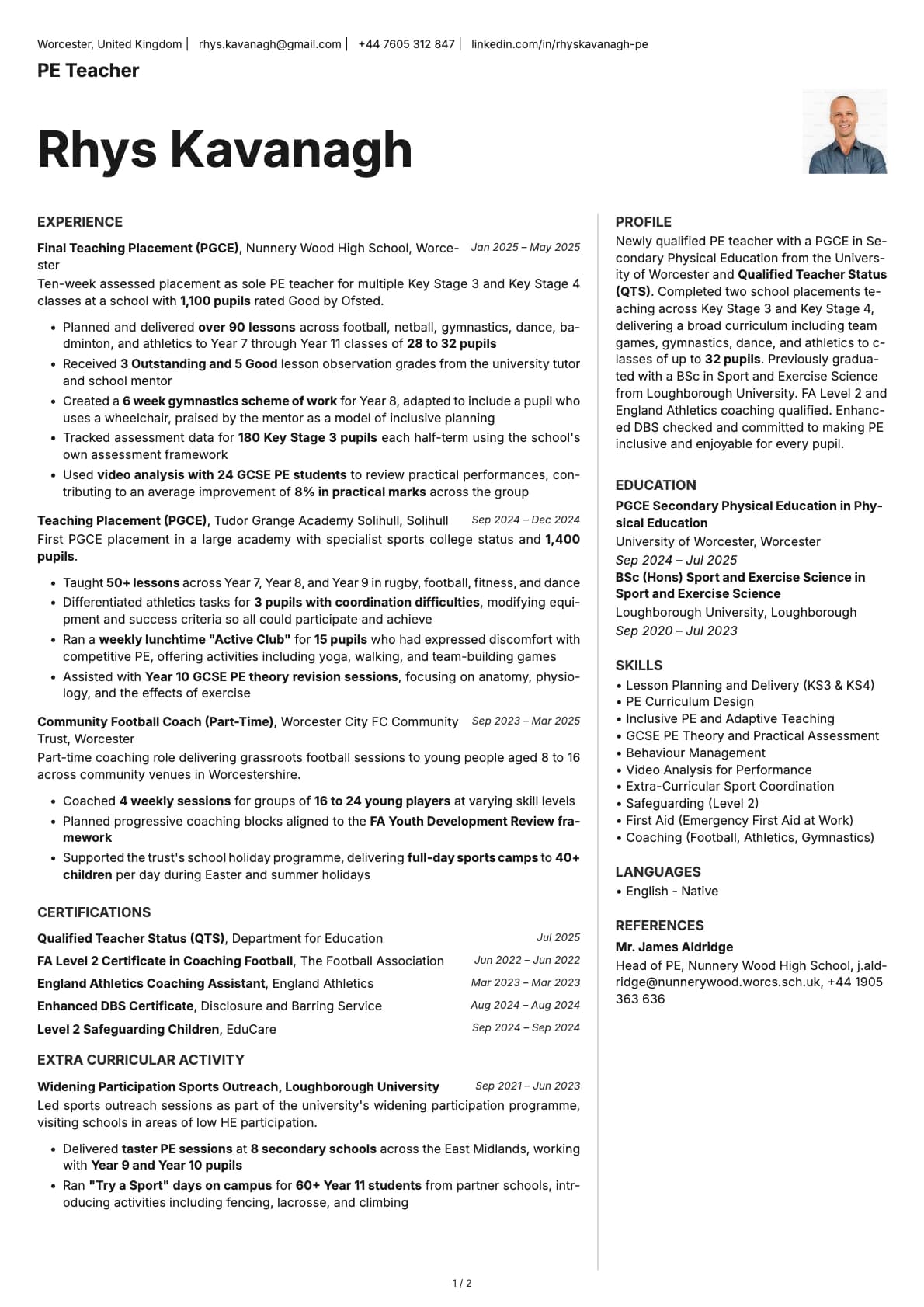
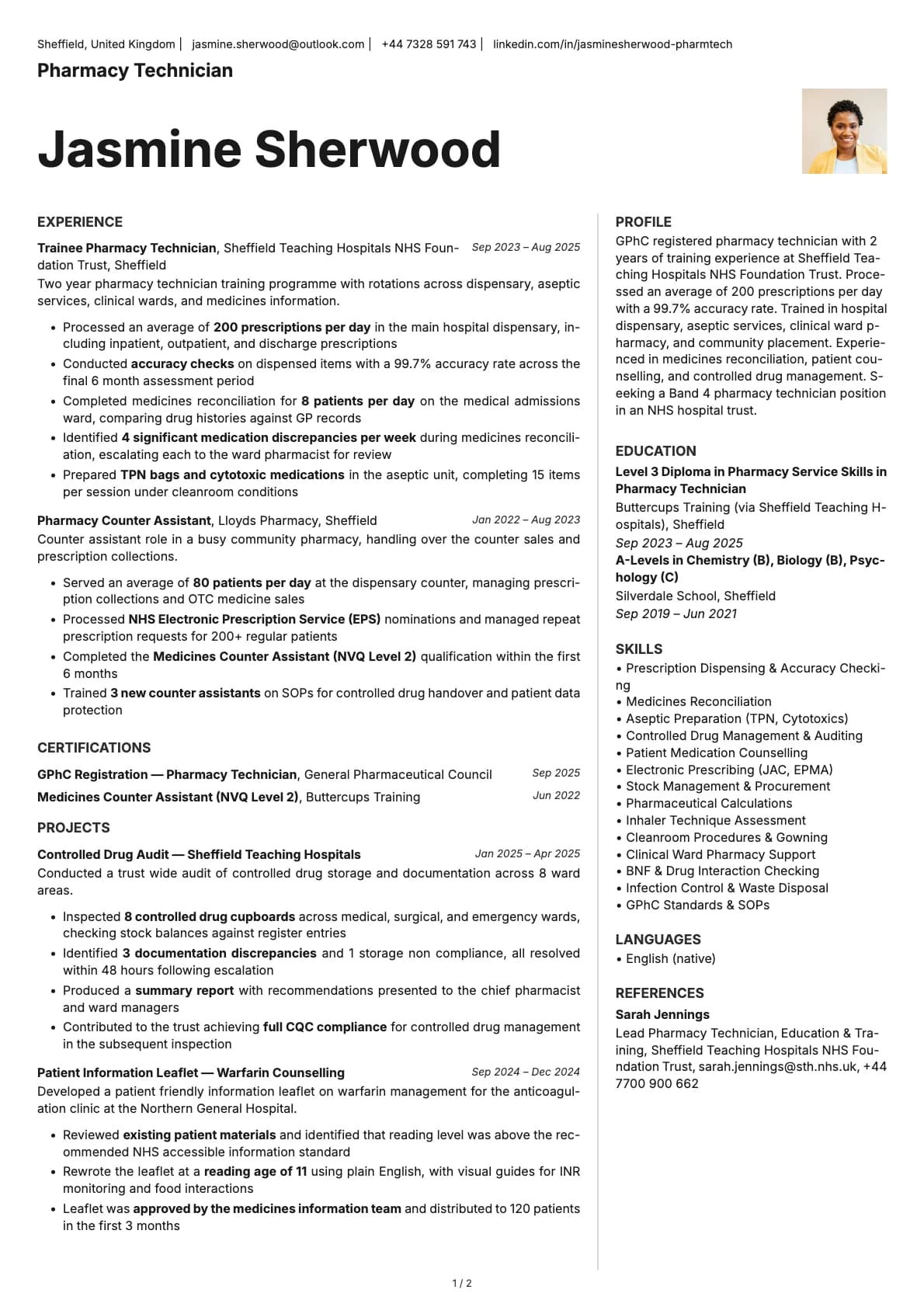
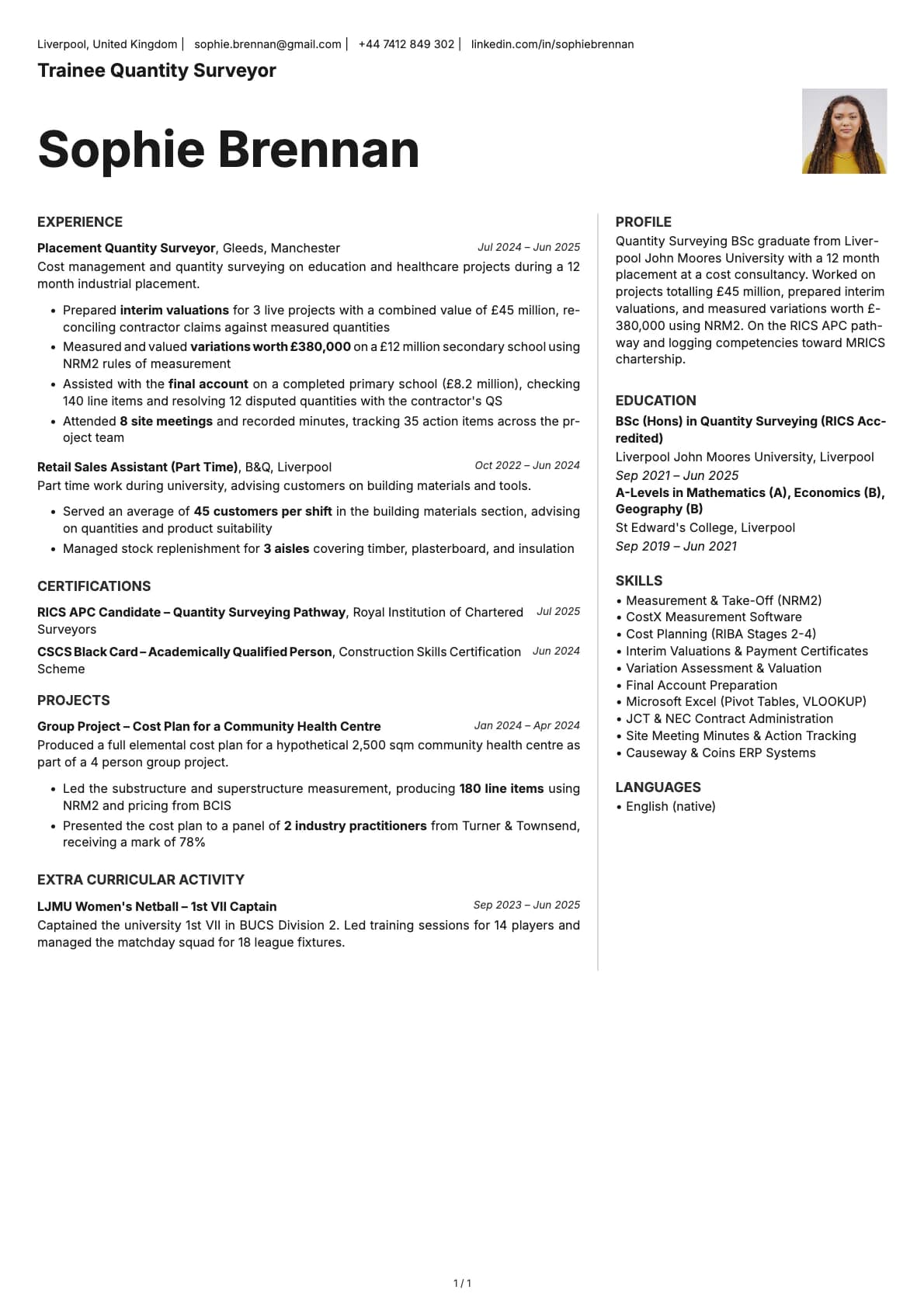
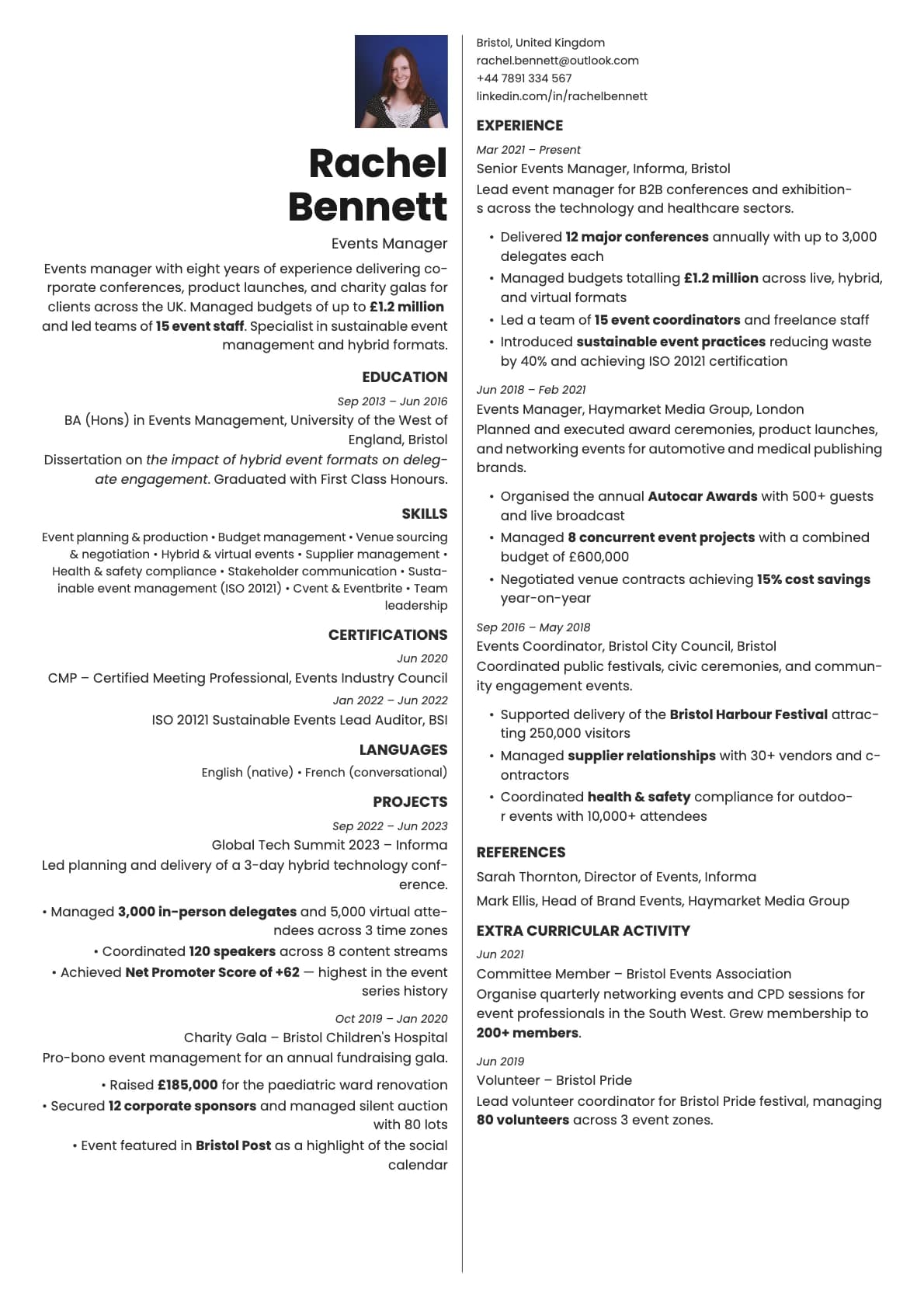
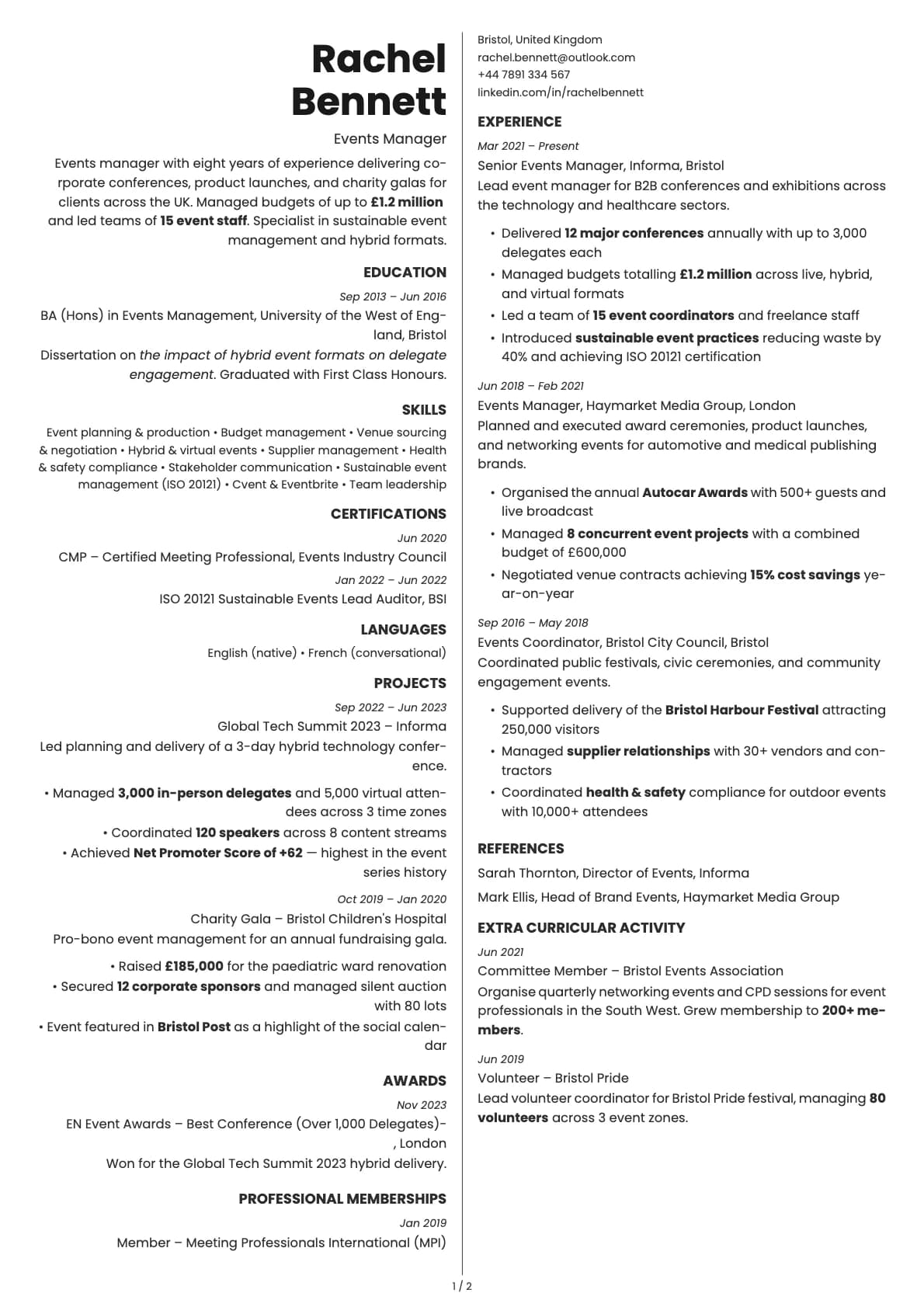
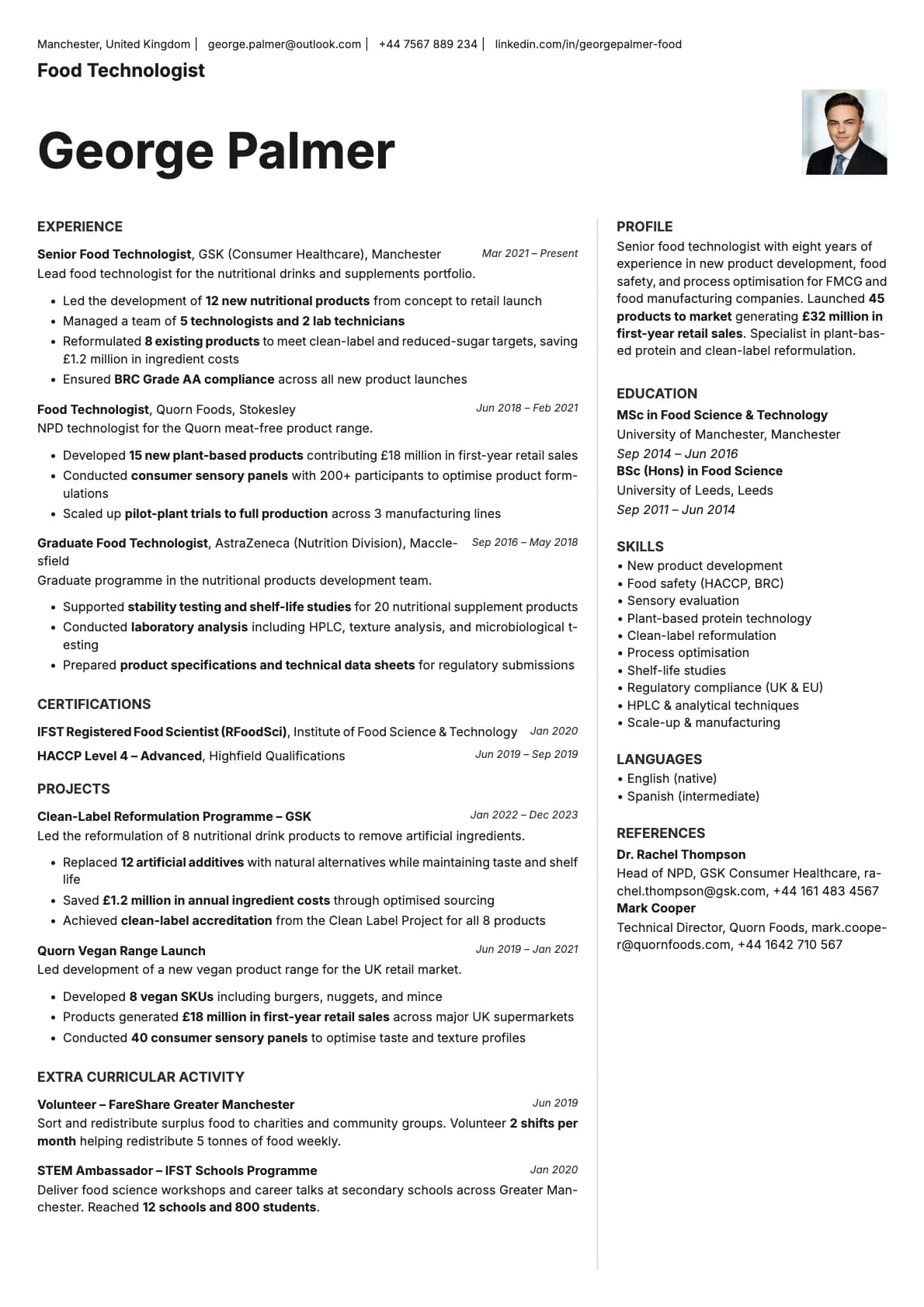
An executive resume template with profile photo, deep blue tones, header-plus-two-column layout, and a 6.0/10 ATS score.
Free to use. No account needed to start.
Why Sapphire Photo?
Sapphire is the template you reach for when you need to look like you have been doing this for a while. The deep blue tones and classic layout signal seniority and stability. It is not flashy. It is the kind of resume a VP of operations or a senior finance director would hand over at a business lunch. Adding a photo reinforces that executive presence and makes the document feel personal rather than generic.
The header-plus-two-column layout gives you a structured page with clear visual hierarchy. Your name and photo sit at the top, and the two columns below organize your experience and credentials without wasting space.
When a photo makes sense
Senior corporate professionals, management consultants, finance directors, legal counsel, and business development leaders. Roles where relationships drive hiring decisions and your resume is more likely to be reviewed by a person than a machine. The photo makes sense when you are being referred, when a recruiter is packaging your profile for a client, or when you are handing over a CV in person.
Also fits well in markets where executive CVs include photos as standard, particularly across Europe, the Middle East, and parts of Asia.
When to skip the photo
For online applications at large corporations or through recruitment platforms, use the base Sapphire template. The 6.0/10 ATS score means the two-column layout can trip up some older parsing systems. Keep the photo version for direct outreach and in-person networking.
What you get
- Everything from the base Sapphire template: header-plus-two-column layout, executive styling, multi-page support
- A professional headshot in the header
- Photo on the first page only
- 7 colour themes built around deep blues, teal, and warm gold
- Inter as the default font, with other options available in the builder
Photo tips
Sapphire reads as corporate and senior. Your photo should match. Professional attire, good lighting, clean background. This is not the template for a casual headshot. Treat it like you are shooting a photo for a company website or LinkedIn profile.
ATS compatibility
Both the photo and base Sapphire templates score 6.0/10. The two-column layout is the limiting factor. The photo itself does not affect parsing. For automated application systems, use a single-column template and save Sapphire Photo for situations where presentation matters more than ATS compliance.
Build your resume with Sapphire Photo on Laddro
Start building with Sapphire Photo. Choose a colour theme, upload your photo, and build your resume in the live editor. Download as PDF whenever you are done. No account needed to start.
How would you rate this template?
Your rating helps others pick the right template for their resume.
Make this template yours
Pick a colour, add your details, and download your resume. No design skills needed.
Free to use. No account needed to start.
Resumes built with Sapphire Photo