Sapphire Resume Template
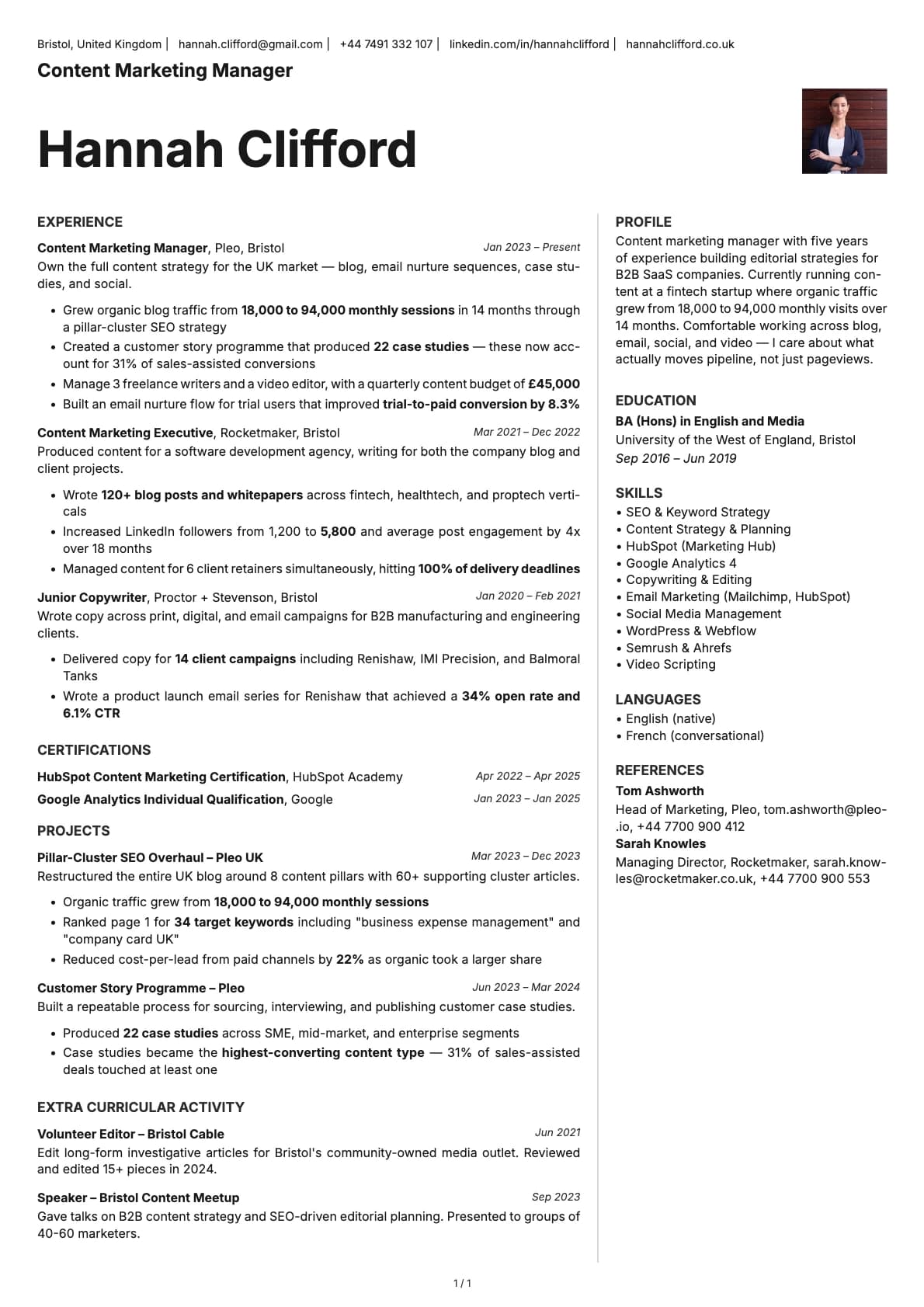
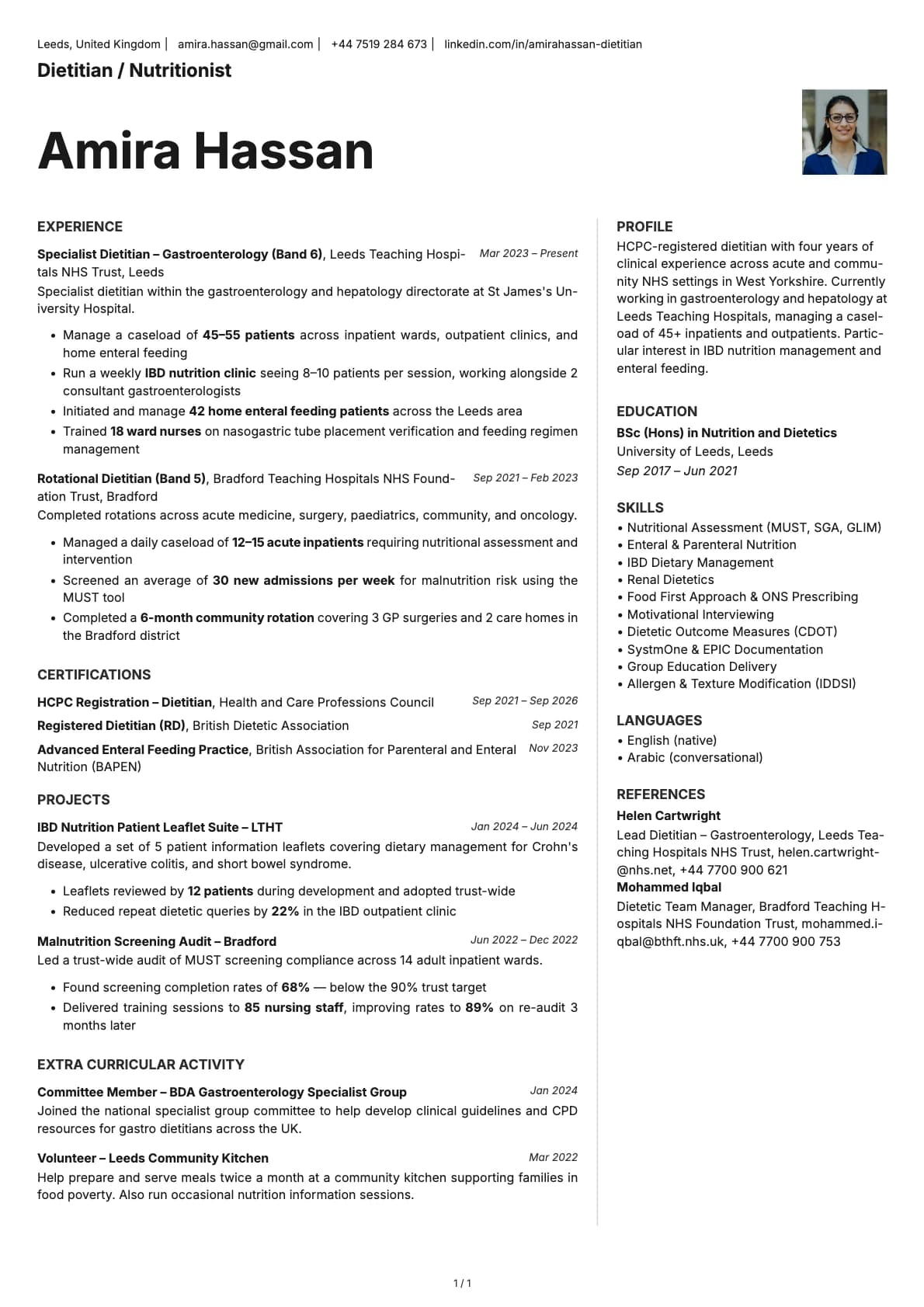
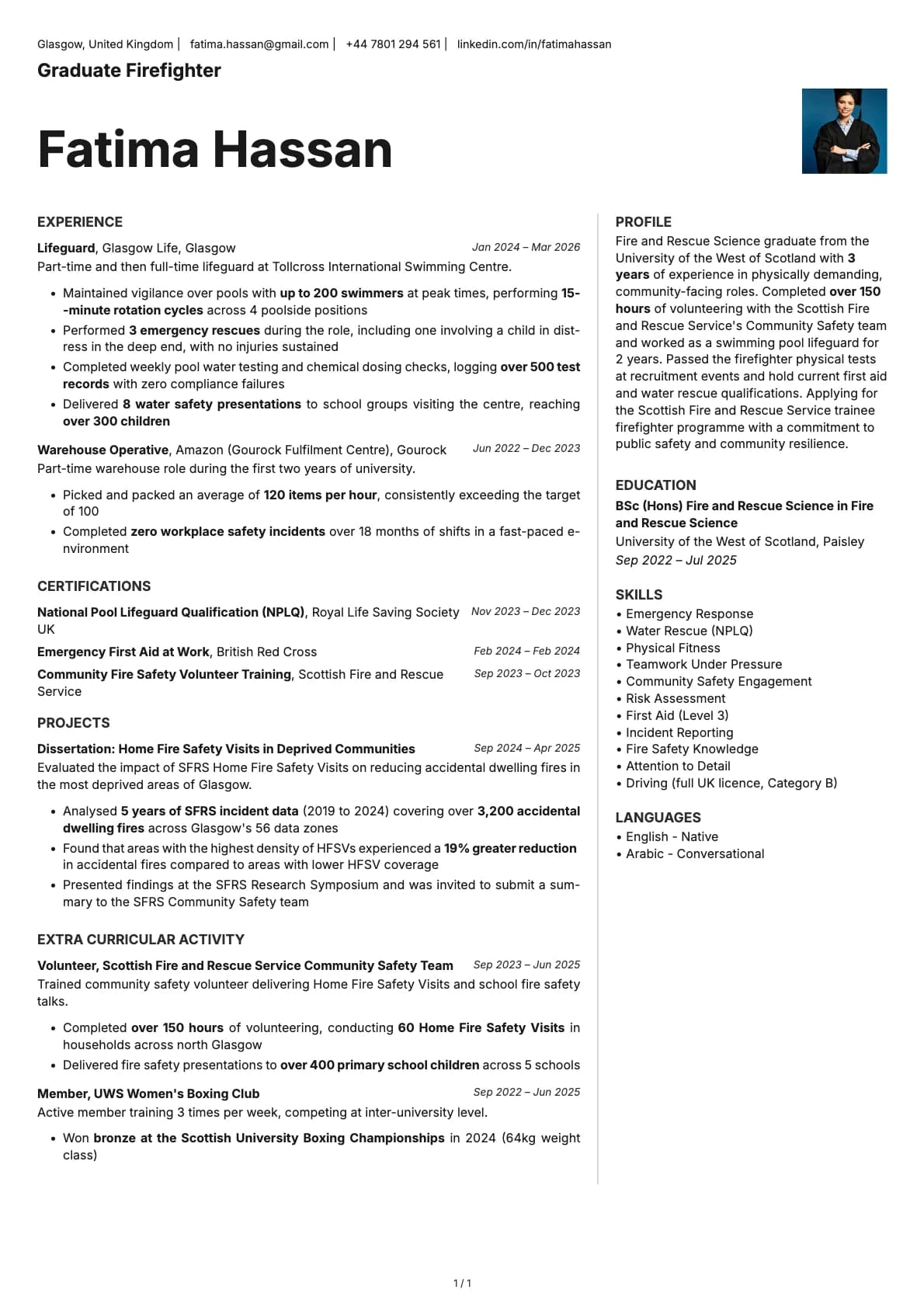
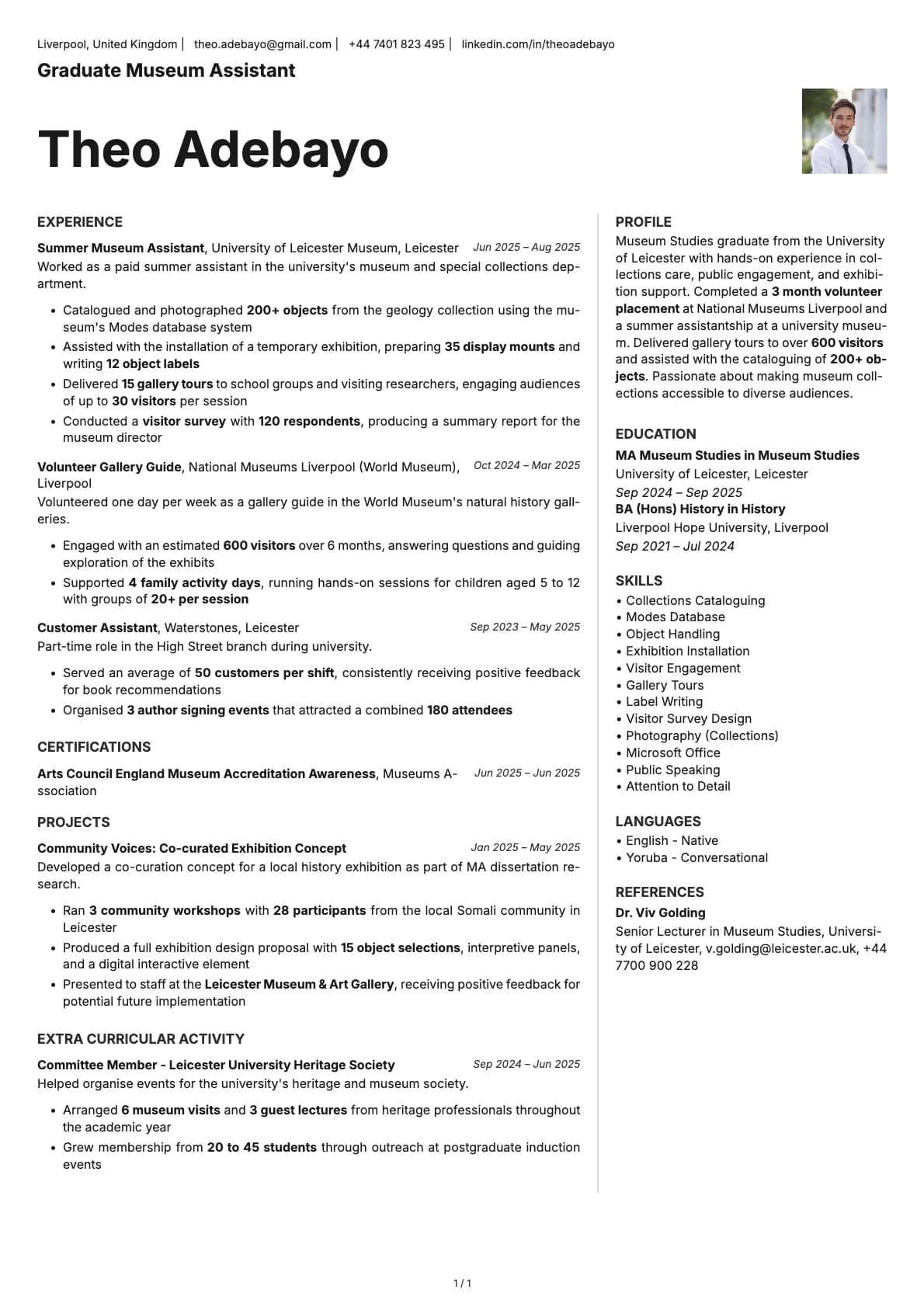
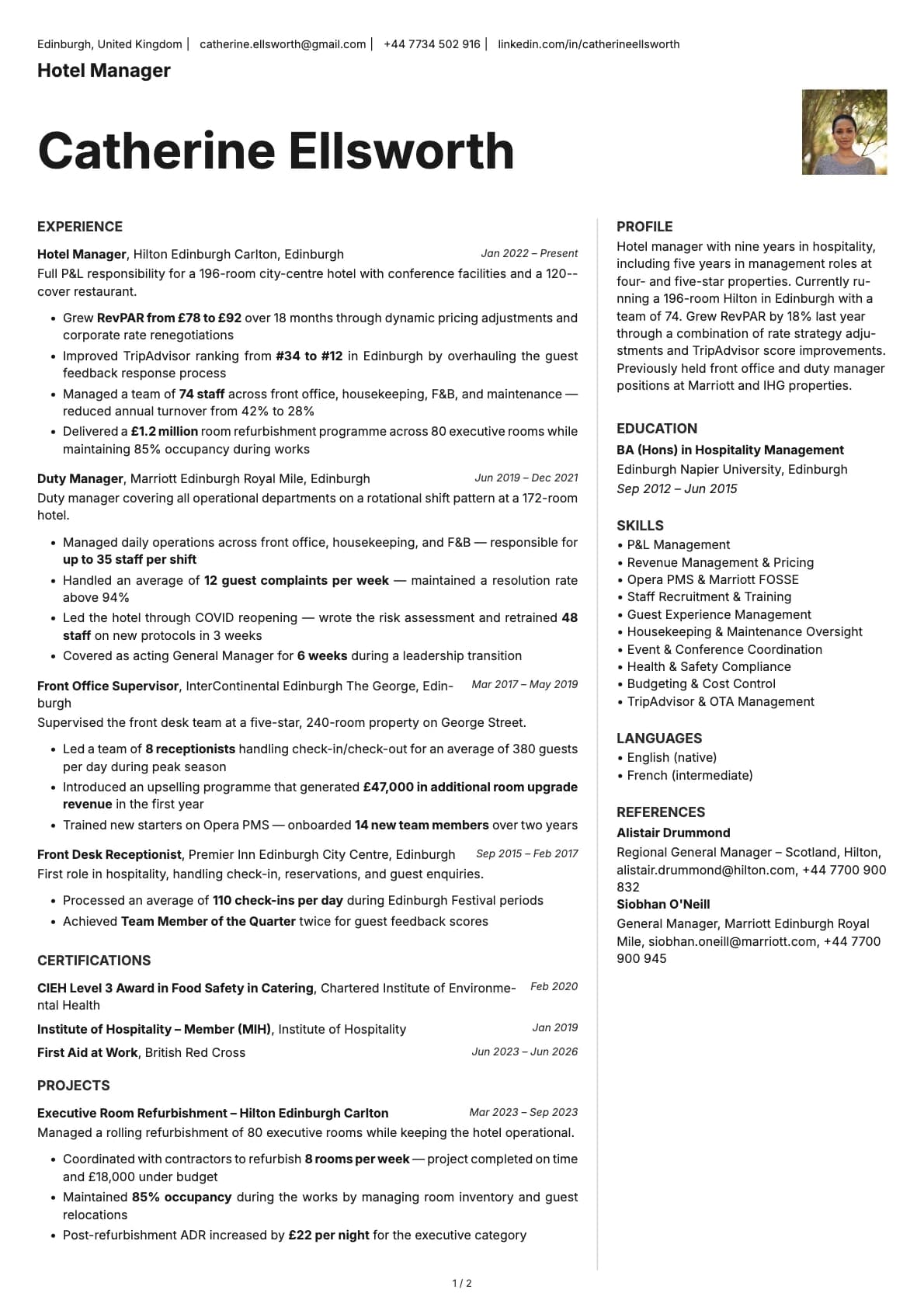
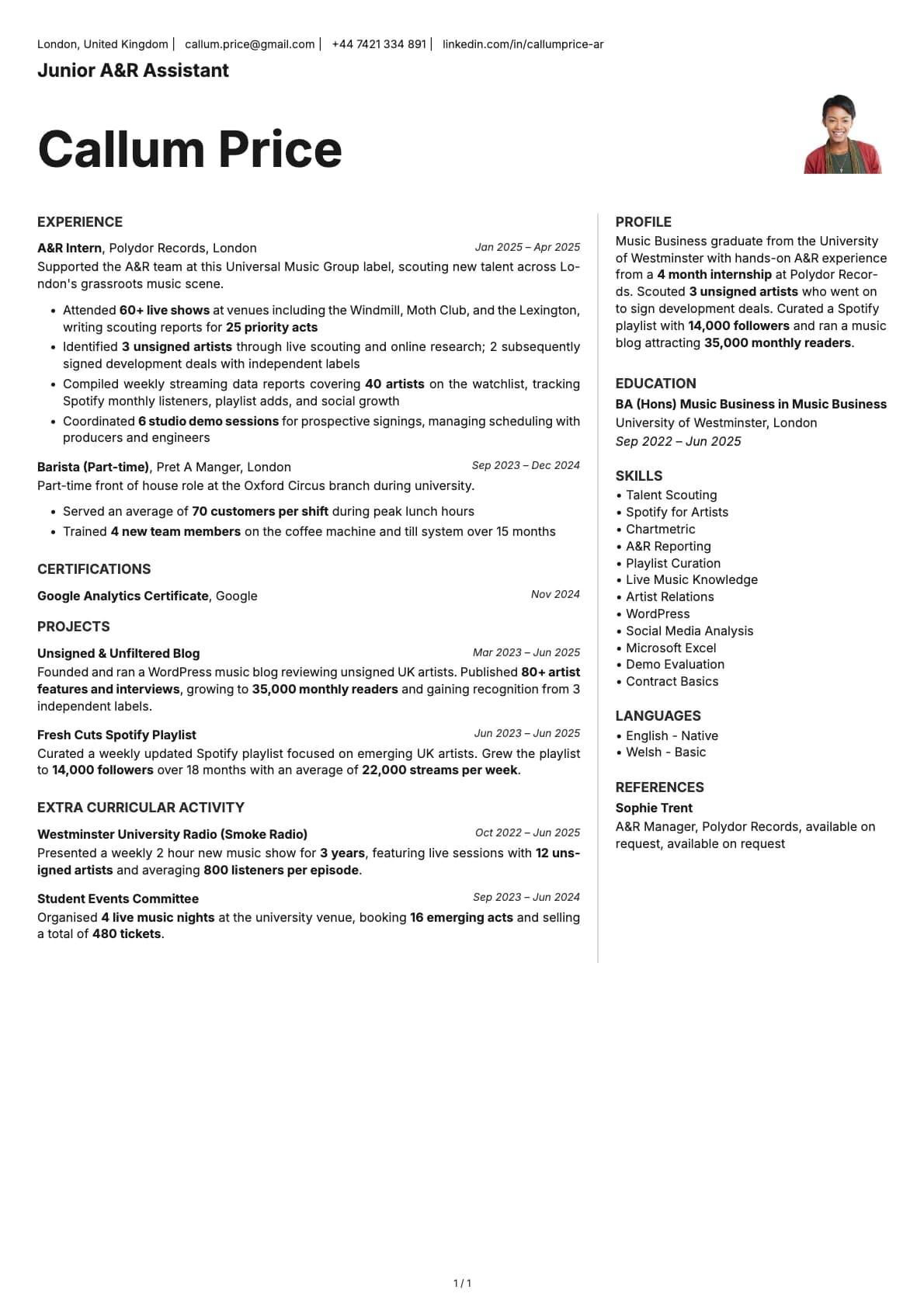
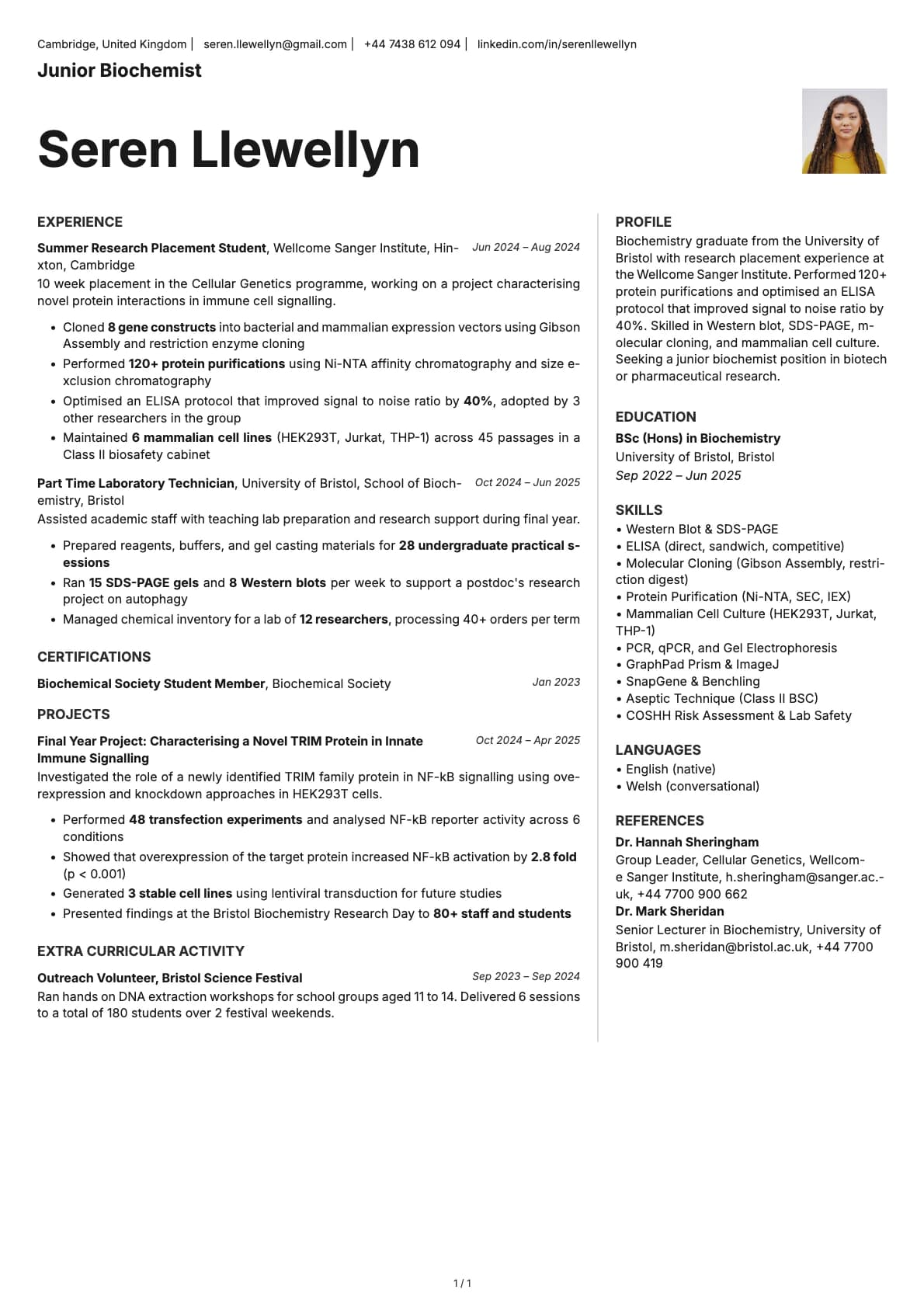
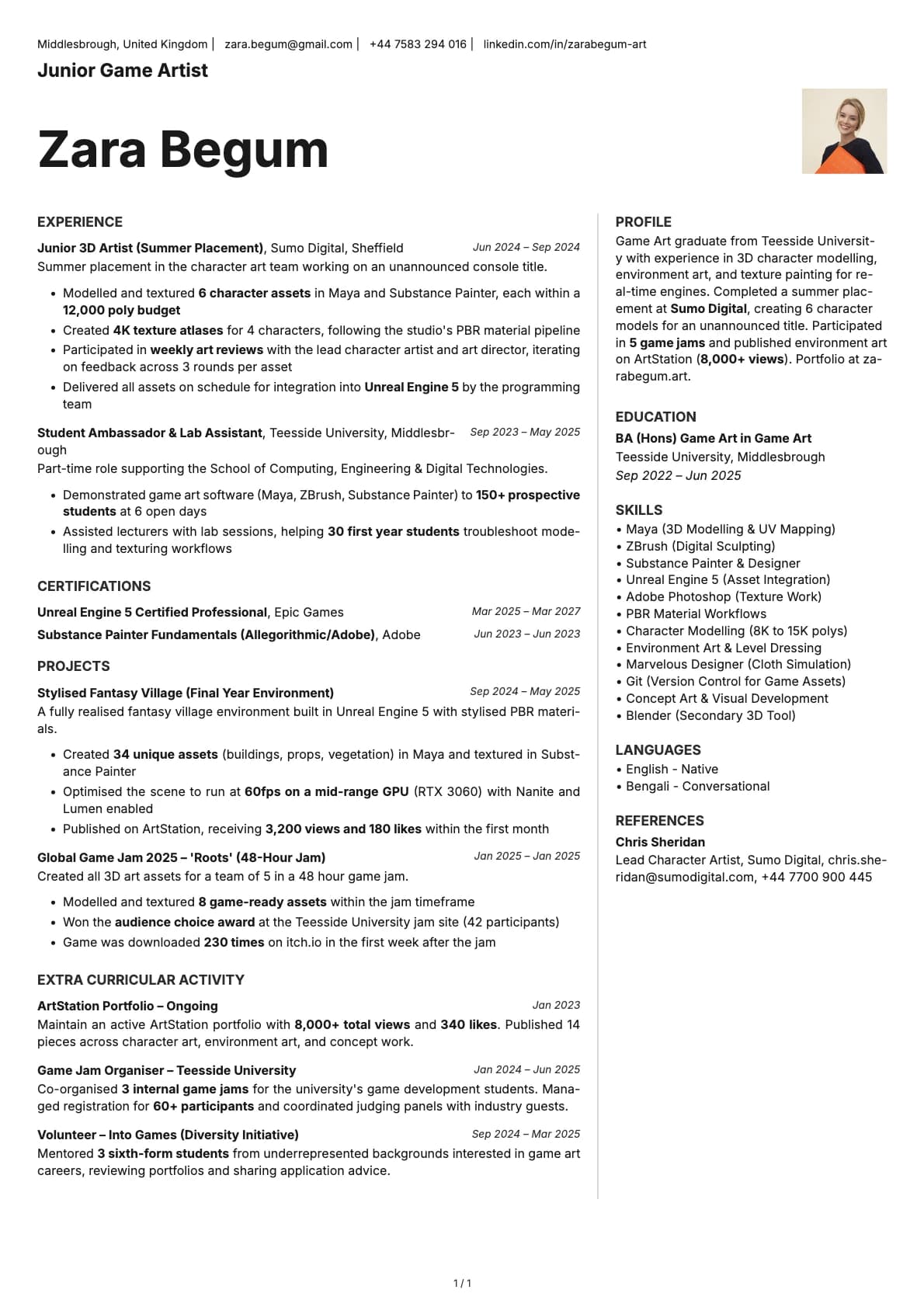
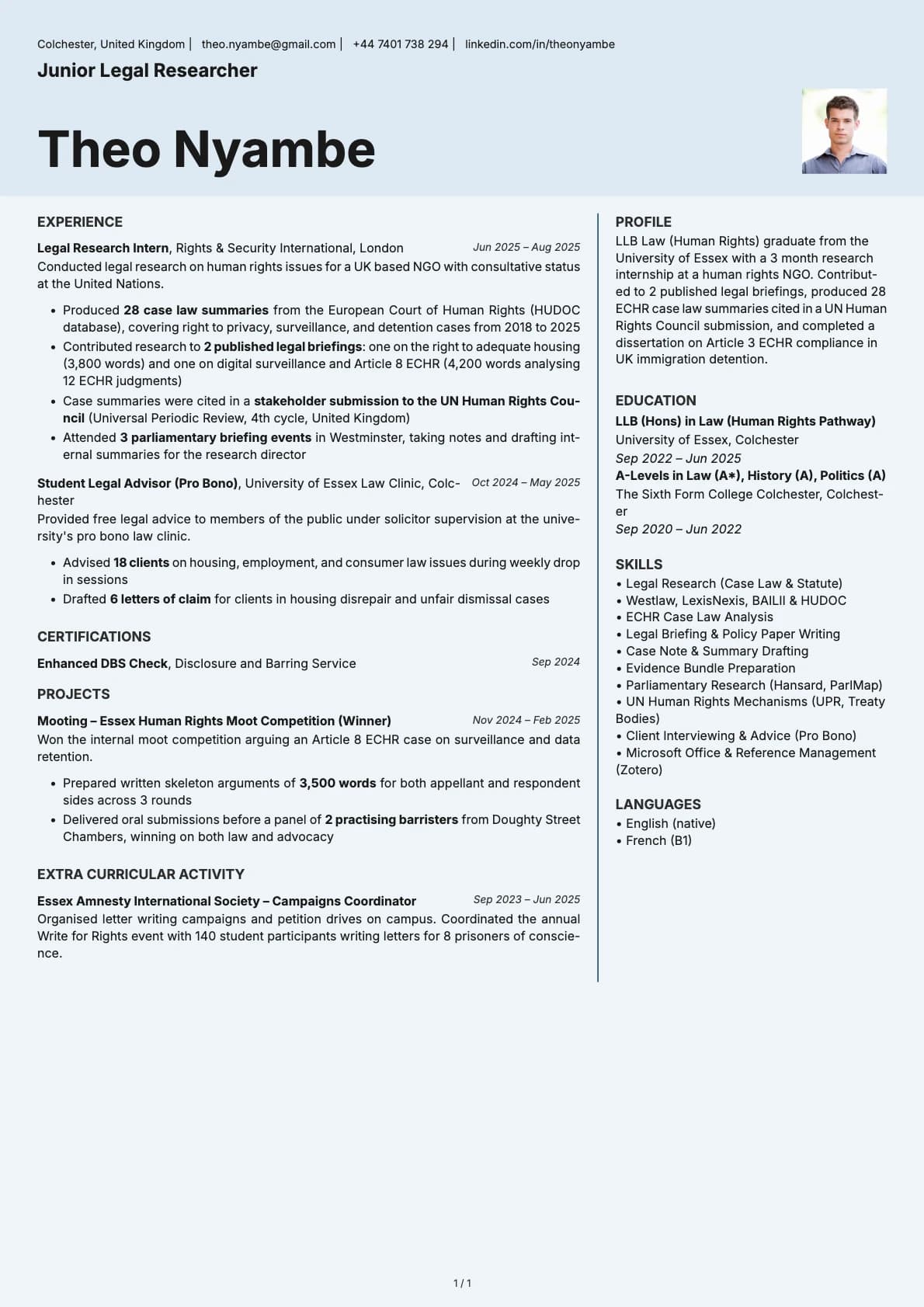
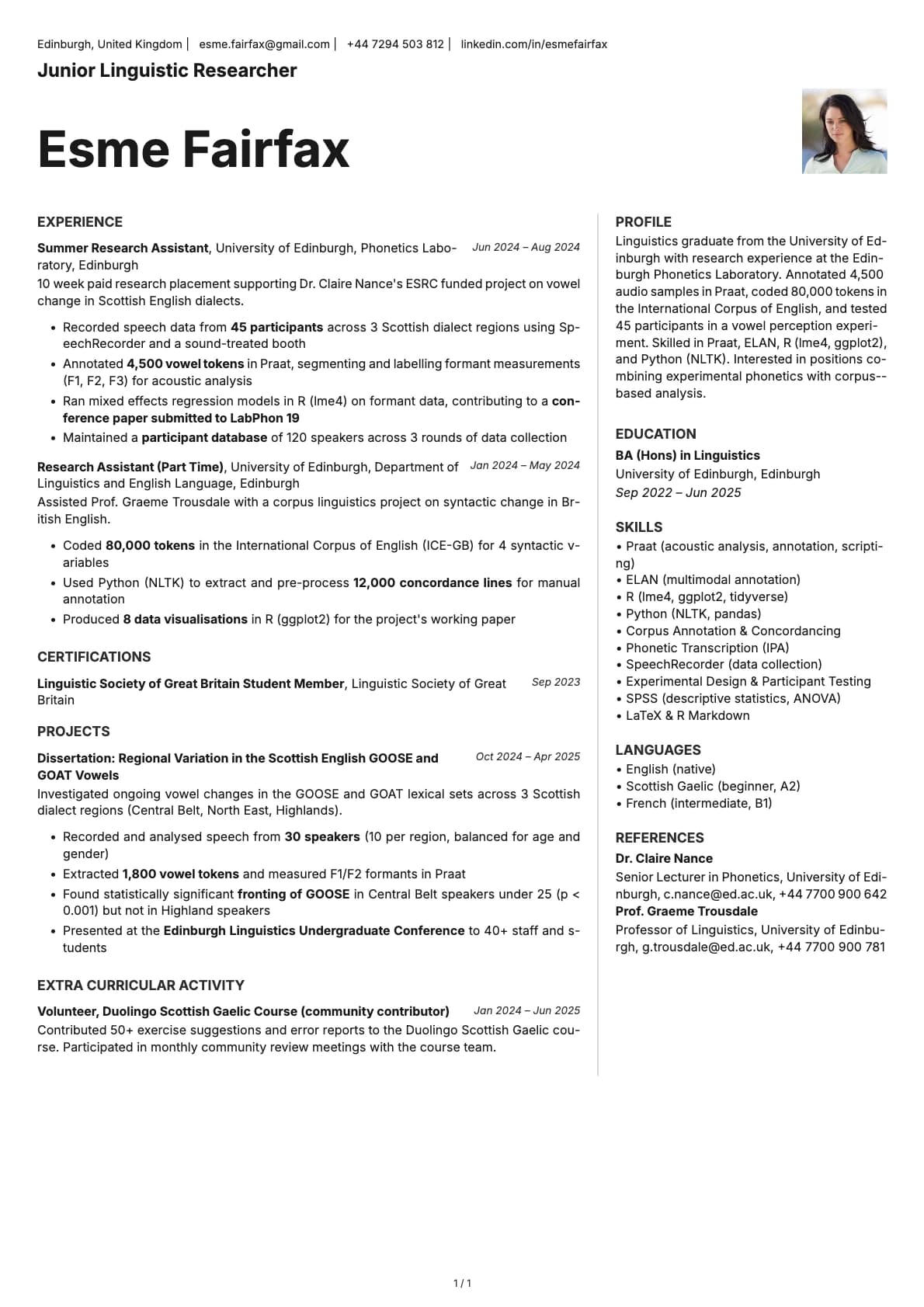
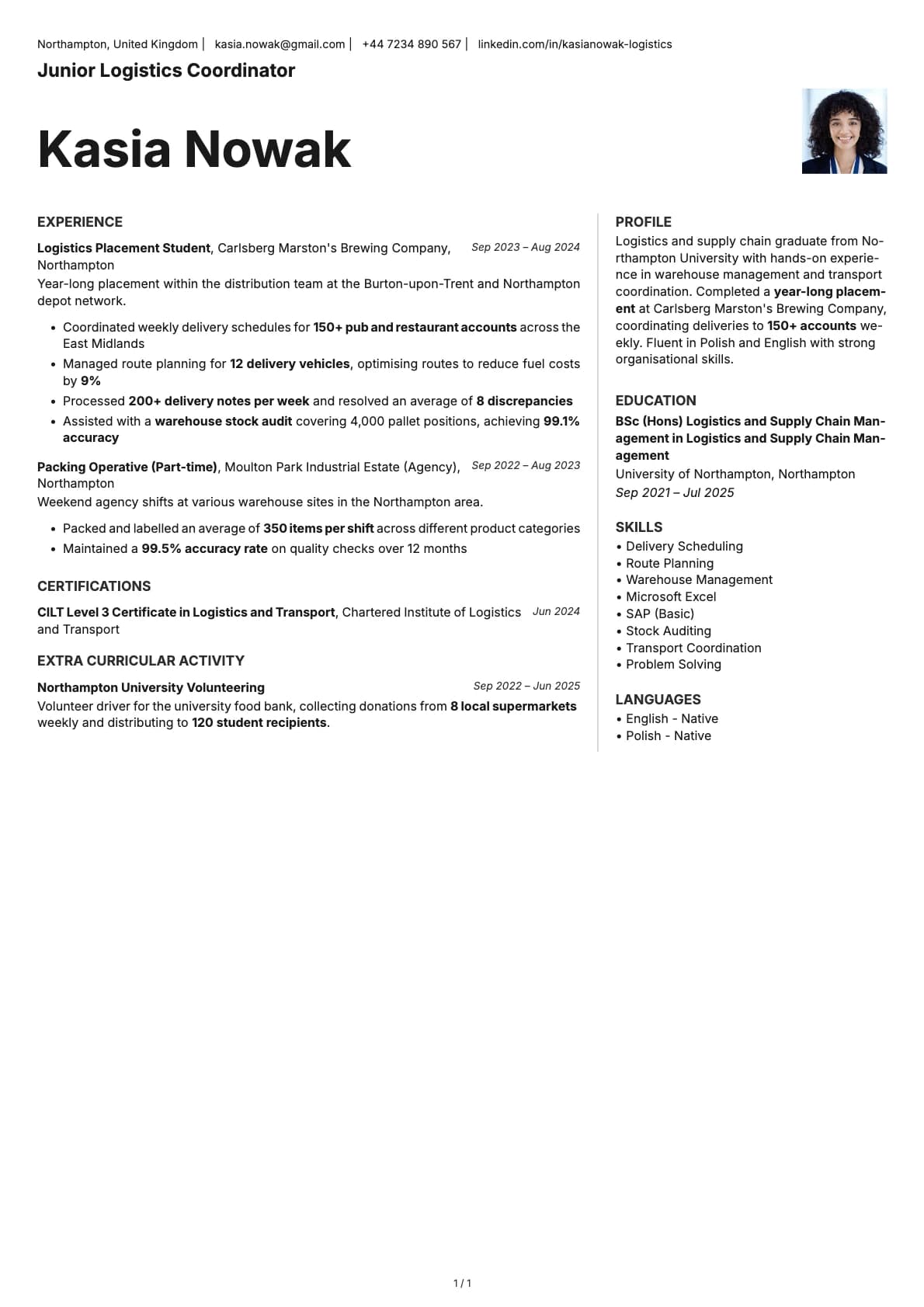
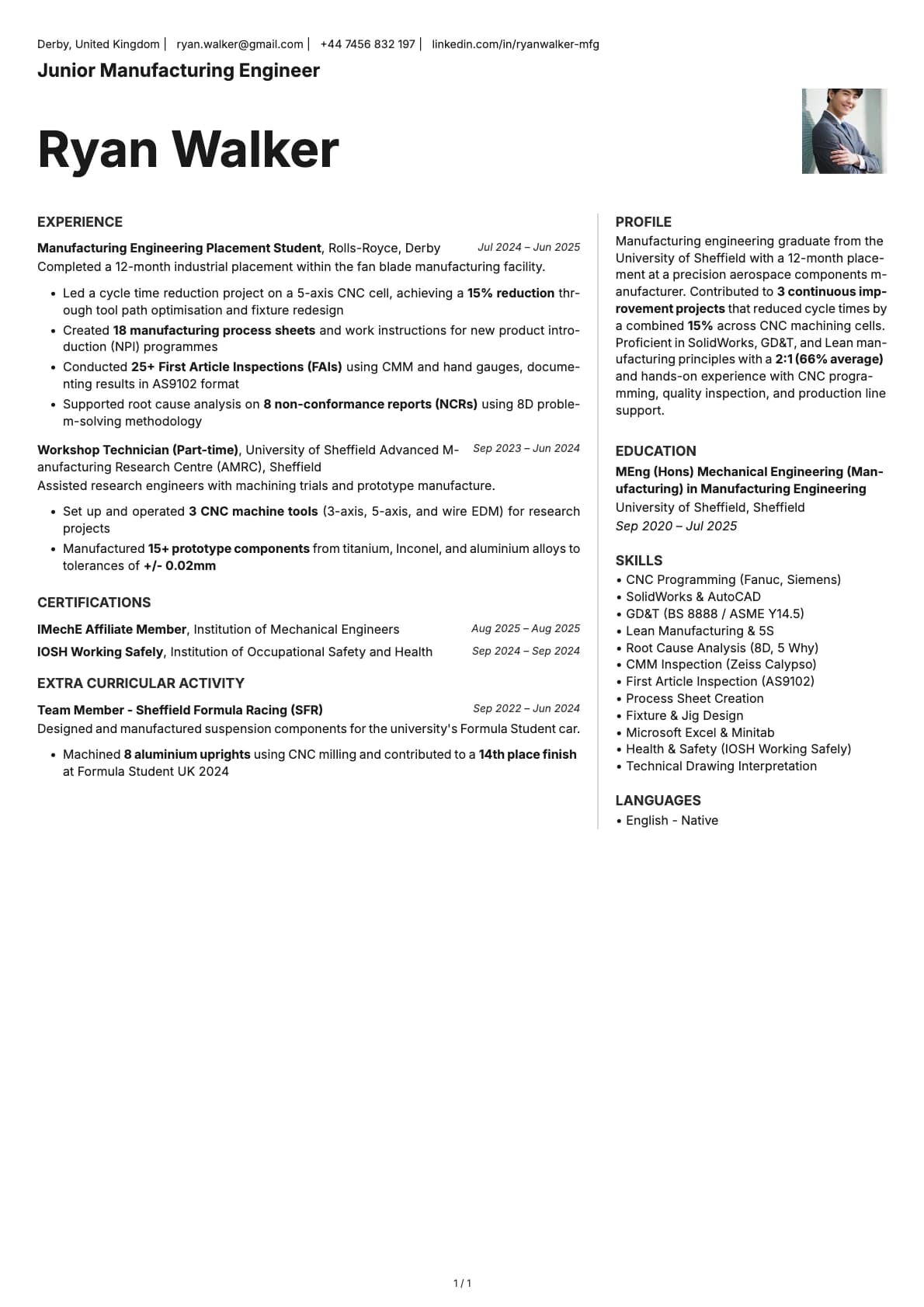
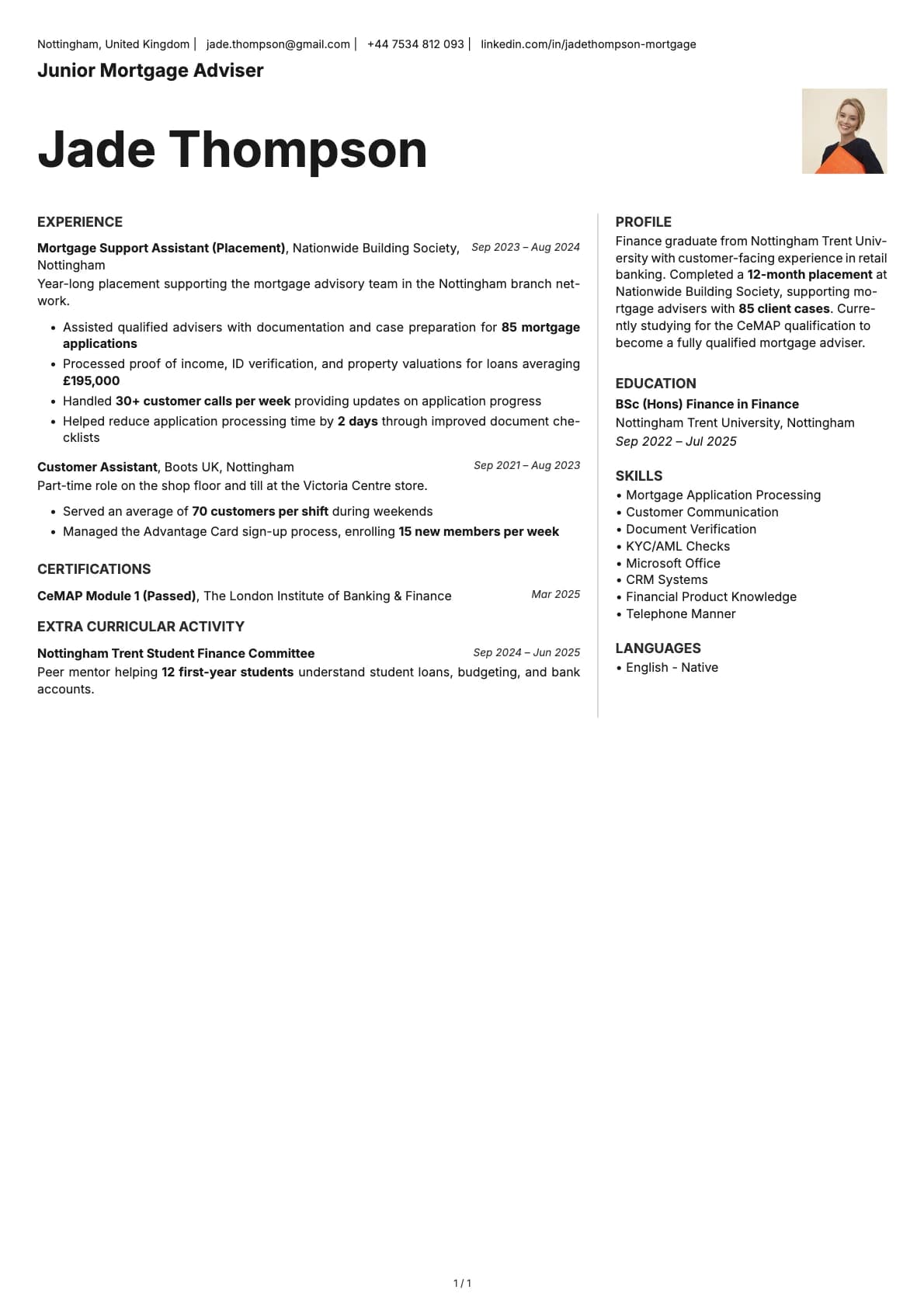
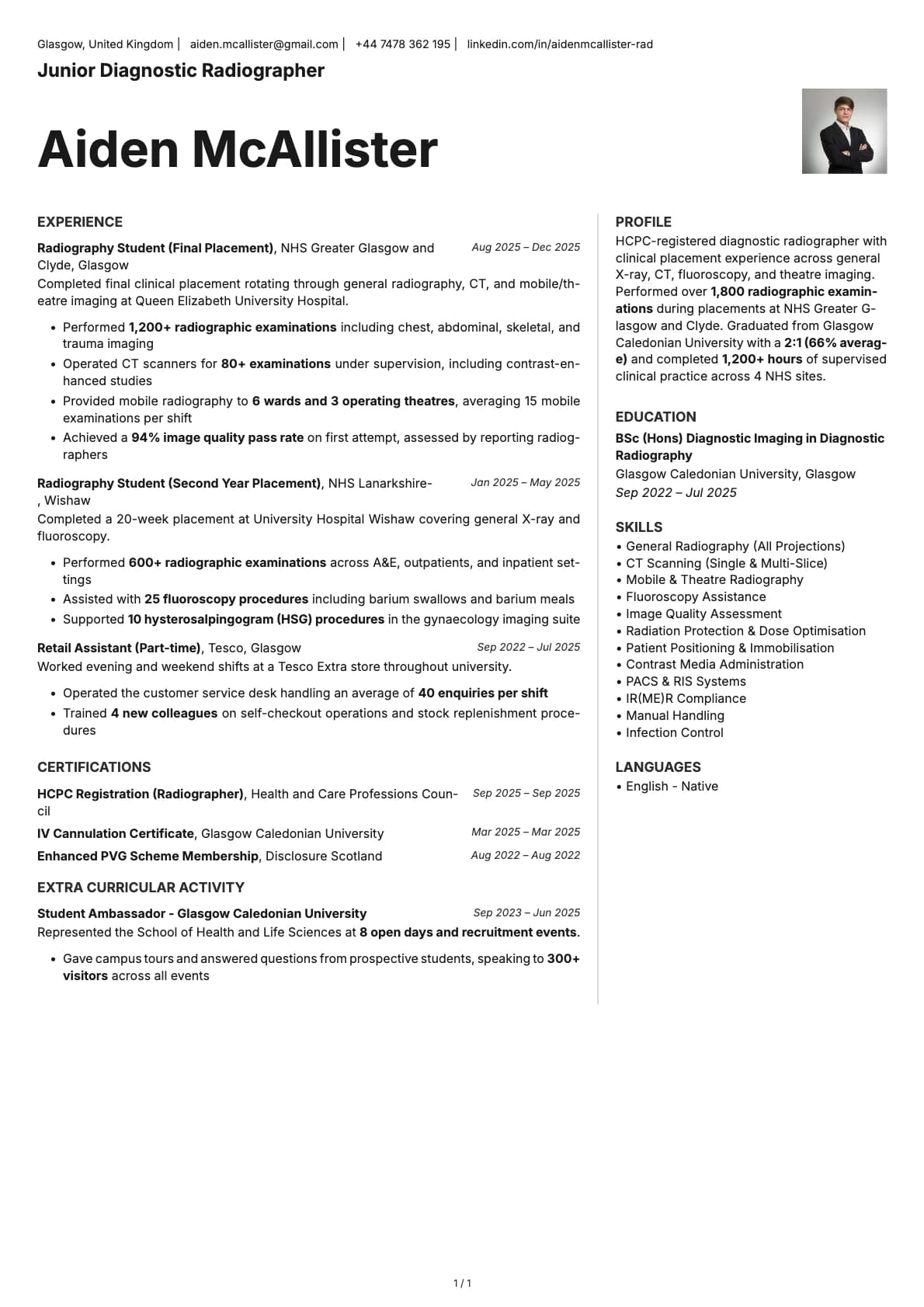
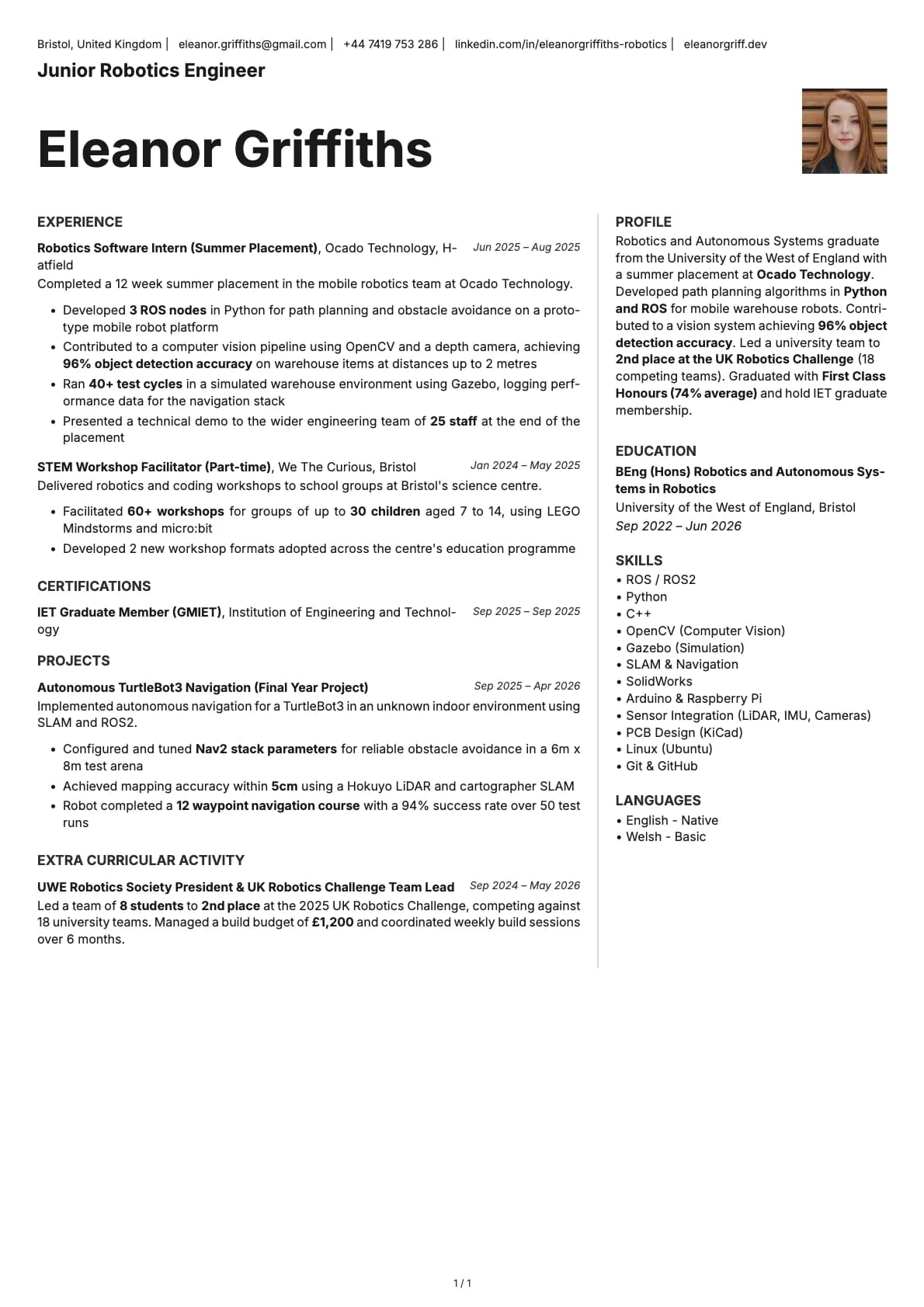
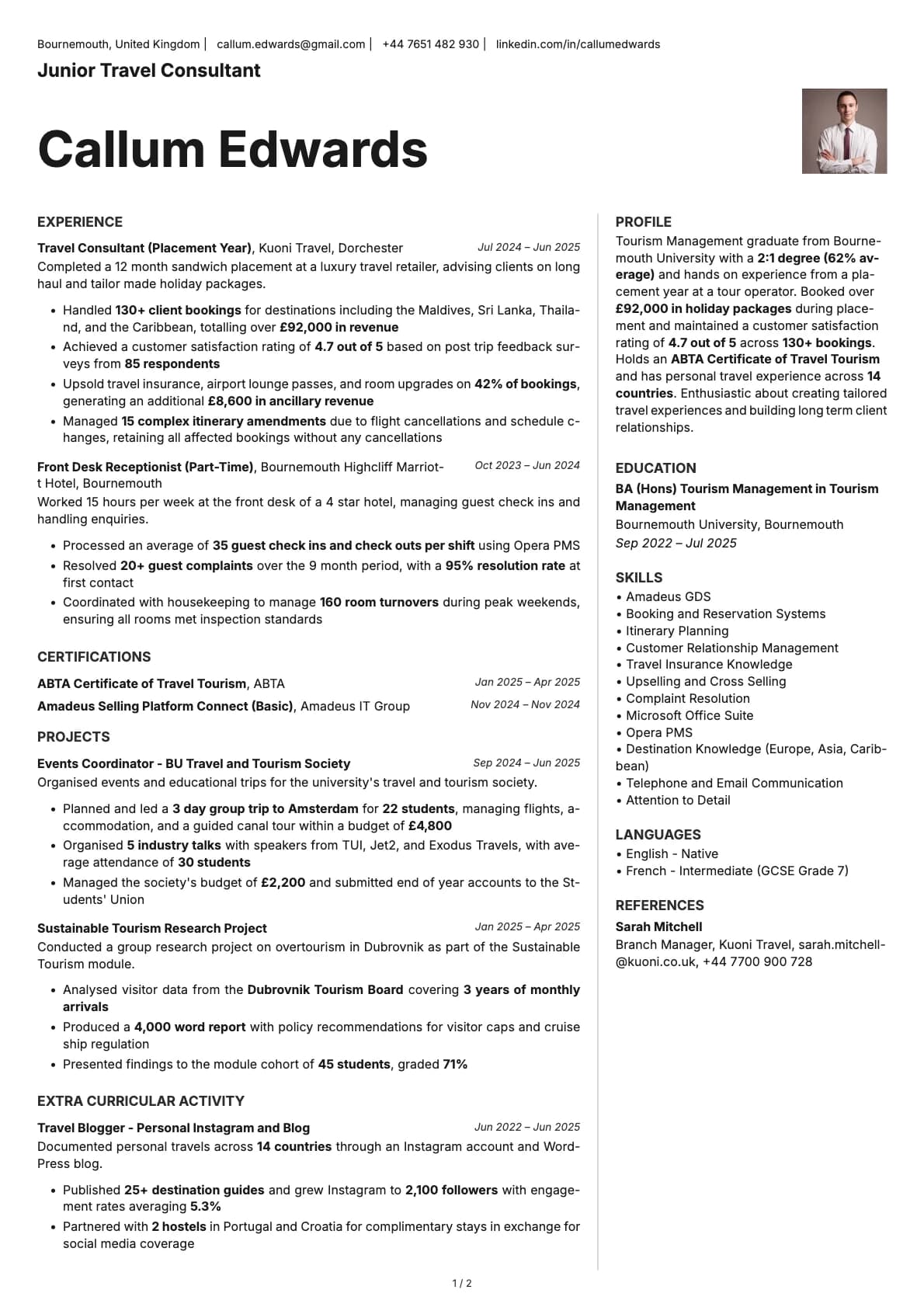
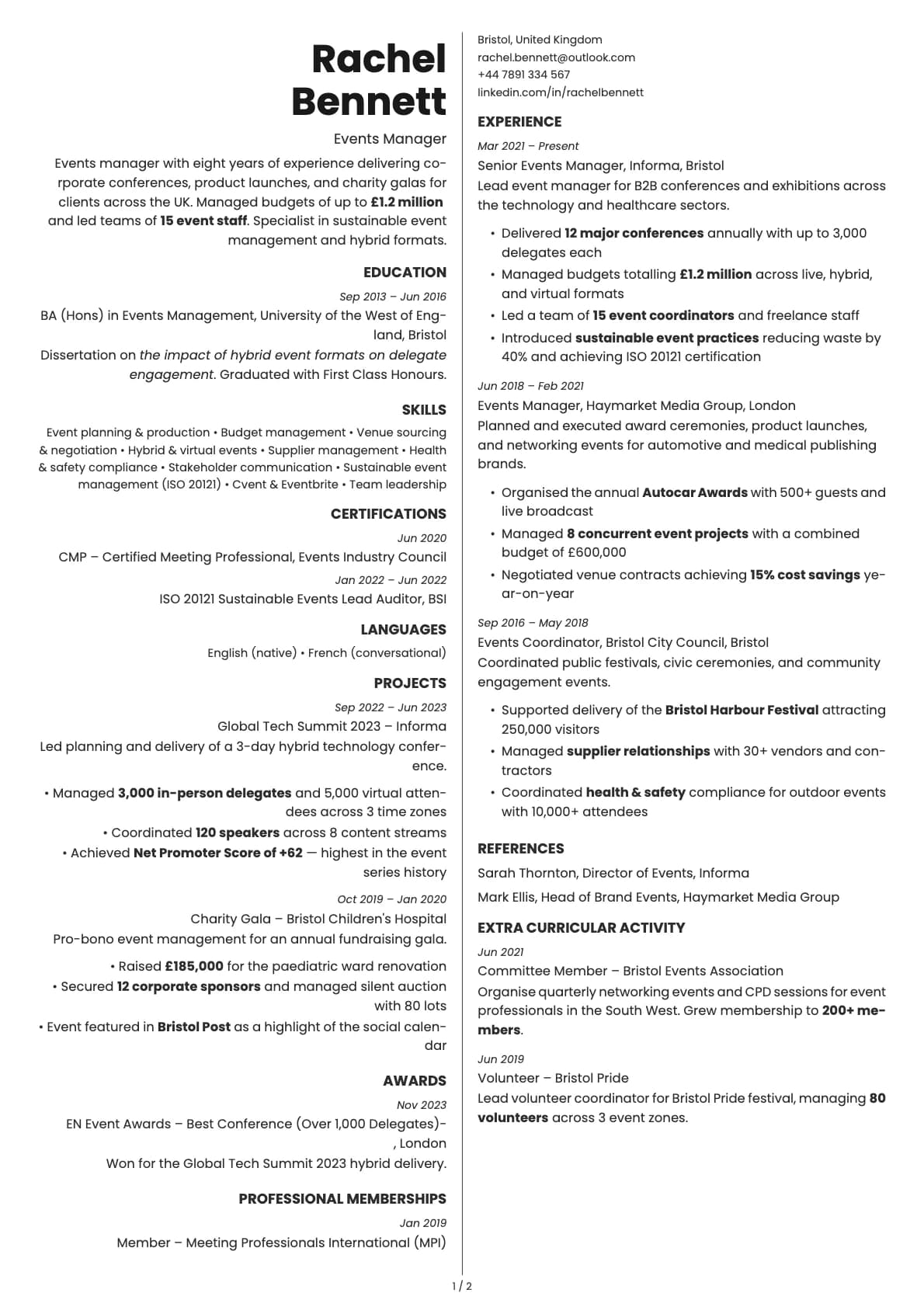
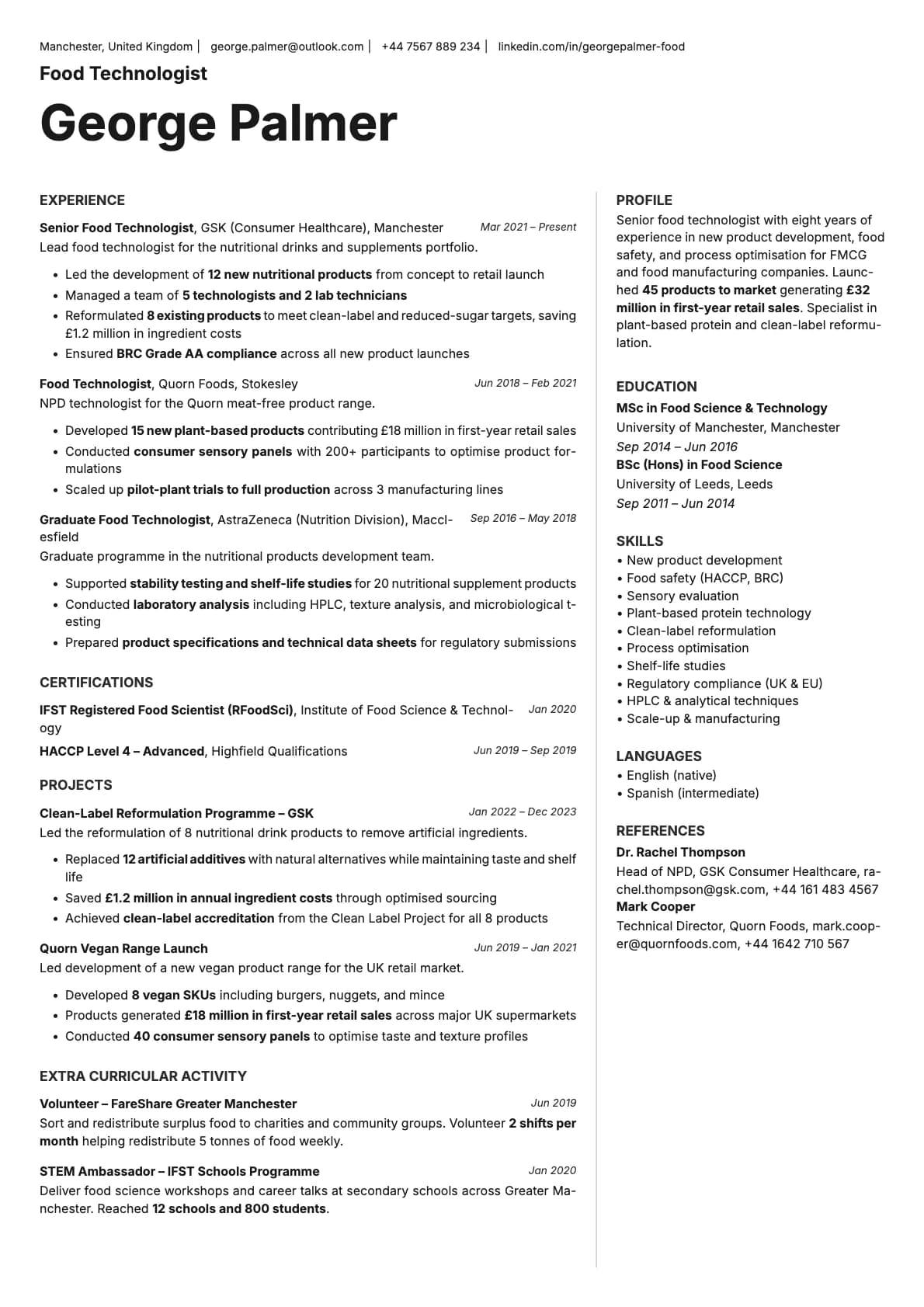
An executive resume template with a reversed header layout and two-column body. 7 colour options, deep blue and teal tones, ATS score 6.0/10.
Free to use. No account needed to start.
Why Sapphire?
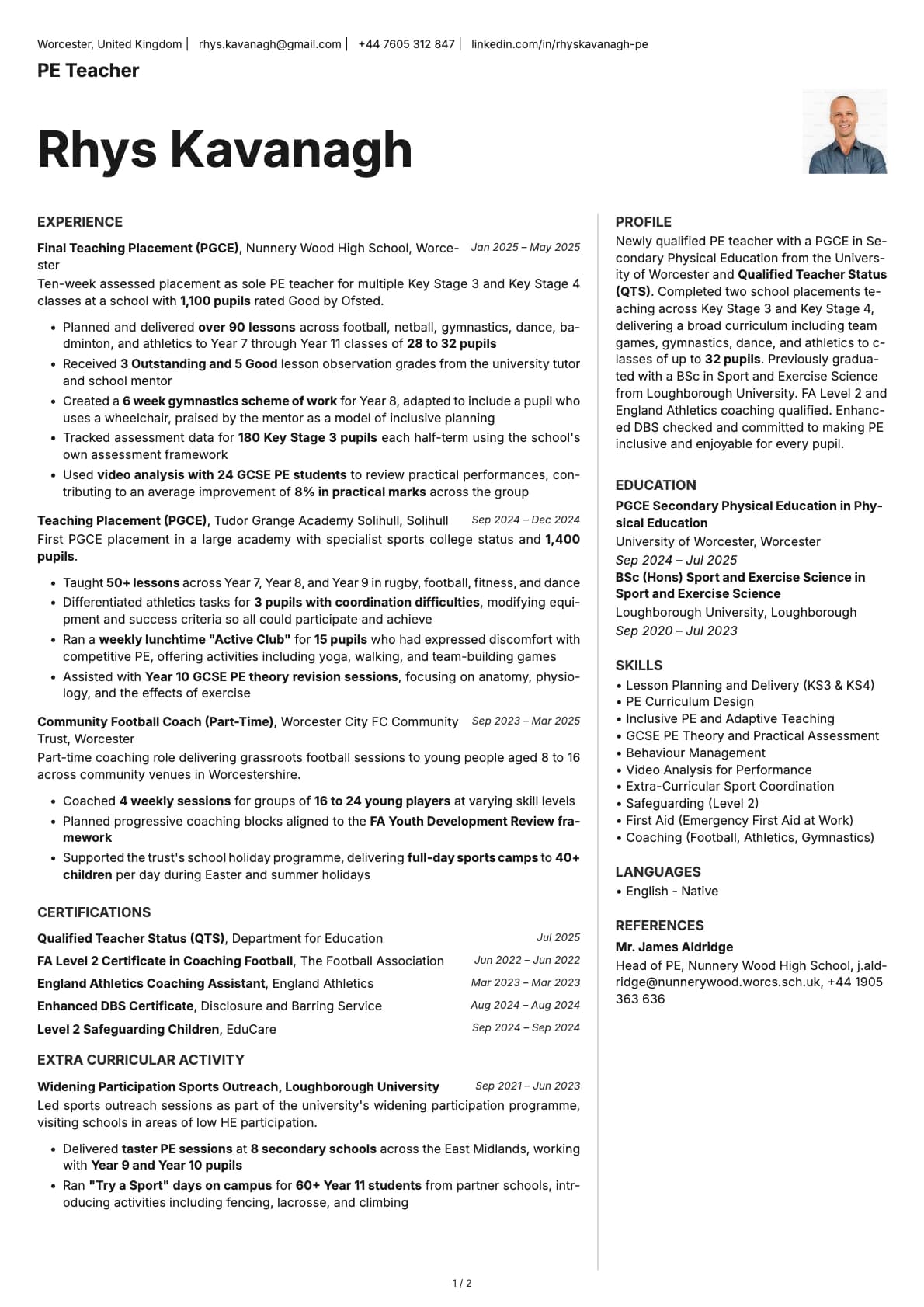
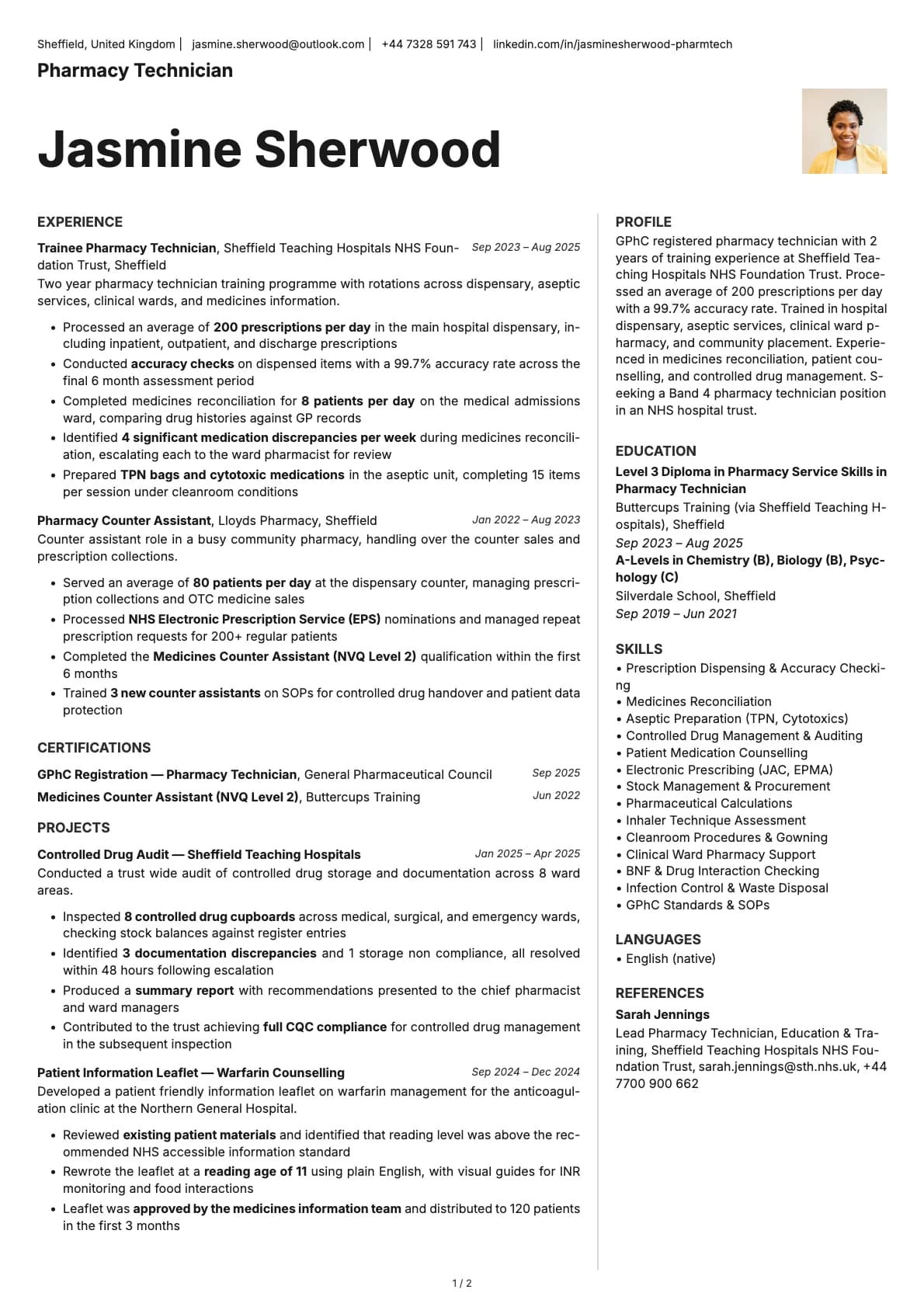
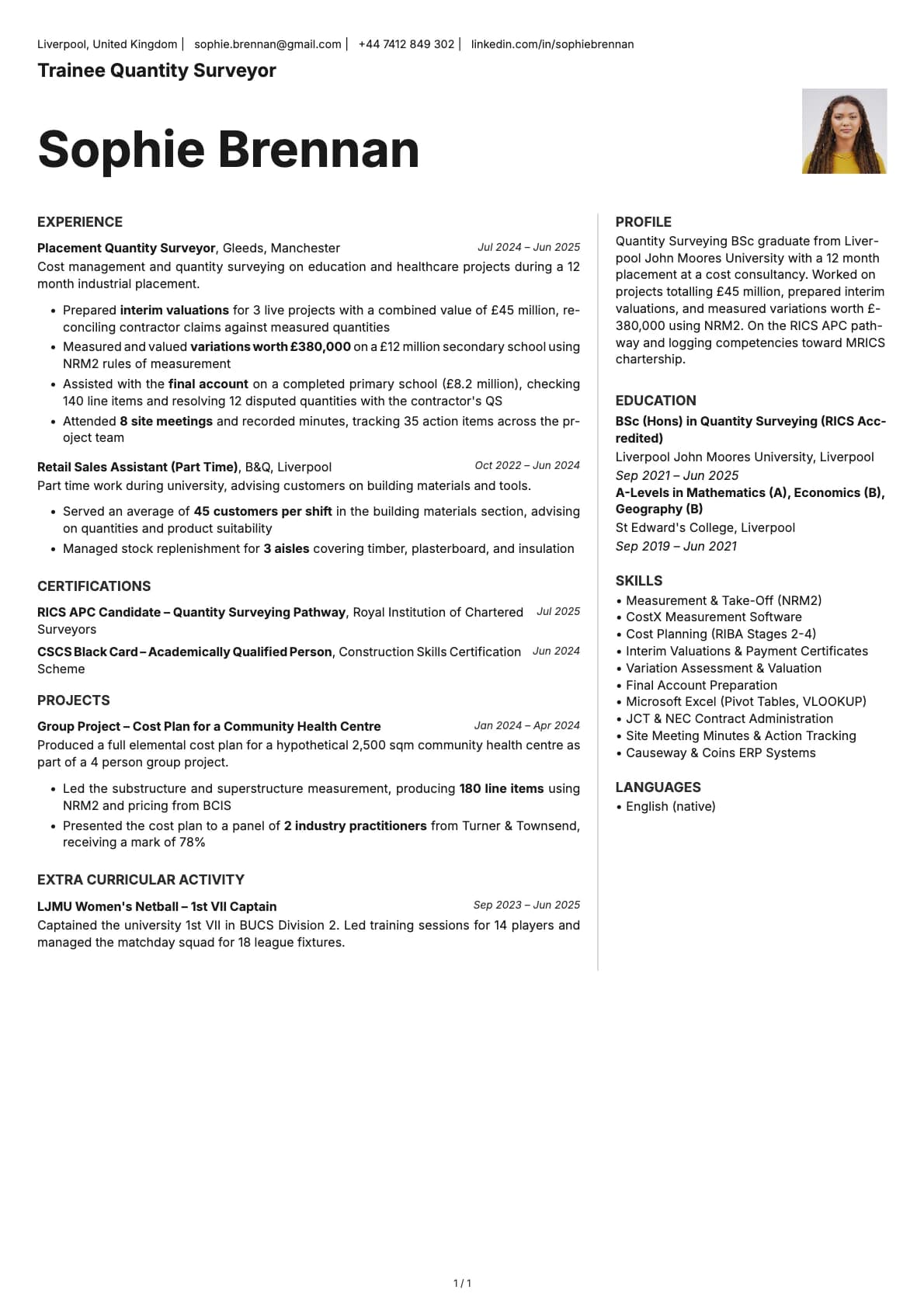
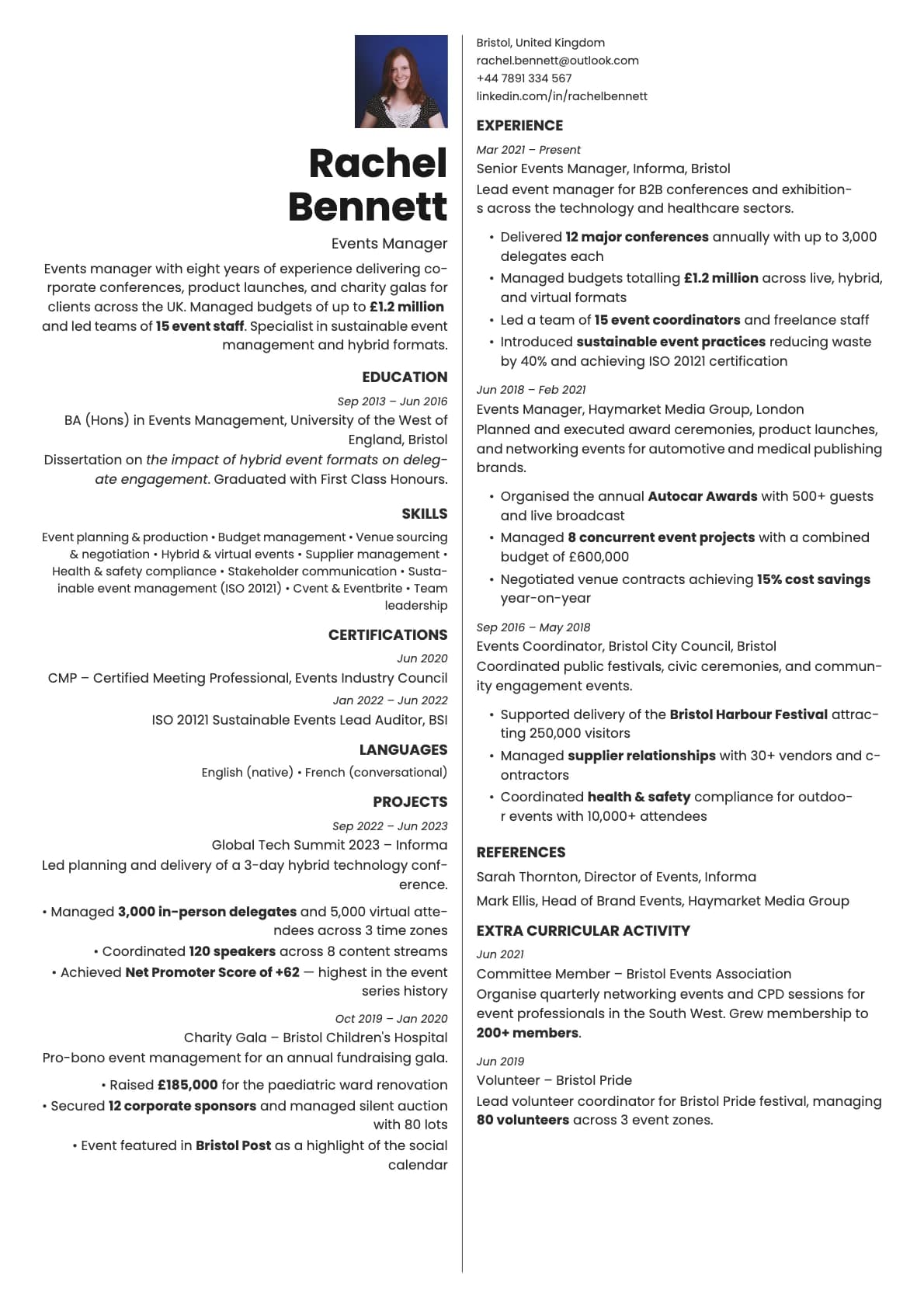
Sapphire flips the usual header order. Instead of putting your name at the top and contact details below, it leads with contact information and places your name underneath. It is a small structural choice that changes how the page reads. The recruiter sees how to reach you before they see who you are, which can work in your favour when someone is scanning through a stack of resumes quickly.
Below the header, the content splits into two columns. The colour palette leans into deep blues, teal, and muted tones that feel corporate and composed. This is a template that reads as senior and intentional.
Who should use this template?
Sapphire is designed for directors, VPs, senior managers, and experienced professionals who want their resume to carry executive weight. It works well for corporate applications, board positions, and consulting engagements where presentation matters as much as content.
It is also a good pick for industries like finance, management consulting, legal, and enterprise tech, where a polished, traditional look is expected but you still want something more distinctive than a plain single-column layout.
If you want an executive feel but need a higher ATS score, Platinum gives you a single-column layout with a 9.0/10 score and a similarly polished look. Bronze offers a one-page executive format if you want to keep things concise. And if you prefer a two-column executive layout with a different header structure, Aurum is worth comparing.
What you get
- A reversed header layout with contact details above your name
- A two-column body for structured, space-efficient content
- 7 colour themes built around deep blue, teal, slate, gold, and purple tones
- The default font is Inter, a clean sans-serif that reads well at small sizes and prints sharply. You can switch to any font in Laddro (Poppins, Arvo, Lora, Century Gothic, and others) in one click
- Photo support, placed in the header area
- Multi-page support for longer career histories
ATS compatibility
Sapphire scores 6.0/10. The two-column body layout is the primary factor. ATS systems read content in a linear stream, and two-column layouts can trip up parsers that do not understand column boundaries. The reversed header order can also cause minor issues with some older systems that expect name-first formatting.
For online applications through major portals, you may want to pair Sapphire with a simpler single-column version for ATS-heavy submissions. For direct applications, email outreach, and executive recruiter submissions, the 6.0 score is not a concern because the person receiving it will open the PDF directly.
Colour options
You get 7 colour variations:
- Clean neutrals with grey accents for a subdued, boardroom-ready look
- Deep teal and blue for a confident, corporate tone
- Slate blue for a calmer, more approachable professional feel
- Gold accents for warmth without losing formality
- Purple for a distinctive executive look
The deep blue and teal options are what give Sapphire its character. They communicate authority without being aggressive.
Tips for getting the most out of Sapphire
- Use the reversed header to your advantage. Make sure your email and phone number are current and professional. No old university email addresses.
- In the two-column body, put your experience and key achievements in the wider column. Use the narrower column for skills, certifications, languages, and board memberships.
- Write a strong professional summary directly below the header. At the executive level, recruiters expect a two-to-three line statement that positions you clearly.
- Quantify your impact wherever possible. "Led a team of 45 across 3 regions" or "Reduced operating costs by 18% over two fiscal years" carries more weight than generic leadership descriptions.
Build your resume with Sapphire on Laddro
Start building with Sapphire. Fill in your details, switch colours and fonts in real time, and download a PDF when you are ready. No account needed to start.
How would you rate this template?
Your rating helps others pick the right template for their resume.
Make this template yours
Pick a colour, add your details, and download your resume. No design skills needed.
Free to use. No account needed to start.
Resumes built with Sapphire