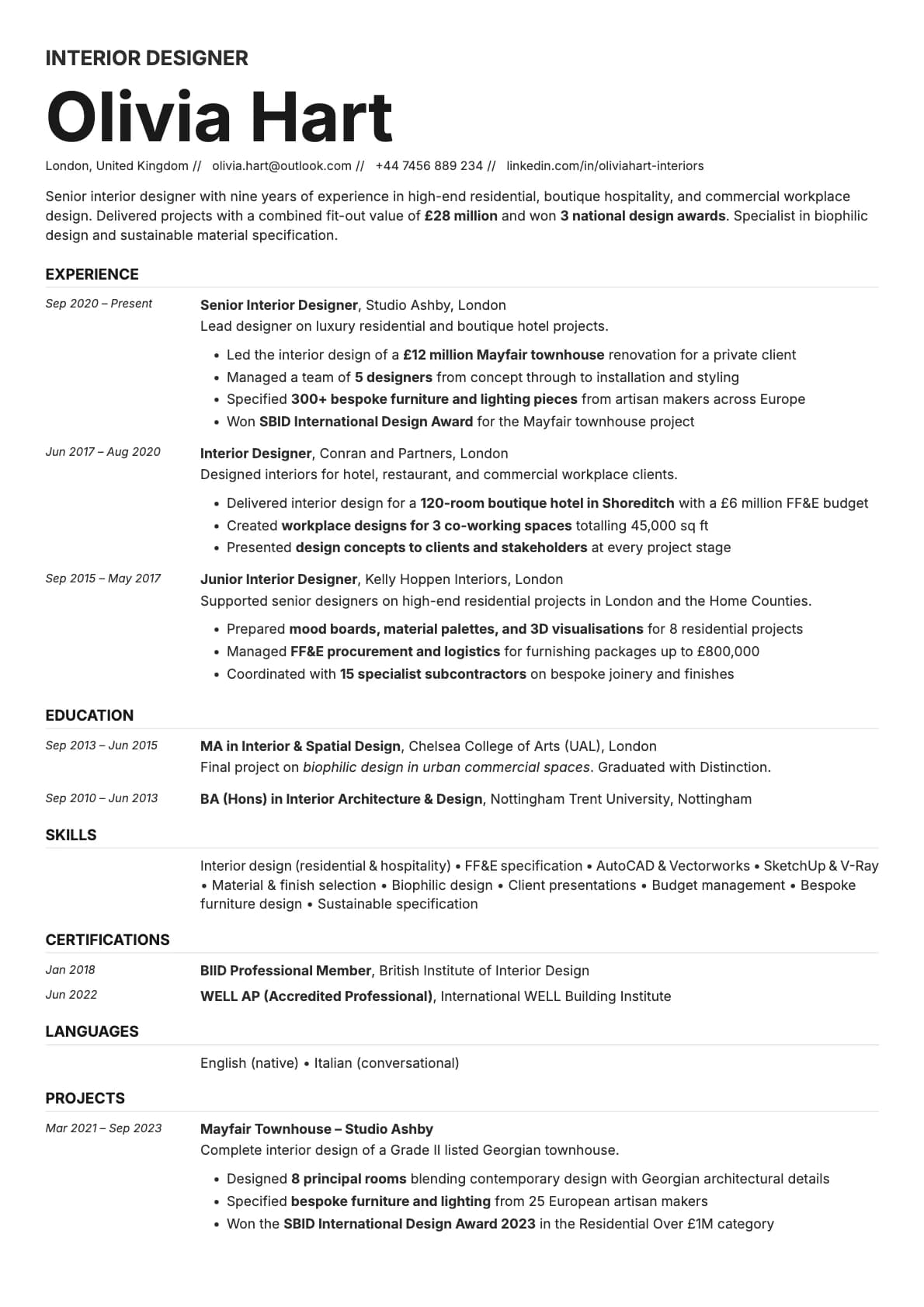
Zinc Resume Template
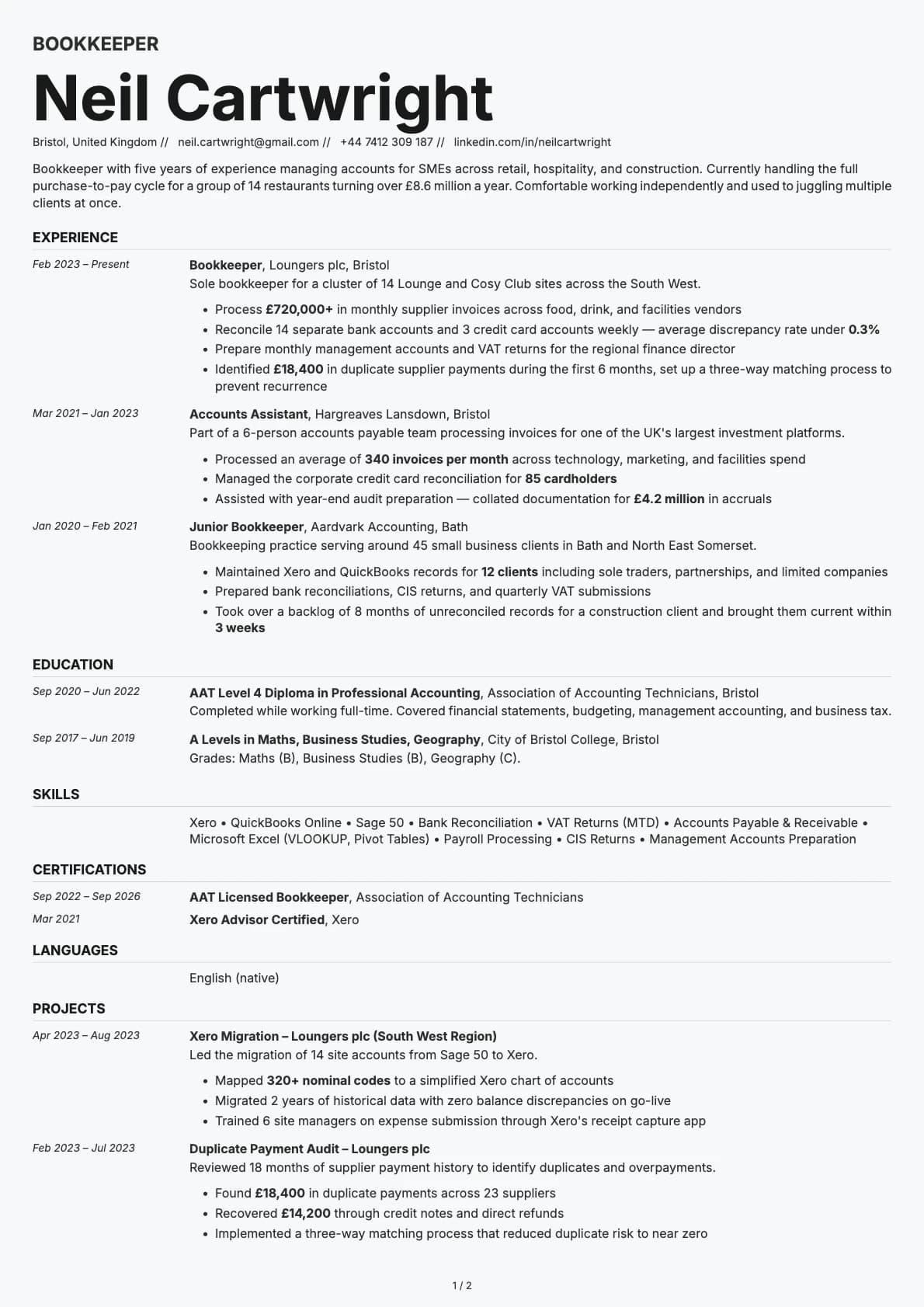
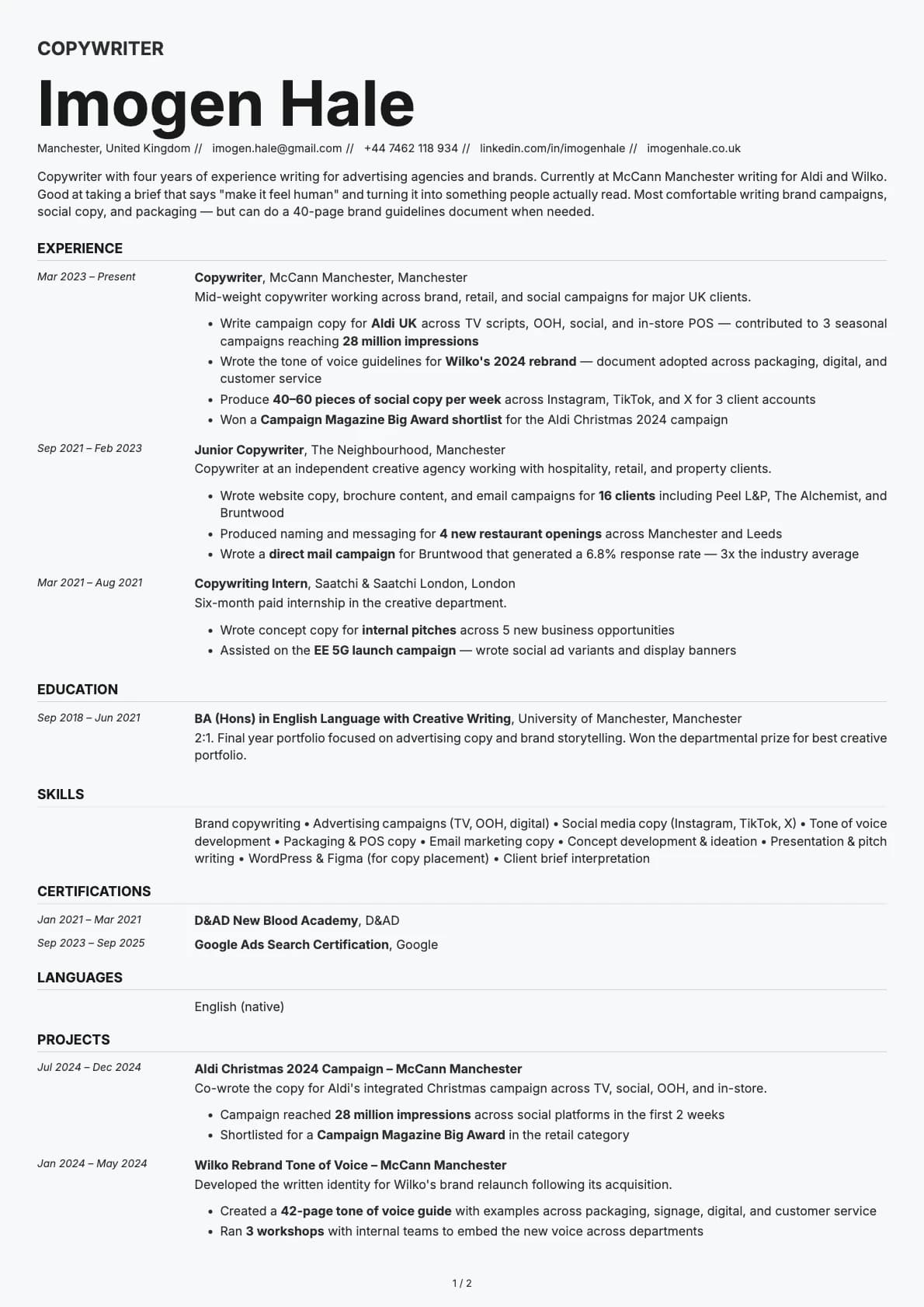
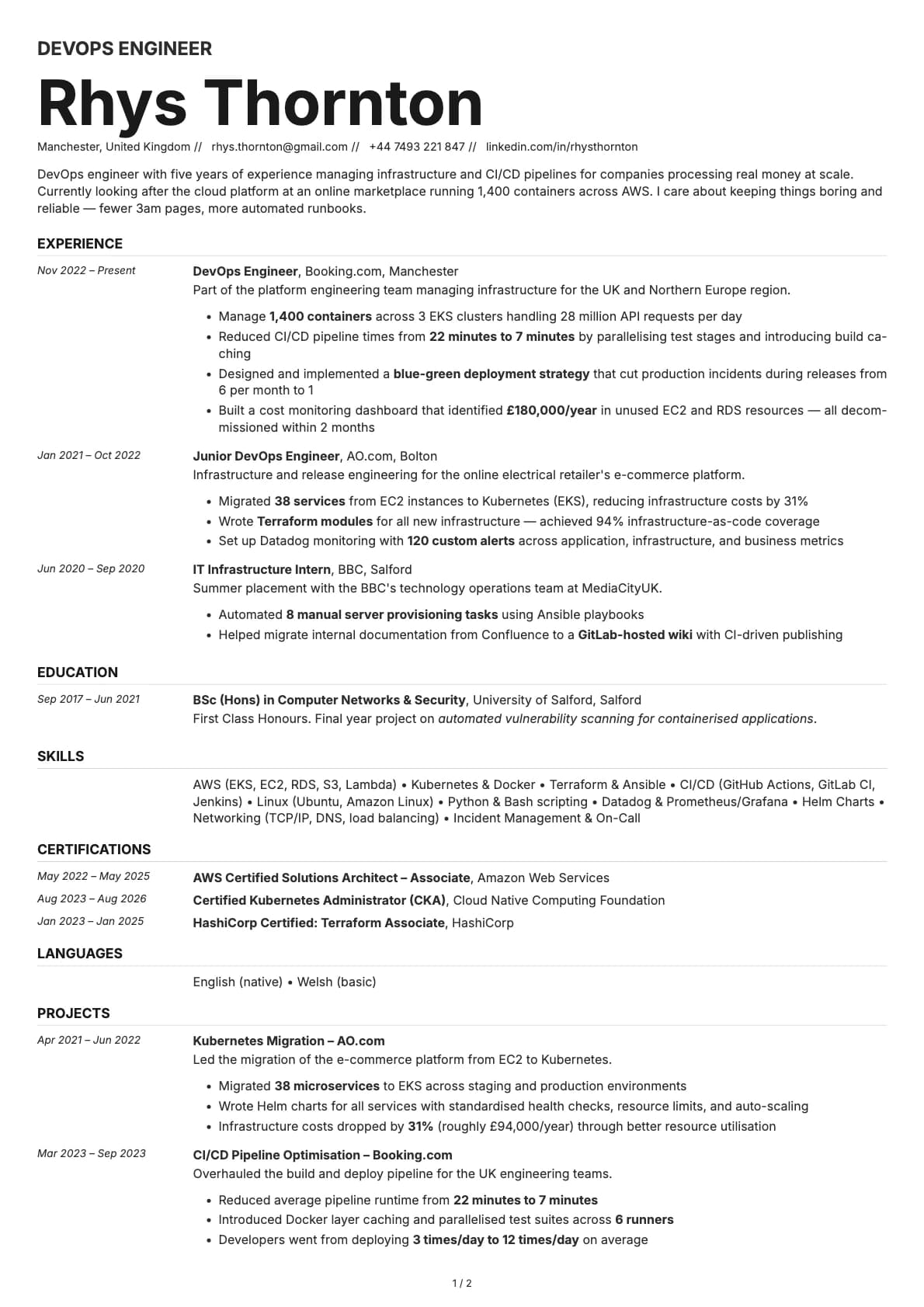
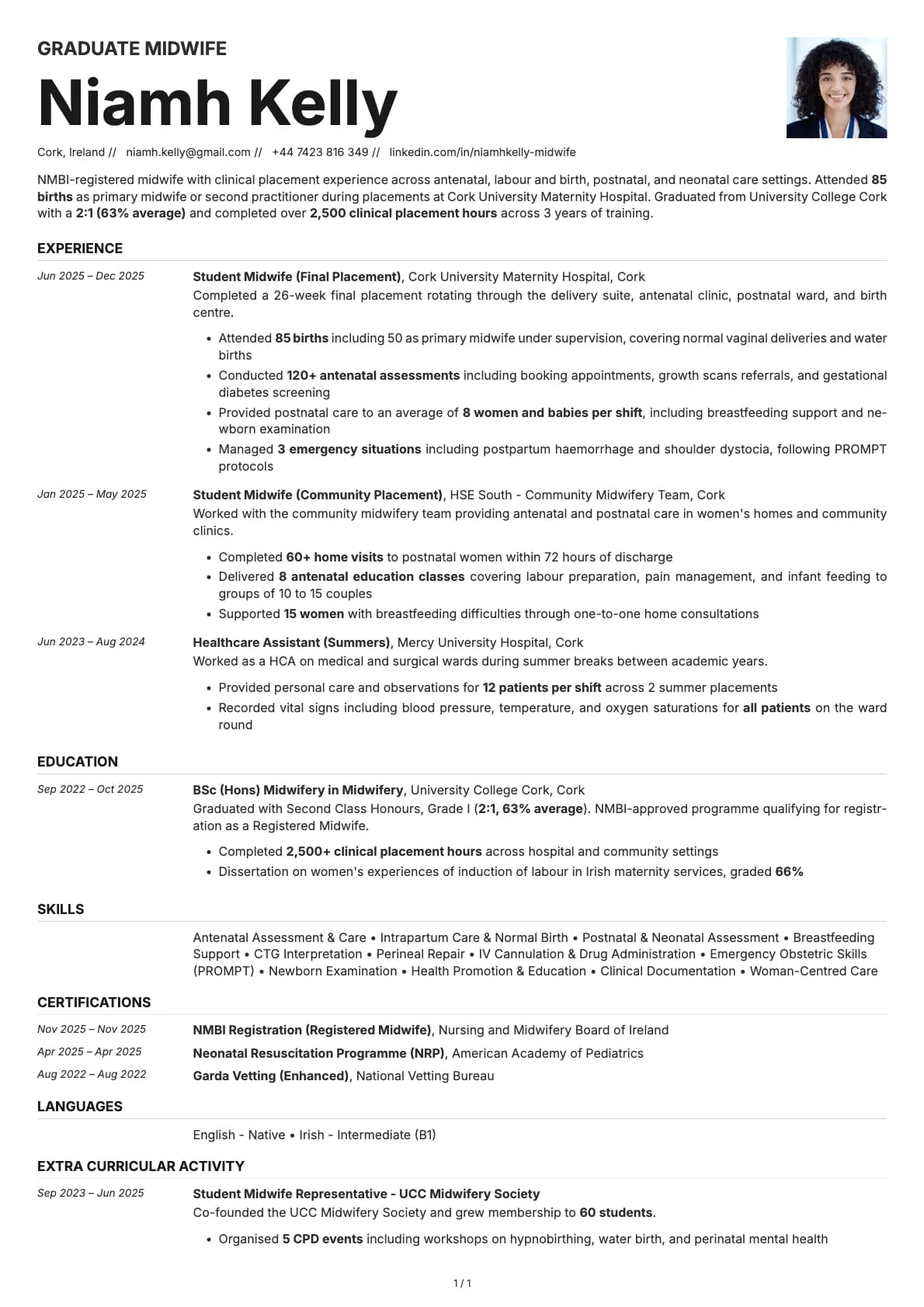
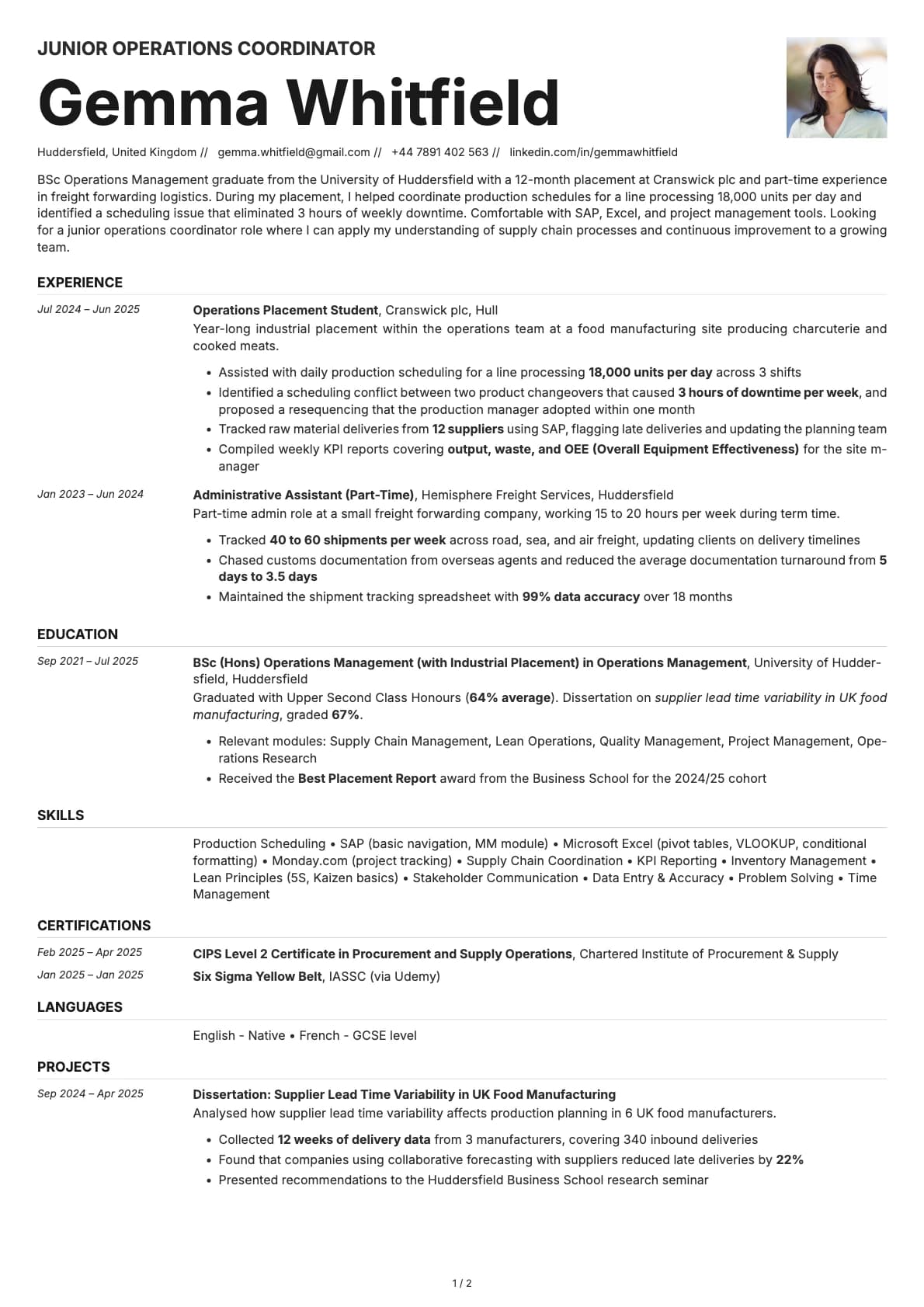
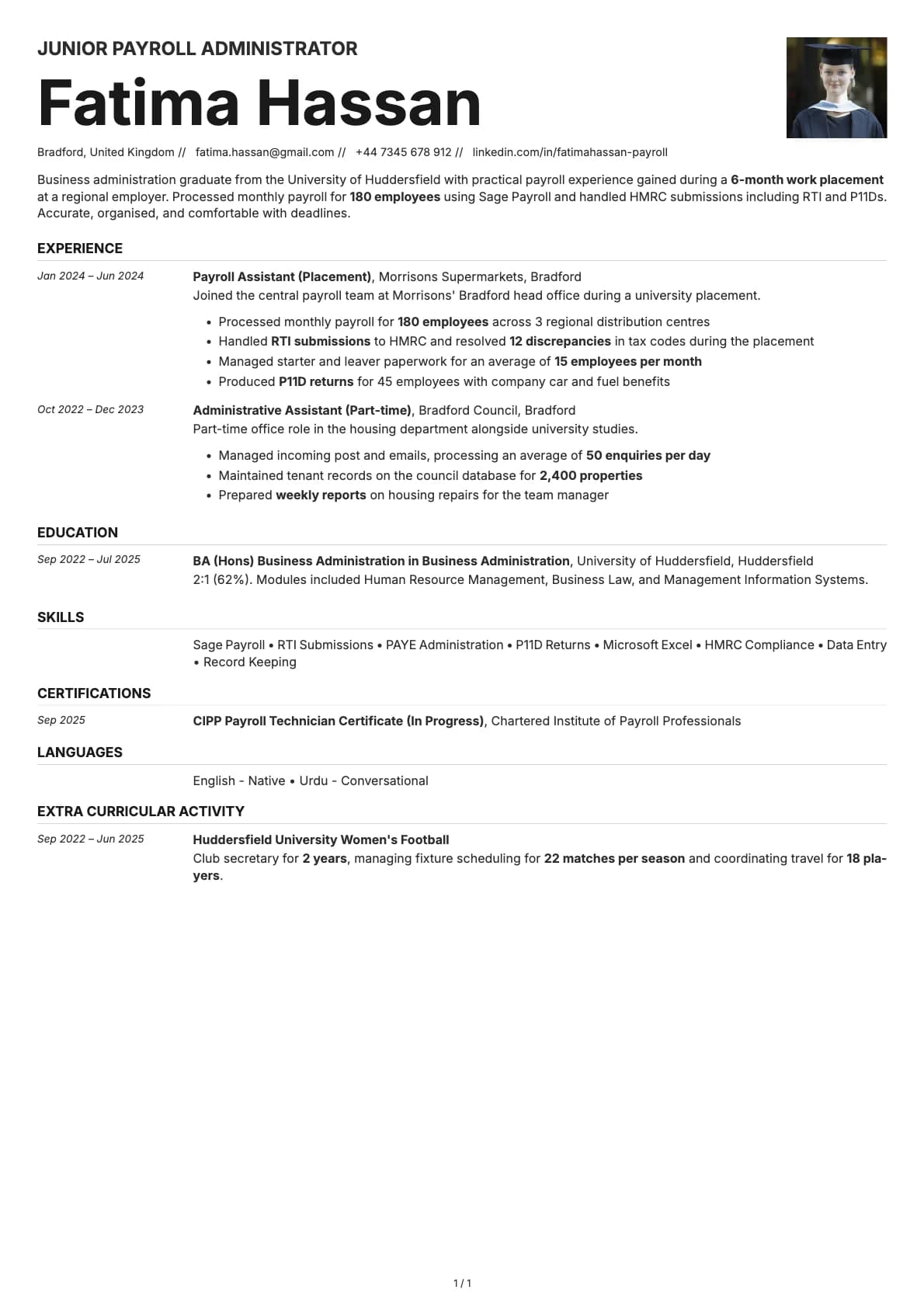
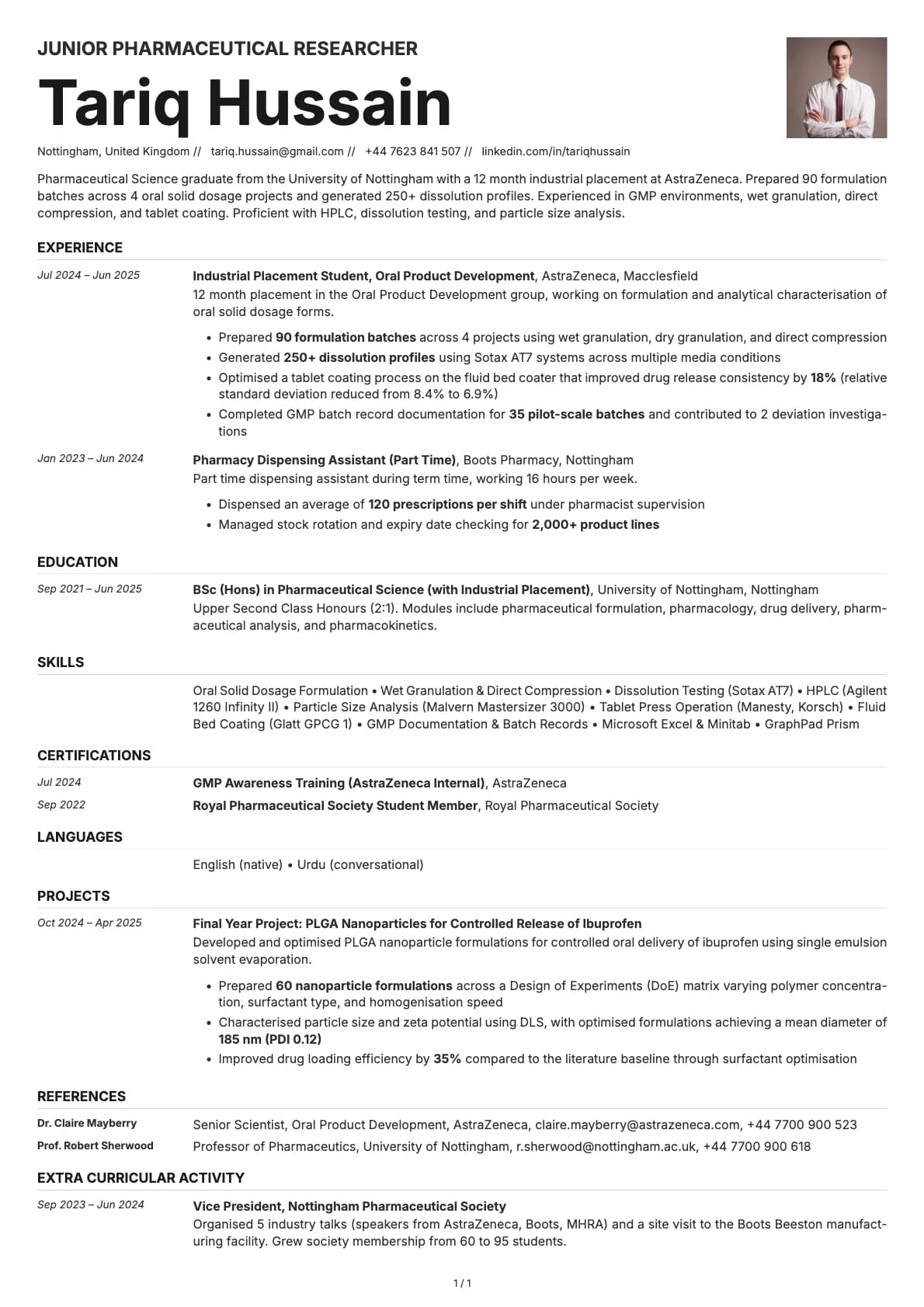
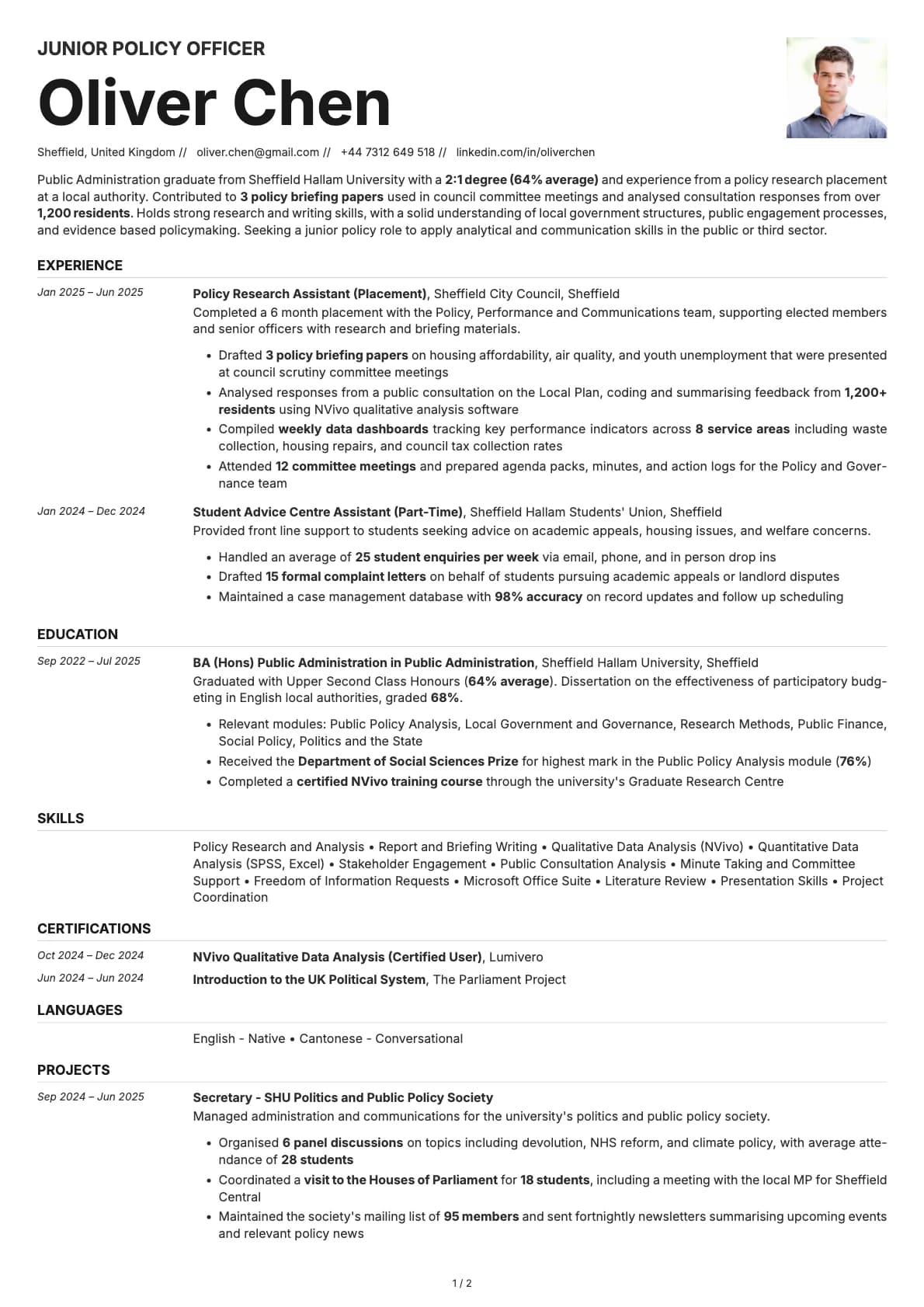
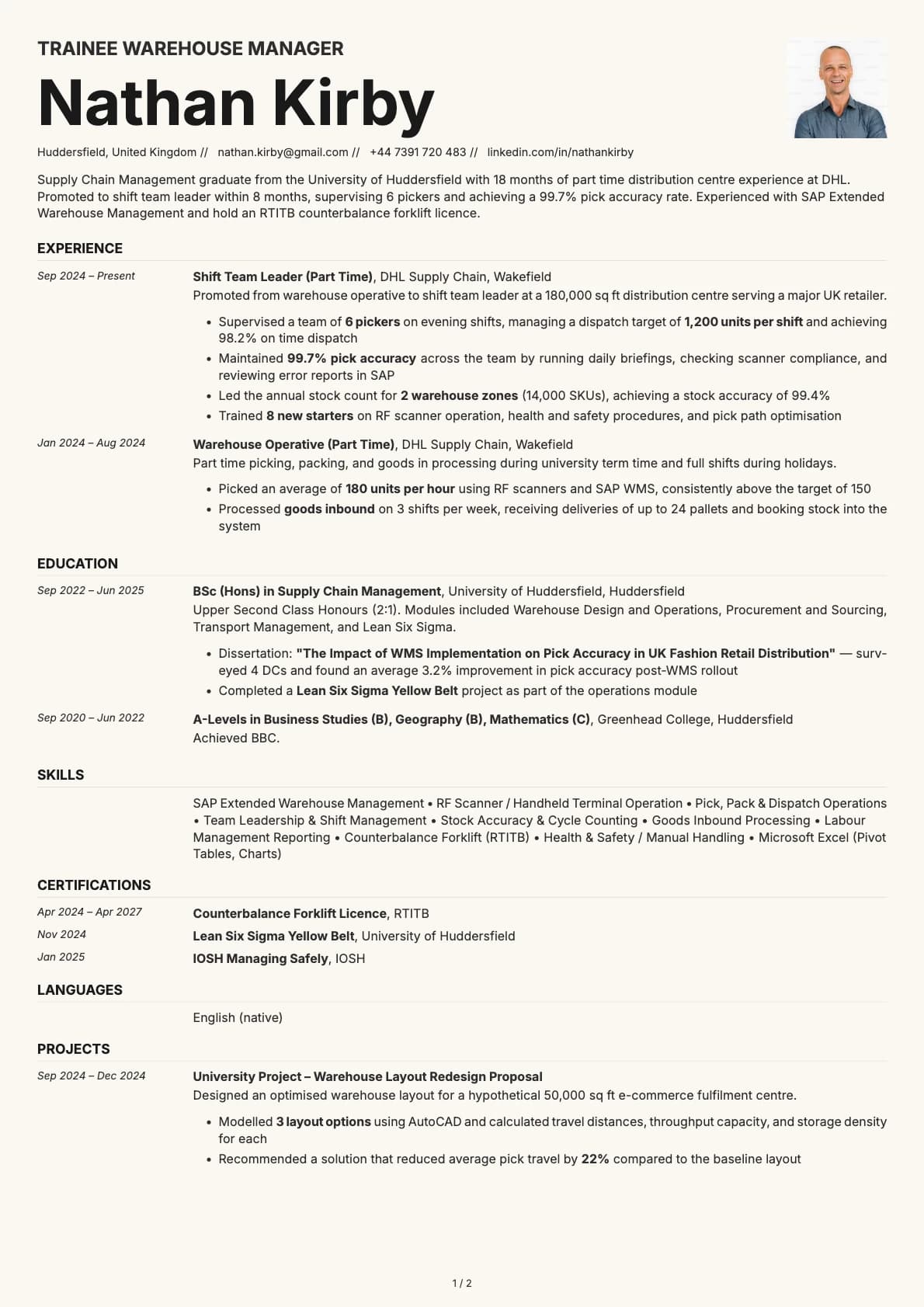
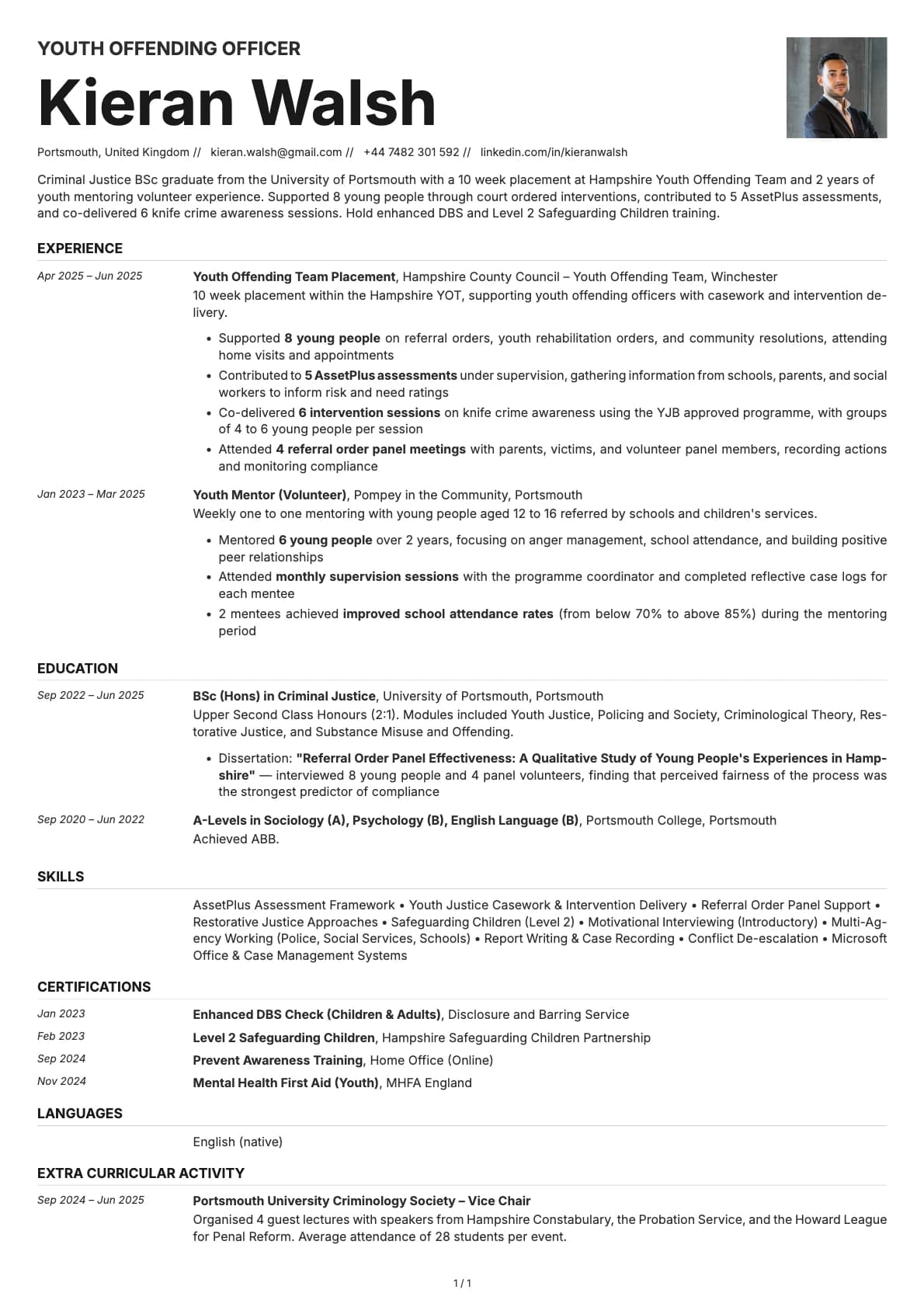
The only timeline-style resume template on Laddro. Dates on the left, content on the right. 7 colour options. ATS score 8.5/10. Build yours free on Laddro.
Free to use. No account needed to start.
Why Zinc?
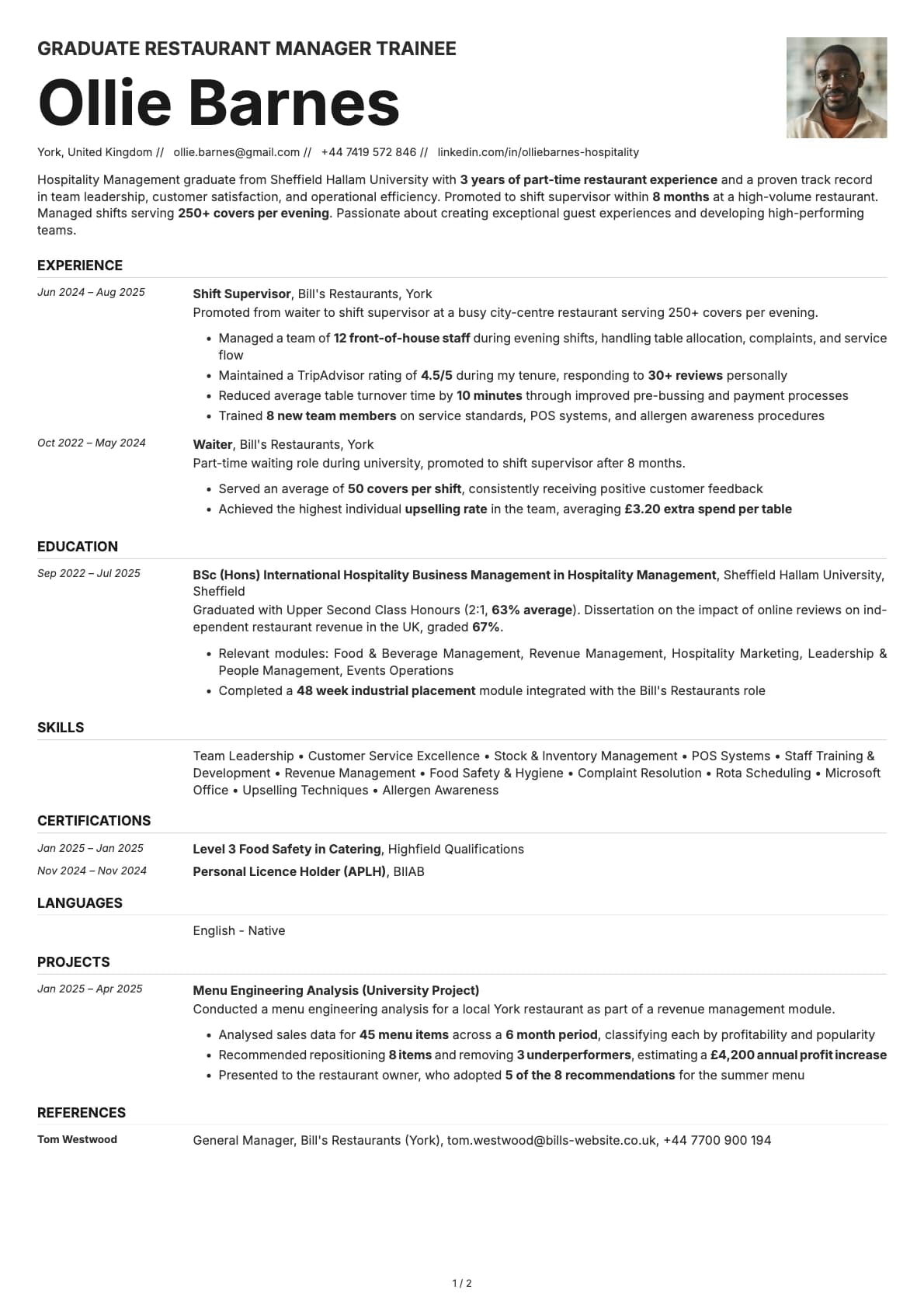
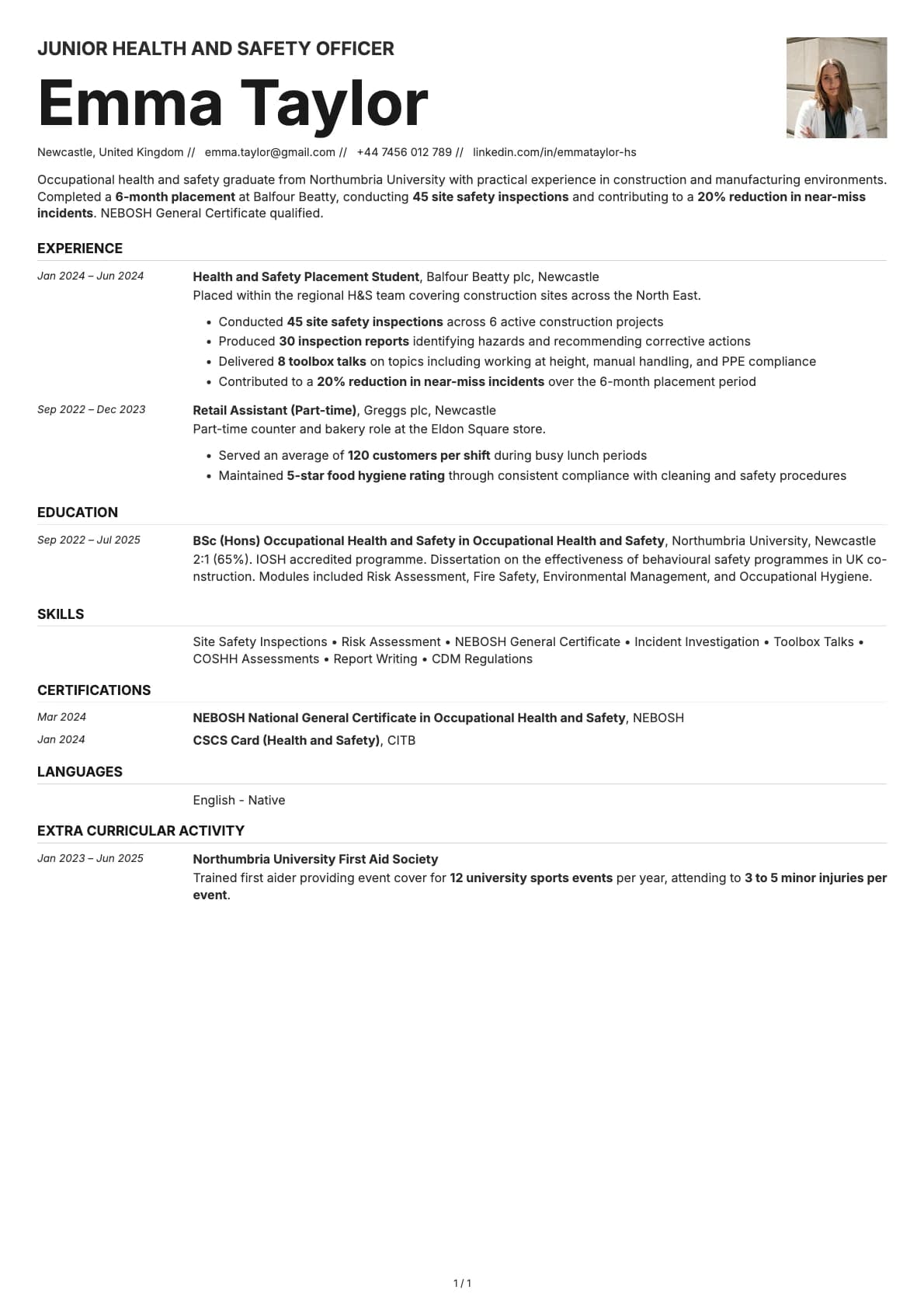
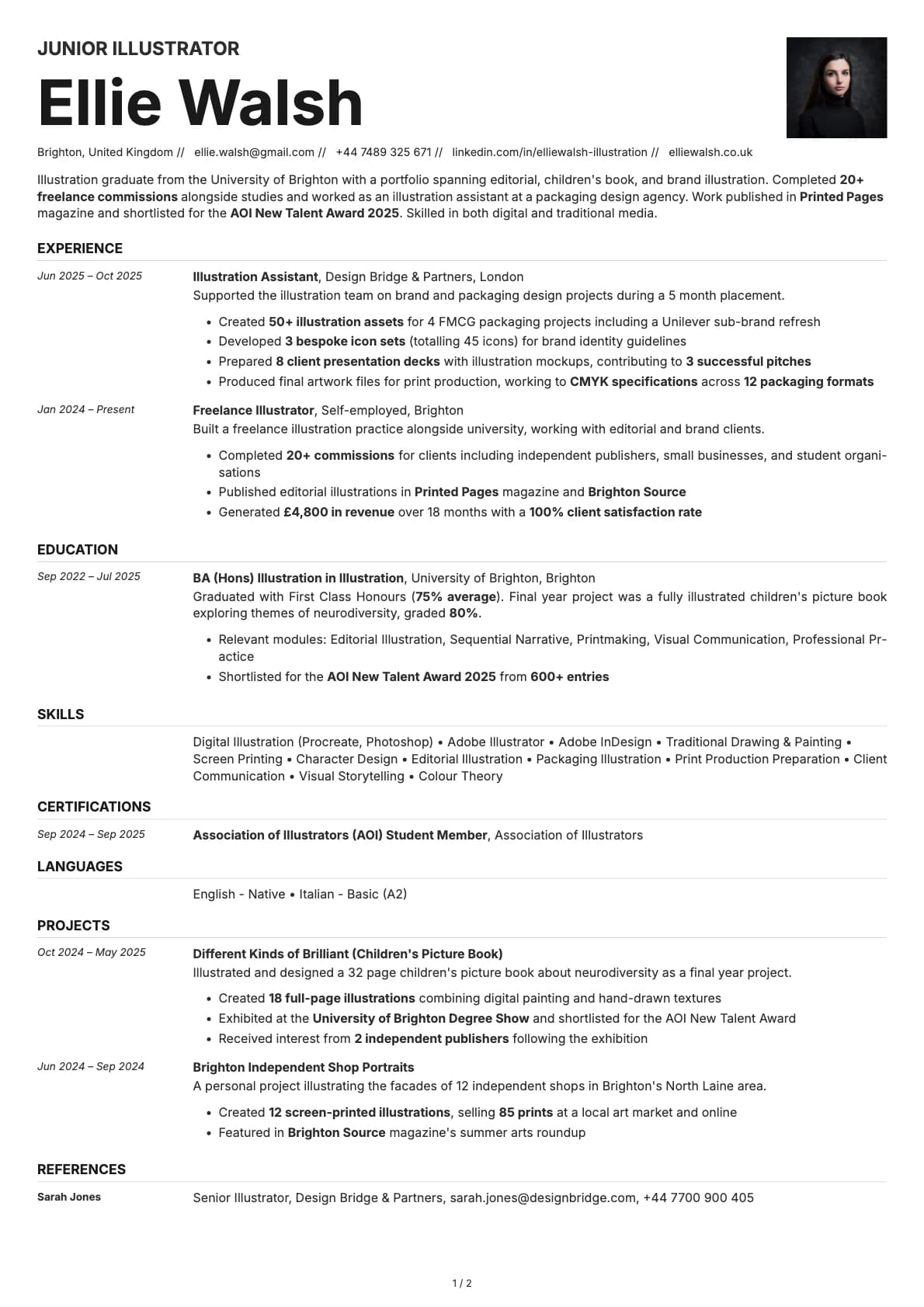
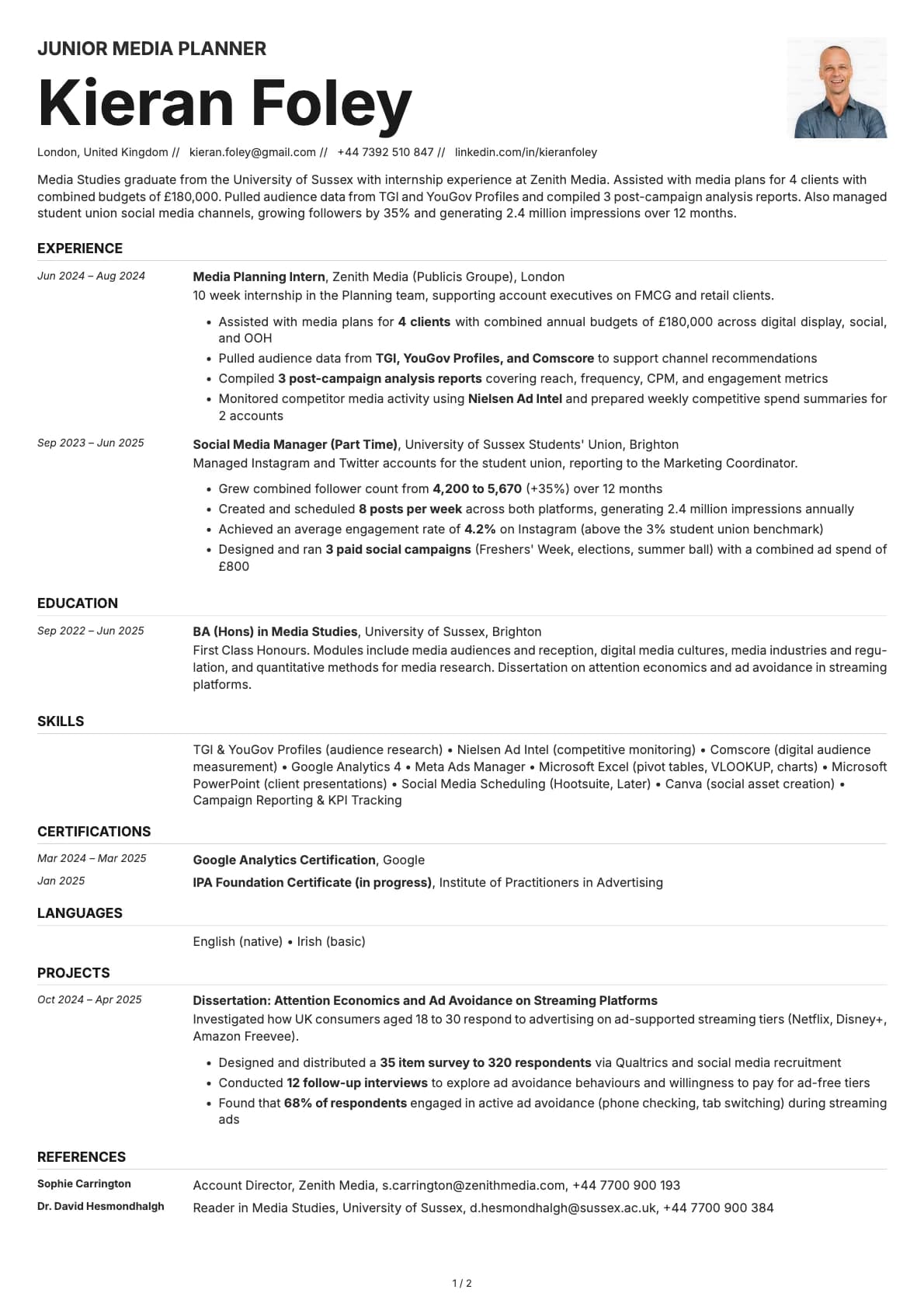
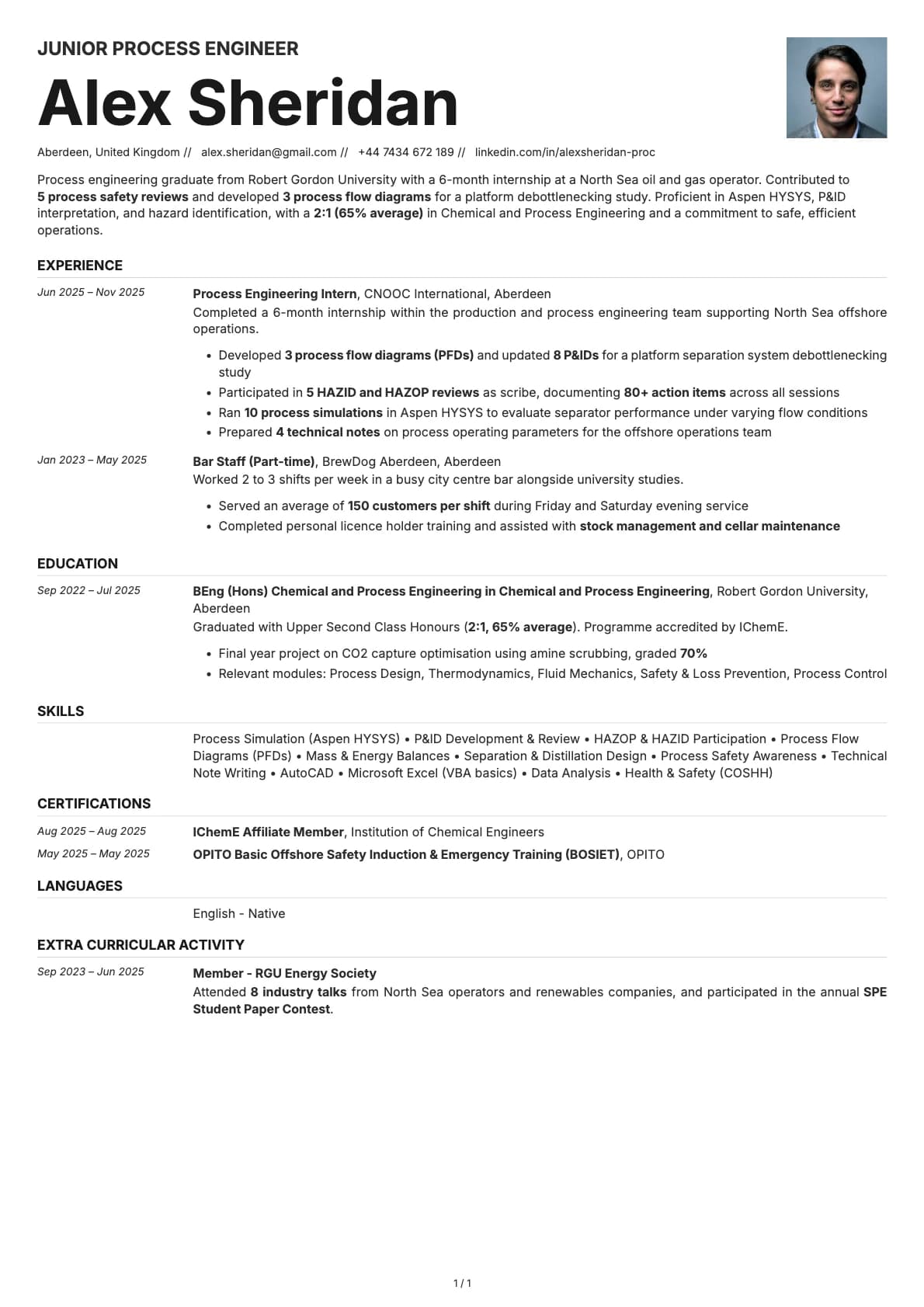
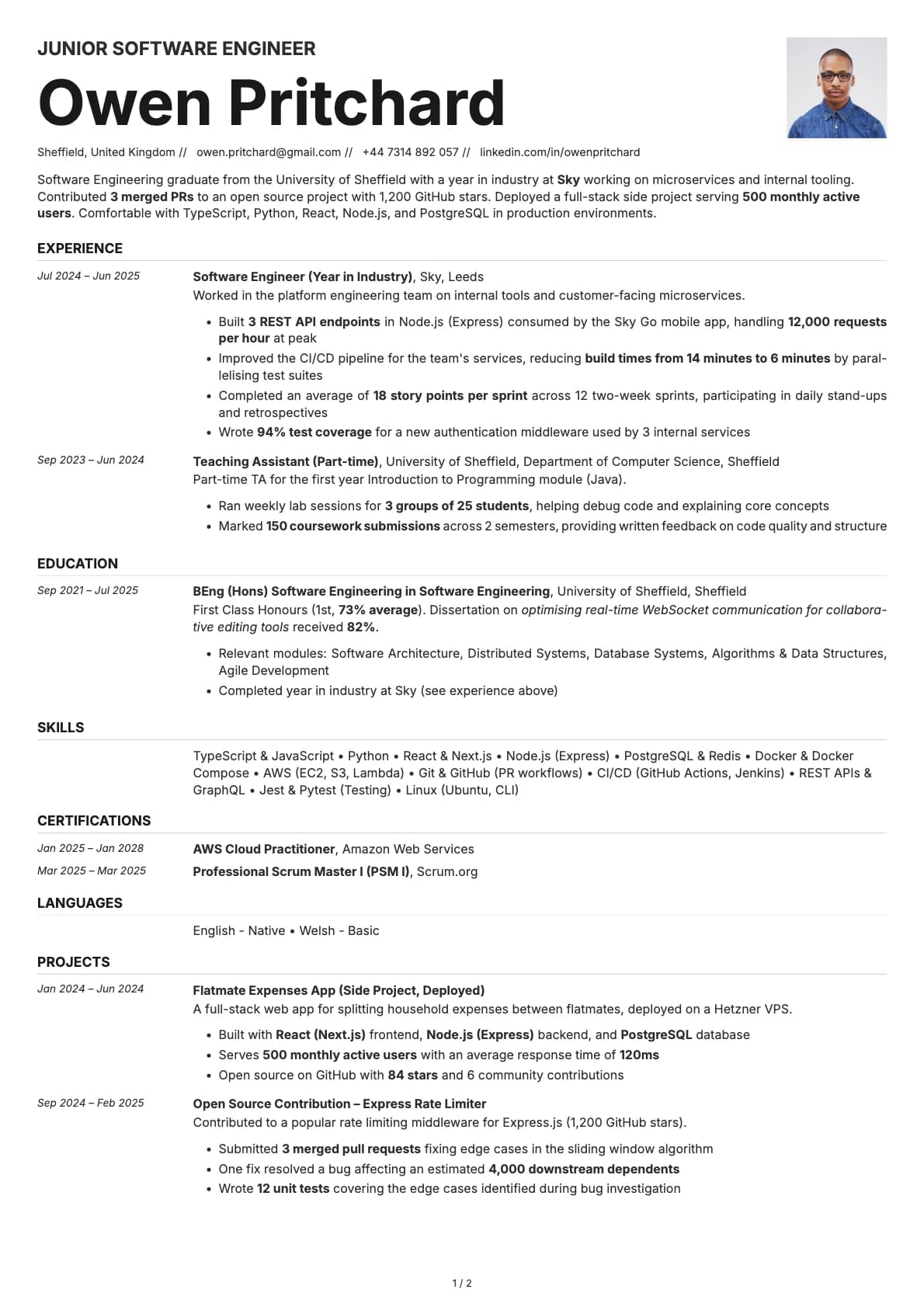
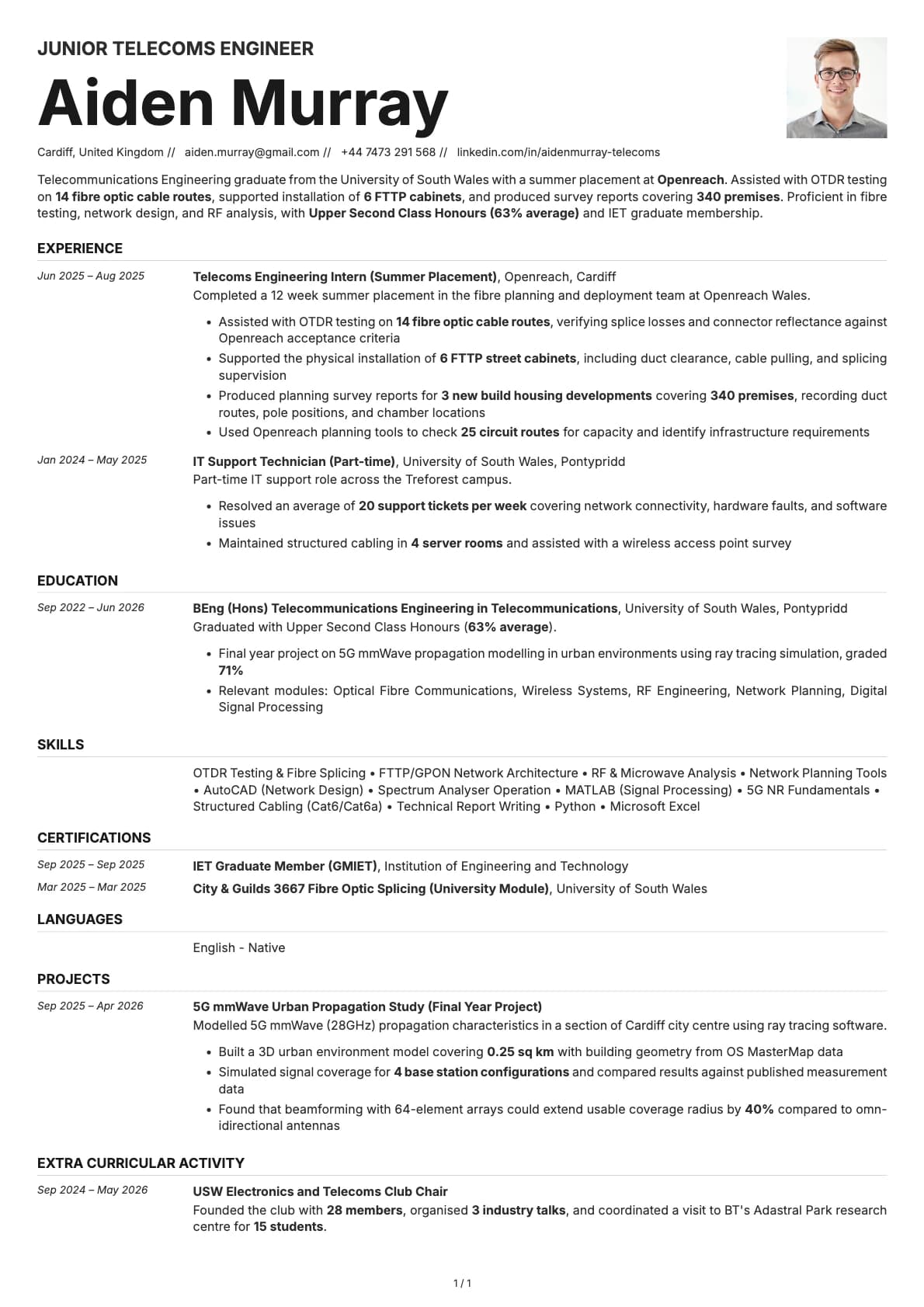
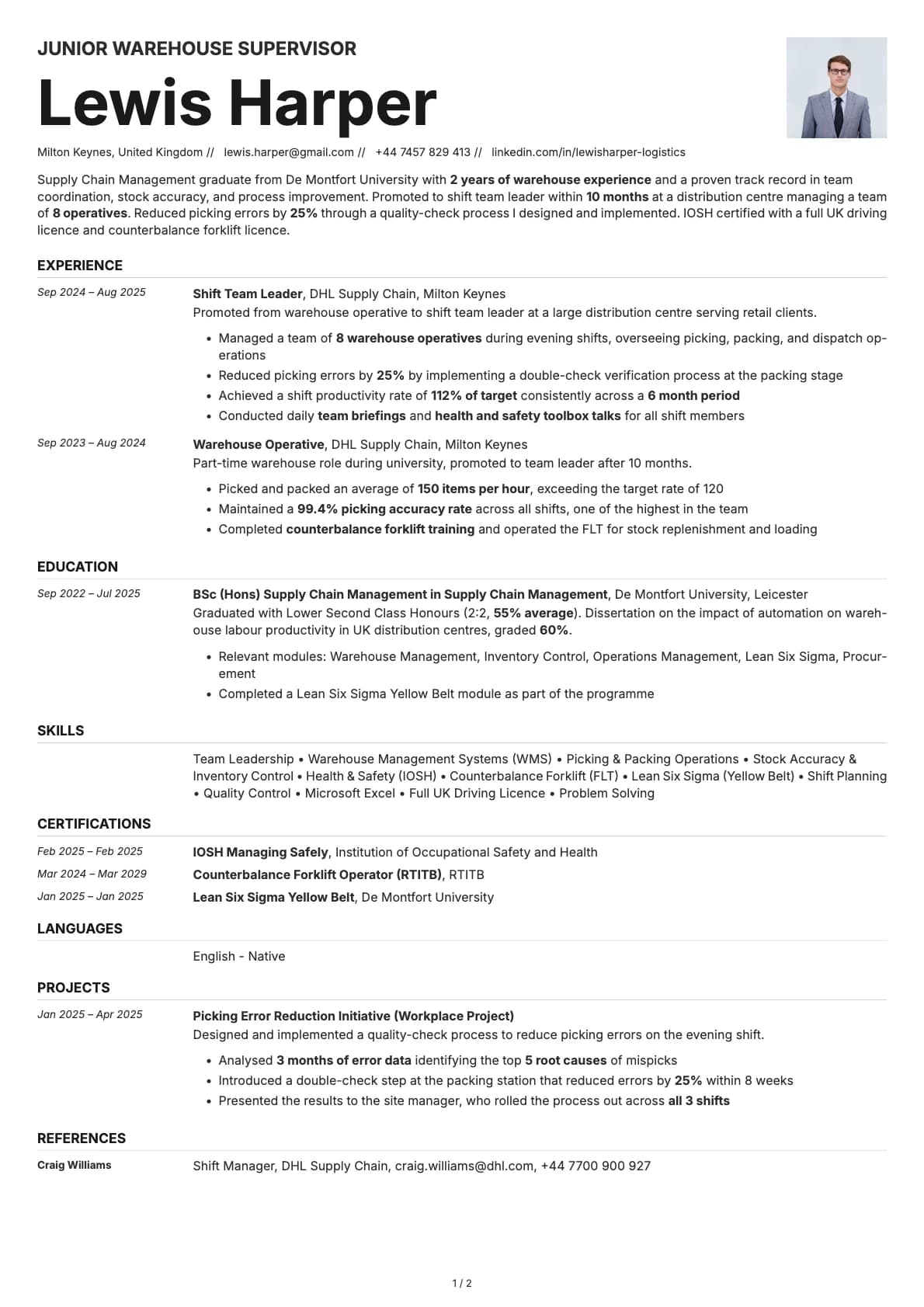
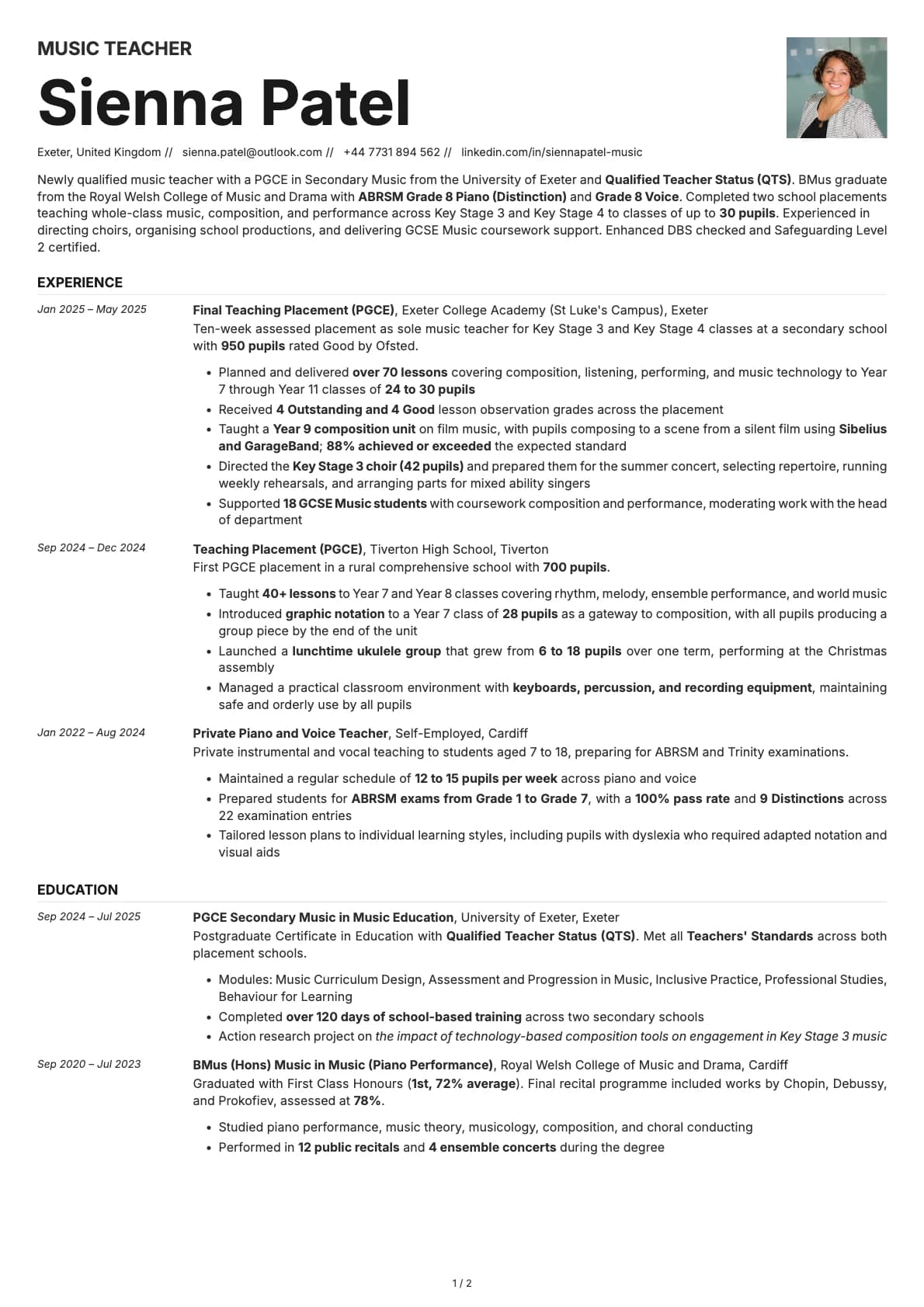
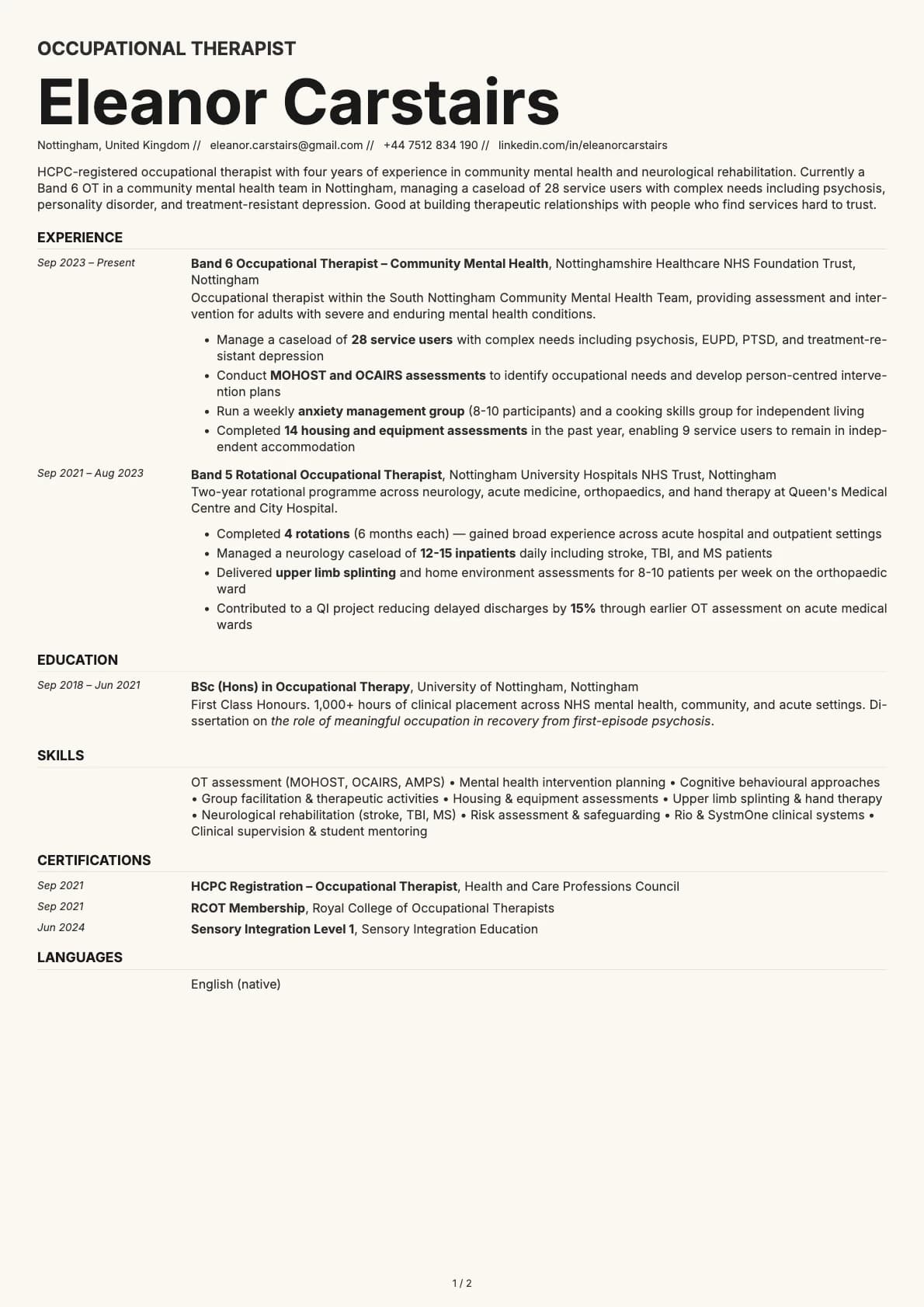
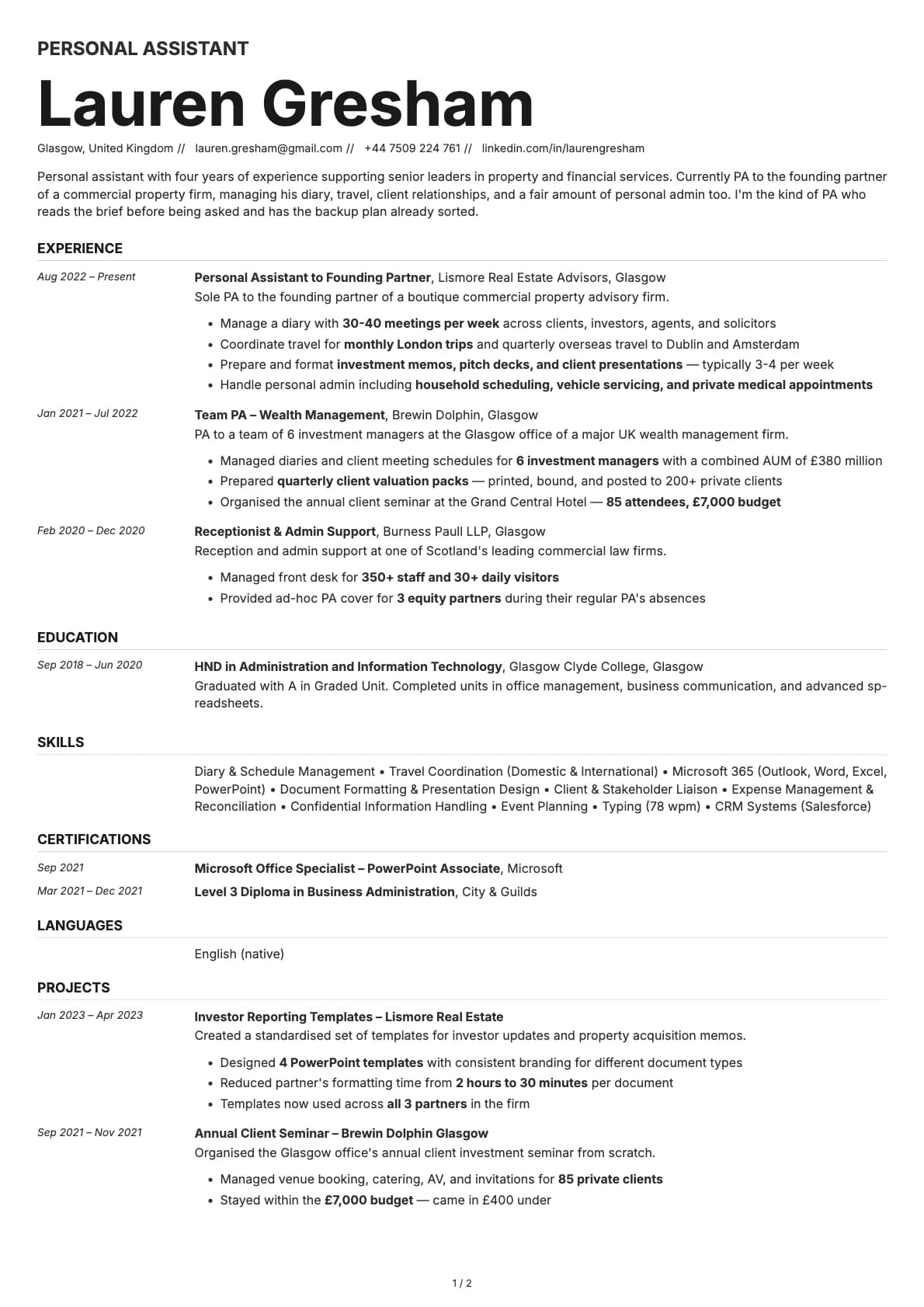
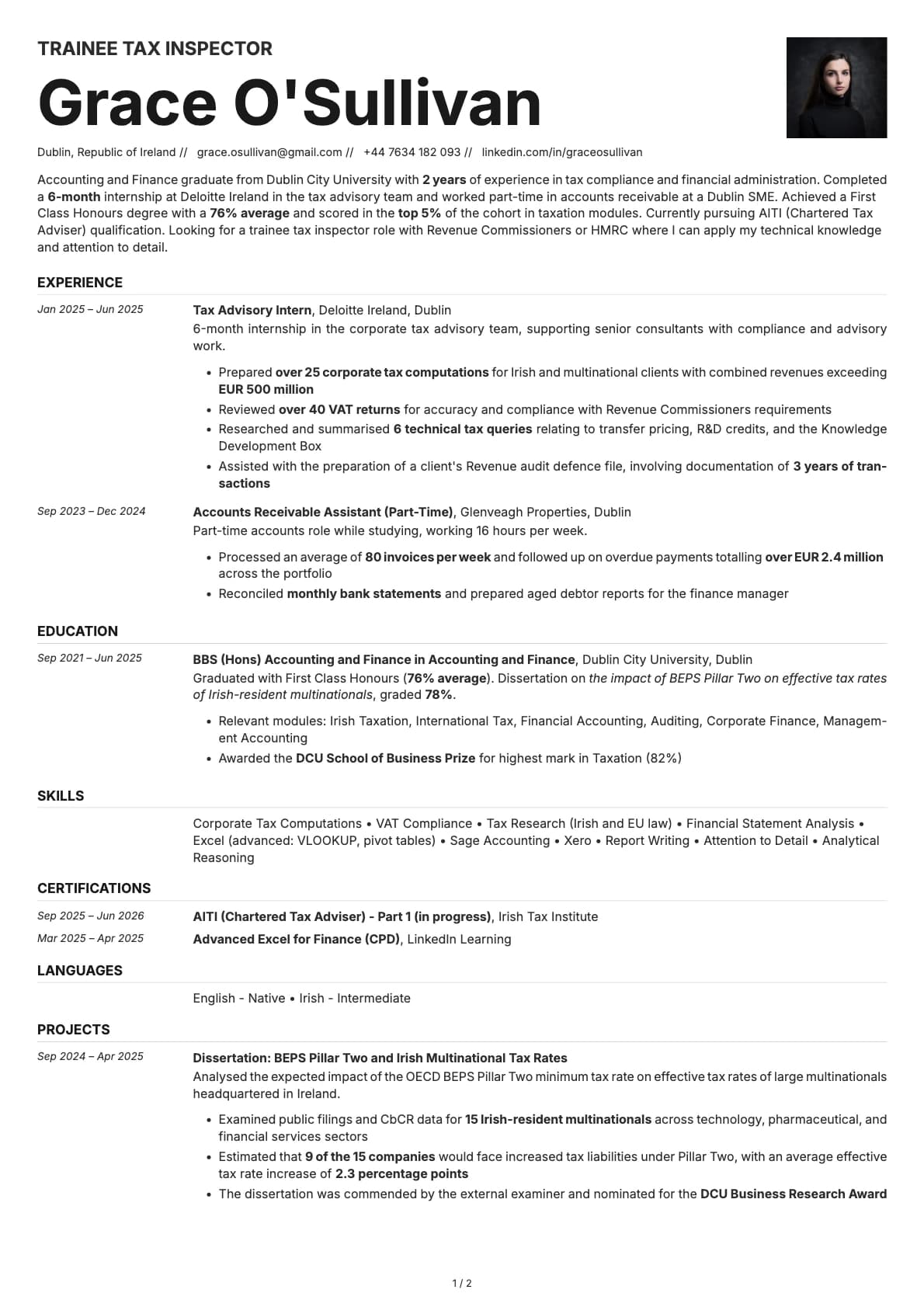
Zinc is the only template on Laddro with a timeline layout. Dates and time periods sit in a left column, and the corresponding role details, descriptions, and achievements sit on the right. This layout makes your career progression immediately visible. A recruiter can trace your path from entry-level to senior role in a single glance down the left margin.
The overall feel is industrial and modern. Muted backgrounds, clean typography, and enough white space to keep things readable. It scores 8.5/10 on ATS compatibility, which is slightly lower than a standard single-column template because of the date-content split, but still high enough to parse correctly on all major platforms.
Who should use this template?
Zinc is a good fit for software engineers, data engineers, DevOps specialists, and anyone in a technical role where career progression tells a clear story. It also works well for consultants and project managers who move between engagements and want to show a timeline of deliverables.
The timeline format is most effective when you have at least three or four positions to show. If you only have one or two jobs, the left column will feel empty. In that case, a standard single-column layout like Copper is a better choice for tech roles. Limestone is another minimalist option that puts skills first, which can be more useful early in your career. If you want a two-column tech layout instead of a timeline, check out Obsidian.
What you get
- A timeline-style layout with dates on the left and content on the right, scoring 8.5/10 on ATS
- 7 colour themes built around muted, industrial tones (warm cream, cool slate, sage, lavender-gray)
- The default font is Inter, a clean sans-serif that pairs well with the template's modern feel. You can switch to Arvo, Poppins, Lora, Century Gothic, or any other font available in Laddro
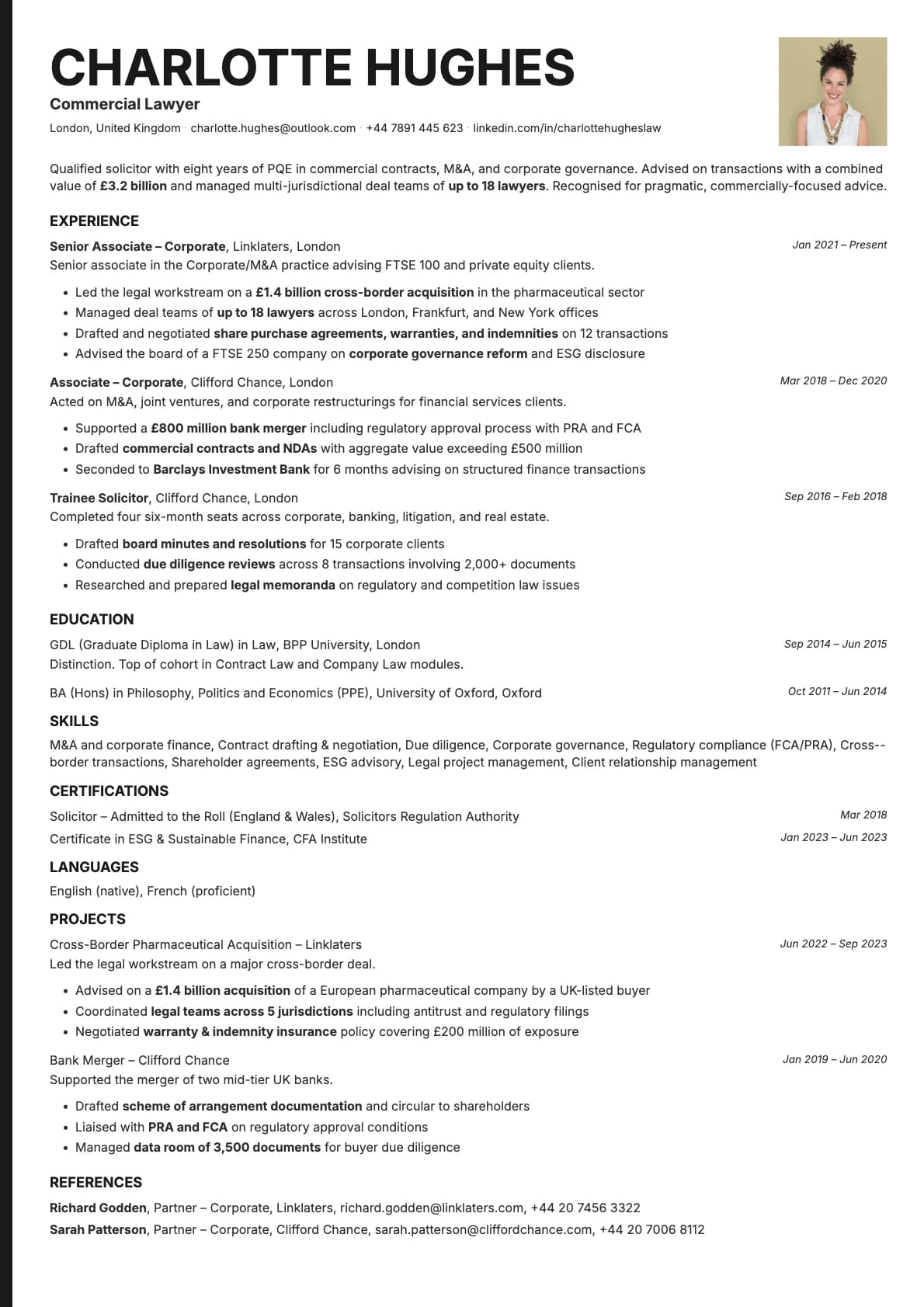
- Photo support with a photo variant
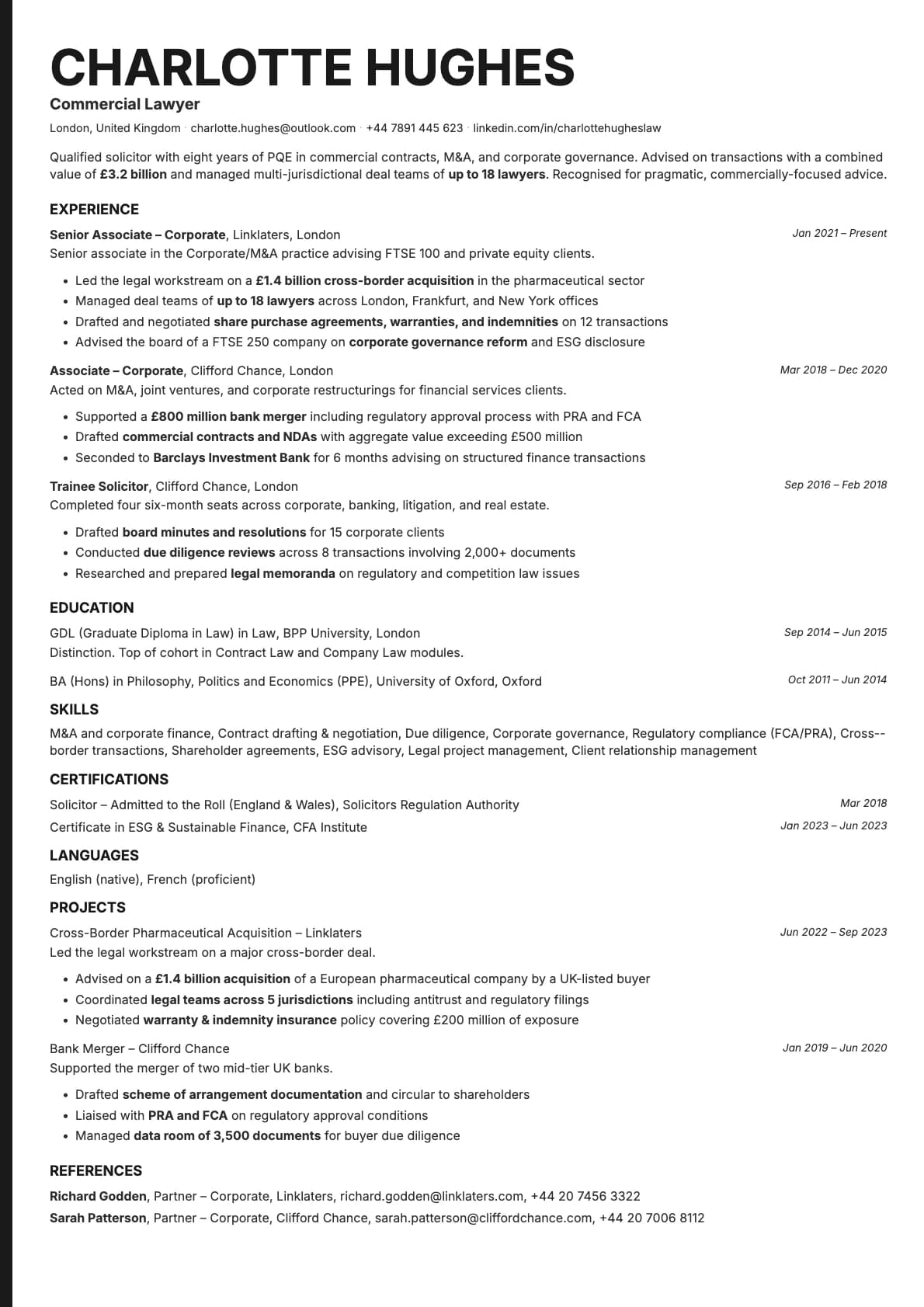
- Multi-page support that keeps the timeline structure consistent across pages
ATS compatibility
Zinc scores 8.5/10 on ATS parsing. The timeline layout uses a date-content split that most modern parsers handle correctly, though it is slightly less straightforward than a pure single-column flow.
- The date column is structured so parsers can associate dates with the correct roles.
- All text is native, with no graphics or icons.
- Section headings follow standard conventions that ATS systems recognise.
It parses correctly on LinkedIn Easy Apply, Greenhouse, Workday, Taleo, and iCIMS. If you are applying to a company that uses an older or less common ATS, you might want to test with a single-column template as a backup.
Colour options
The 7 options all share a quiet, understated palette:
- Clean white with light gray dividers for the most neutral option
- Warm cream and sand tones that give the resume an organic, tactile quality
- Cool slate and blue-gray for a sharper, more technical impression
- Sage green and muted lavender for subtle colour without distraction
Every colour option is designed to print well. The muted backgrounds keep ink usage reasonable.
Tips for getting the most out of Zinc
- The timeline draws attention to dates, so make sure yours tell a good story. Gaps stand out more in this layout than in a standard single-column template. If you have a gap, address it briefly in your summary or add a relevant entry (freelance work, a course, a personal project).
- Keep your role descriptions focused. The right column is narrower than a full-width layout, so long paragraphs will push your resume onto extra pages. Use three to five bullet points per role.
- Start with your most recent role and work backwards. The timeline format loses its impact if the order is inconsistent.
- If you have certifications or education that strengthen your timeline, include them with dates so they fill out the left column and show continuous development.
Build your resume with Zinc on Laddro
Start building with Zinc. Fill in your details, switch colours and fonts in real time, and download a PDF when you are ready. No account needed to start.
How would you rate this template?
Your rating helps others pick the right template for their resume.
Make this template yours
Pick a colour, add your details, and download your resume. No design skills needed.
Free to use. No account needed to start.
Resumes built with Zinc